
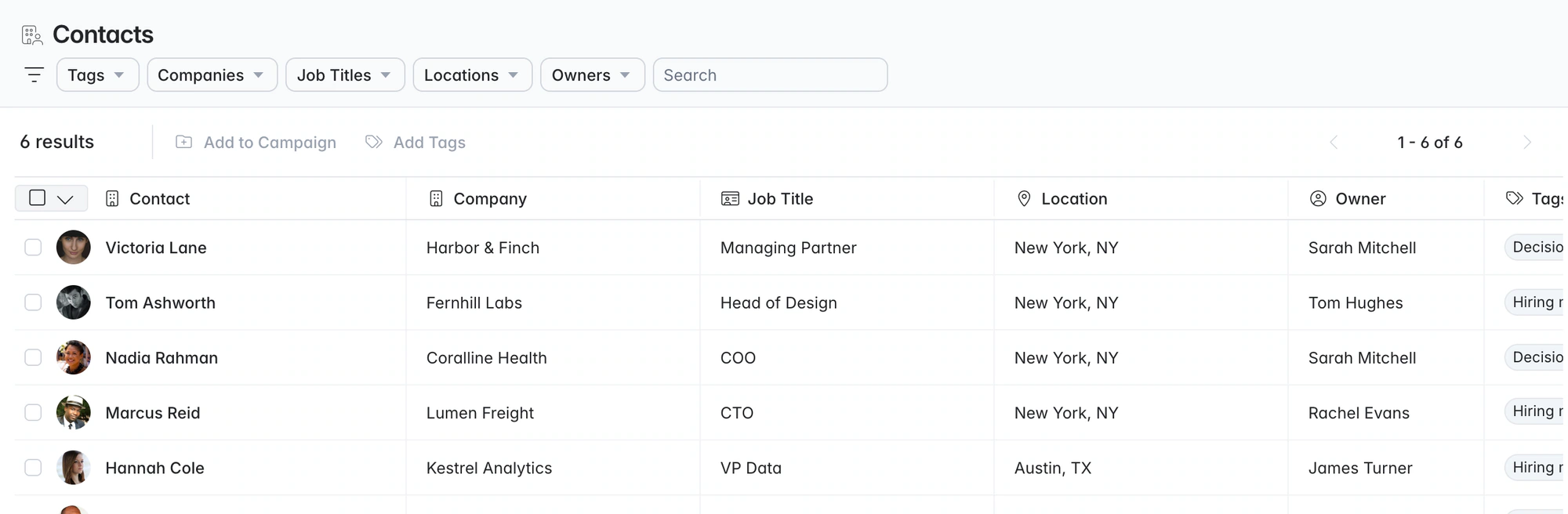
Recruitment CRM. Client deals beside candidate history.
Longlist is a recruitment CRM and ATS for agencies. Candidates, client contacts, BD opportunities, outreach and live jobs share one database, so the hiring manager you call this month is easy to find when next quarter's brief comes in.
Free data migration 14-day free trial
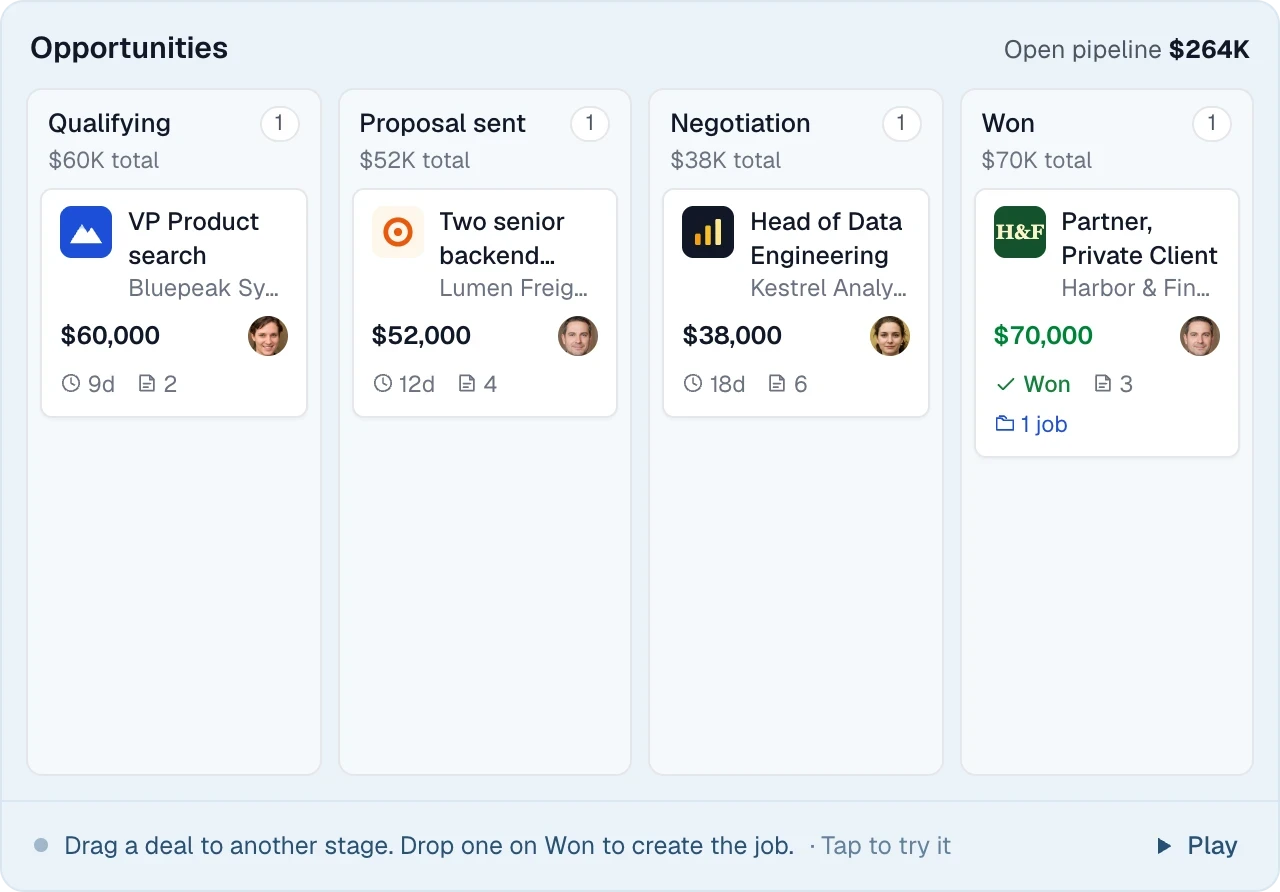
Good company. Great recruiting teams.





Candidate and client history next to your jobs
Keep candidates, client contacts and opportunities together. Each record links to your job pipelines, so you start the next call with the notes from the last one.
Four record types in the CRM
| Record | What it holds | A useful next action |
|---|---|---|
Candidate | CVs, work history, conversations and assignments | Find someone you already know for a new brief. |
Company | Hiring contacts, jobs and BD opportunities | See the work you are delivering and the next brief you could win. |
Hiring contact | Conversations, campaigns and opportunities | Follow up with context from the last discussion. |
Job | Client brief, shortlist, interviews and placement | Keep the team focused on the next candidate decision. |
LESS FRICTION. MORE MOMENTUM.
Candidate records you can search and follow up
Parse, search, tag and contact candidates without leaving the CRM.
01
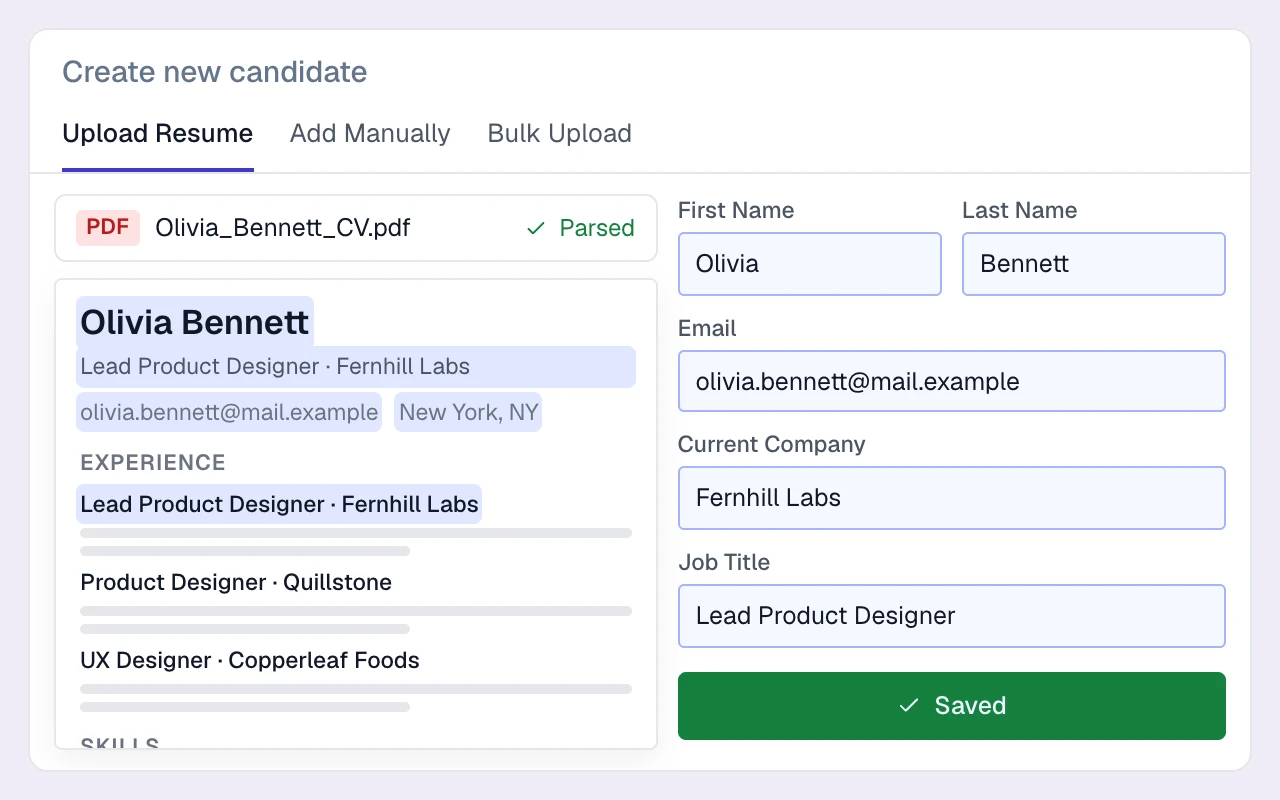
Parse CVs straight into clean records
Upload up to 50 CVs at a time. Parsing extracts the details and checks for existing candidates.
02
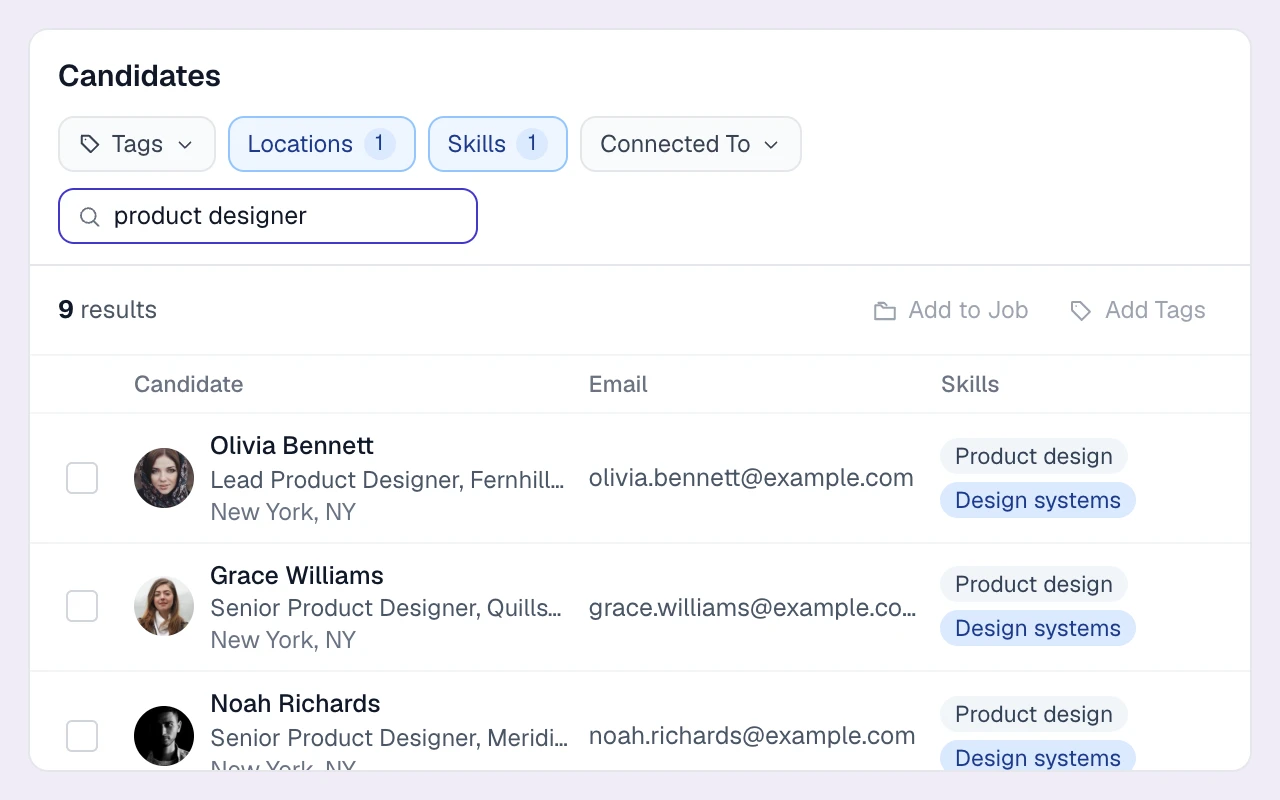
Search, filter and tag
Find people by keywords and filters, then organise them with tags, salary details and role preferences.
03
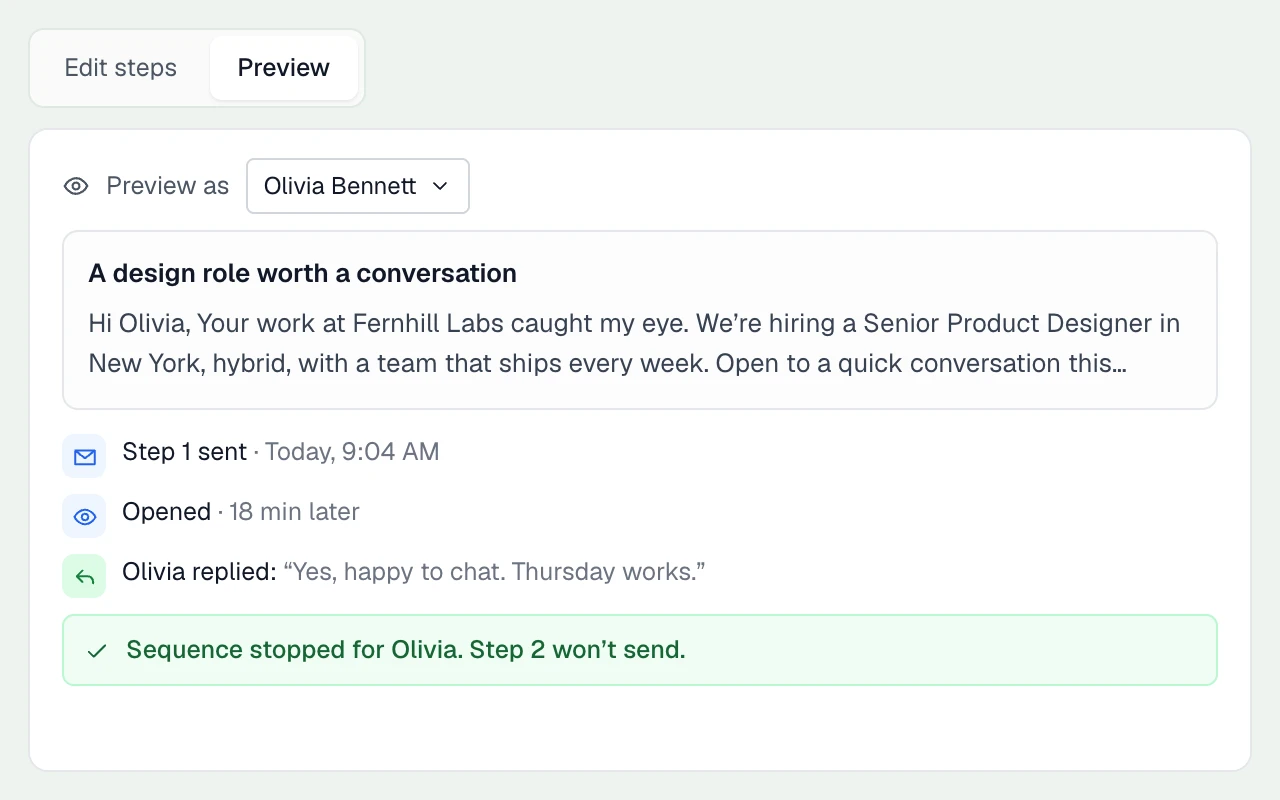
Campaign lists with email sequences
Build campaign lists and add email sequences that follow up until someone replies.
04
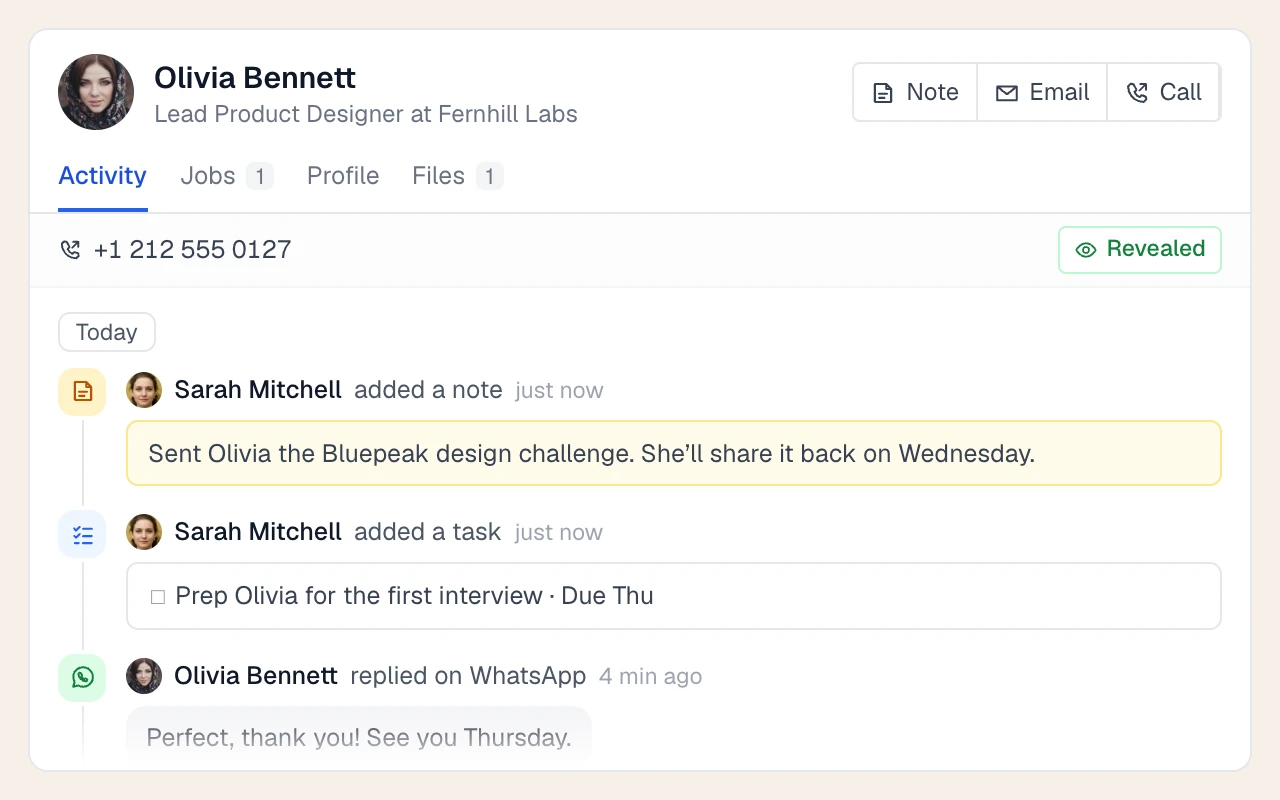
One timeline per person
See emails, calls, messages, notes and job activity together, ready for the next person on your team.
THE DETAILS MAKE THE DIFFERENCE
Client CRM: companies, contacts and deals
In Longlist the client side lives next to your candidates, so a contact you're pitching and a candidate you're placing are one click apart. More on recruitment business development.
Companies
Name, website, address, owner, terms and status (Active, Past Client, Prospect). The company website is looked up automatically and the logo pulled in.
Contacts
Hiring managers and decision makers with email, phone, role, LinkedIn and owner, each with the same activity timeline as candidates.
Opportunities board
A kanban of deals: Open, Qualifying, Proposal sent, Negotiation, Won, Closed/Lost. Each deal has a value and currency, perm or contract, number of openings, close dates, an owner and linked candidates.
BD campaigns
Business Development and Sales campaign types hold your target contacts with their own stages, so you can see who's been approached, who replied and who's in conversation.
Outreach to clients
Run email sequences to contacts with call and LinkedIn tasks between steps, or send one-off emails from your own inbox. Plus adds click-to-call and SMS.
BD reporting
The BD Activities and Client Activity reports show contacts added to campaigns, opportunities created, open pipeline by client and jobs by company.
CRM or ATS?
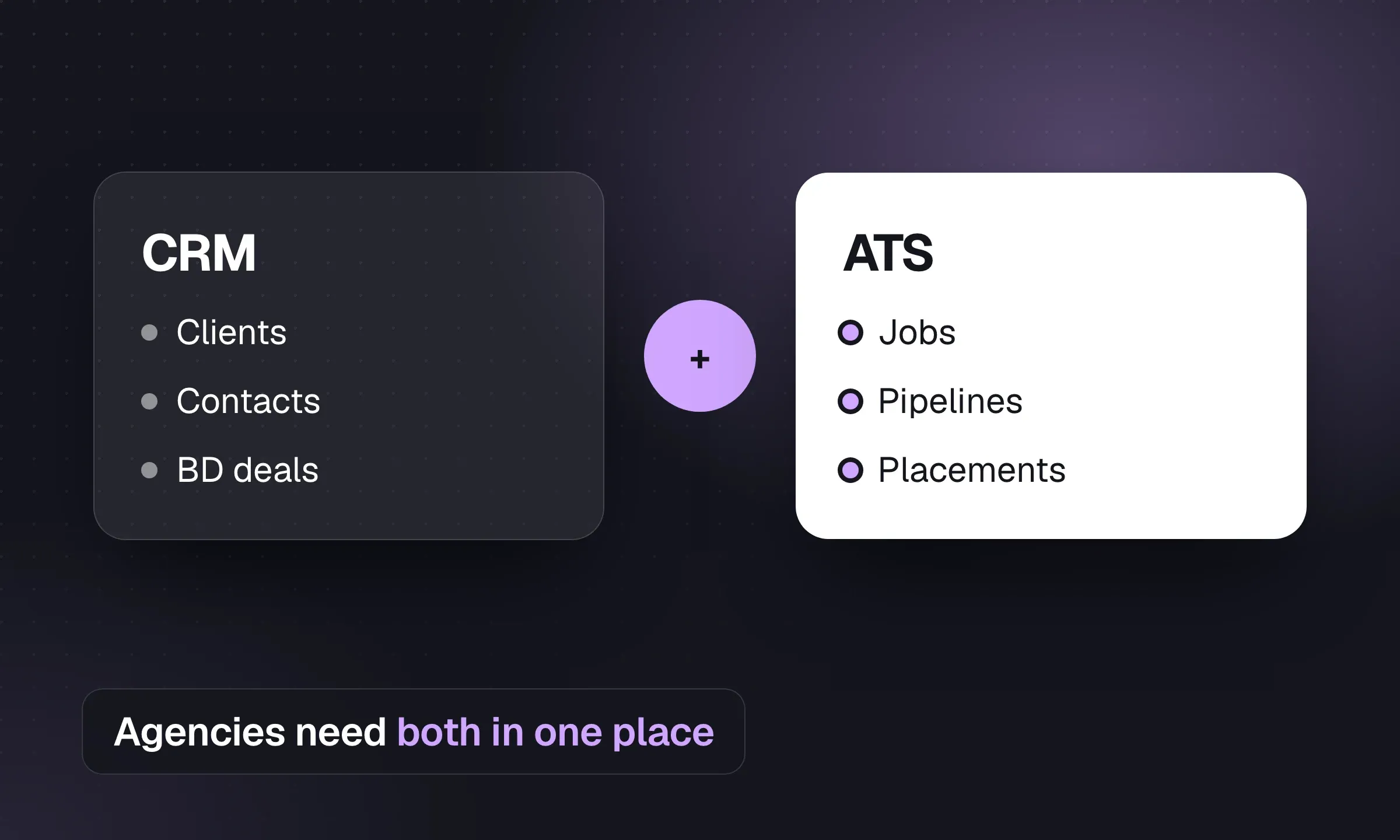
The ATS tracks candidates through a live job; the CRM keeps candidate and client relationships useful between jobs. Longlist includes both. Read the agency guide to CRM vs ATS.
THE DETAILS MAKE THE DIFFERENCE
Included with the CRM
Gmail and Outlook sync
Two-way sync of inbox, sent and archive, with emails matched to candidate and contact timelines.
Tasks and reminders
Calls, meetings, follow-ups, InMails and reminders with due dates and email alerts.
Notes with @mentions
Tag a colleague on a note and they get an email with the context.
GDPR consent tracking
Send consent requests, track expiry and filter your database by consent status.
Roles and job members
Owner, admin and member roles for your users, and recruiter and account manager roles on each job.
Calling, SMS and WhatsApp (Plus)
In-browser calling with a number per user, plus two-way SMS and WhatsApp on the record. Calling, SMS & WhatsApp.
Activity reports
CVs sent, interviews, offers, calls and time-in-stage by user and client, with drill-down. Reporting.
Exports and API
Export candidate lists to Excel or CSV. A limited API creates candidates and opportunities.
Free migration
We move your candidates, contacts and CVs from Bullhorn, spreadsheets or another CRM at no charge.
A LITTLE TEAM MATH
Your team. Your total.
Choose a plan and see what it costs for everyone.
YOUR TEAM ON GROWTH
$295USD / month
$295 billed monthly for 5 people.
Annual billing saves $720 a year
Excludes applicable taxes. Need Enterprise or more than 100 seats? Let’s talk.
Recruitment CRM pricing, compared
Compare the subscription, billing basis and workflow your agency needs. Longlist figures are USD per user per month; vendor currencies and billing terms are stated separately. Confirm current terms with each provider.
| Software | Starting price | What to know |
|---|---|---|
| Longlist | From $47 annual / $59 monthly | USD per user/month. CRM, ATS, parsing, sequences, CV packs and migration support. See pricing. |
| Recruit CRM Pro | $95 annual / $109 monthly | USD per user/month. Includes one outreach sequence. |
| Recruiterflow Platform | $149 | USD per user/month, the same on monthly and annual billing. |
| Bullhorn Starter | $99 | USD per user/month; billing term not published. |
| Vincere Core | £95 | GBP per user, for teams of 2–7 users; 30-day rolling terms. |
| JobAdder | Quote-based | Plans by team size: Lite (1–5 users), Essential (6–20), Pro (21+). |
| Manatal Professional | $15 annual / $19 monthly | USD per user/month. Capped at 15 jobs and 10,000 candidates. |
| Zoho Recruit Standard | $25 annual / $30 monthly | USD per recruiter/month, staffing edition. |
| Loxo Core | $149 | USD per user/month, billed annually and paid up front. |
Sources, verified October 2026: Recruit CRM [1]; Recruiterflow [2]; Bullhorn [3]; Vincere [4]; JobAdder [5]; Manatal [6]; Zoho Recruit [7]; Loxo [8].
Currencies, billing terms and plan scope are shown separately; confirm the current terms with each provider.
Compare the total cost
An affordable recruitment CRM needs to fit your workflow as well as your budget. Check billing terms, usage credits, feature limits and migration fees. Model the cost for next year’s headcount as well as today’s. Lower-priced plans may suit you if you need fewer features.
Moving from another CRM
Our team moves your candidates, contacts and CVs from your current CRM, spreadsheets or CV folders for free. Try Longlist for 14 days and choose monthly or annual billing. Compare plans.
Does Longlist track business development and deals?
Yes. Track companies, contacts and opportunities, run BD campaigns and sequences, and review activity in the BD report.
How hard is it to switch recruitment CRMs?
Our team migrates candidates, contacts and CVs from your existing system for free. We work with full exports, spreadsheets and CV folders.
Who owns the data in my CRM?
You do. Export candidate lists to Excel or CSV, or request a full export from our team.
How much does a recruitment CRM cost?
Growth starts at $47/user/month billed annually, or $59 monthly. Plus adds calling, messaging and custom reports. See pricing.
Does Longlist charge for CV parsing?
No. Resume parsing is included on every plan, with no per-CV fee or credit allowance.
Do I have to sign an annual contract?
No. Monthly billing is available on Growth and Plus. Annual billing offers a lower per-user rate. See pricing.
From the blog
Getting more from a recruitment CRM
CRM vs ATS for Recruitment Agencies
An ATS manages live jobs. A CRM manages client and candidate relationships between jobs. See how agencies use both.
How to Find Clients for a Recruitment Agency
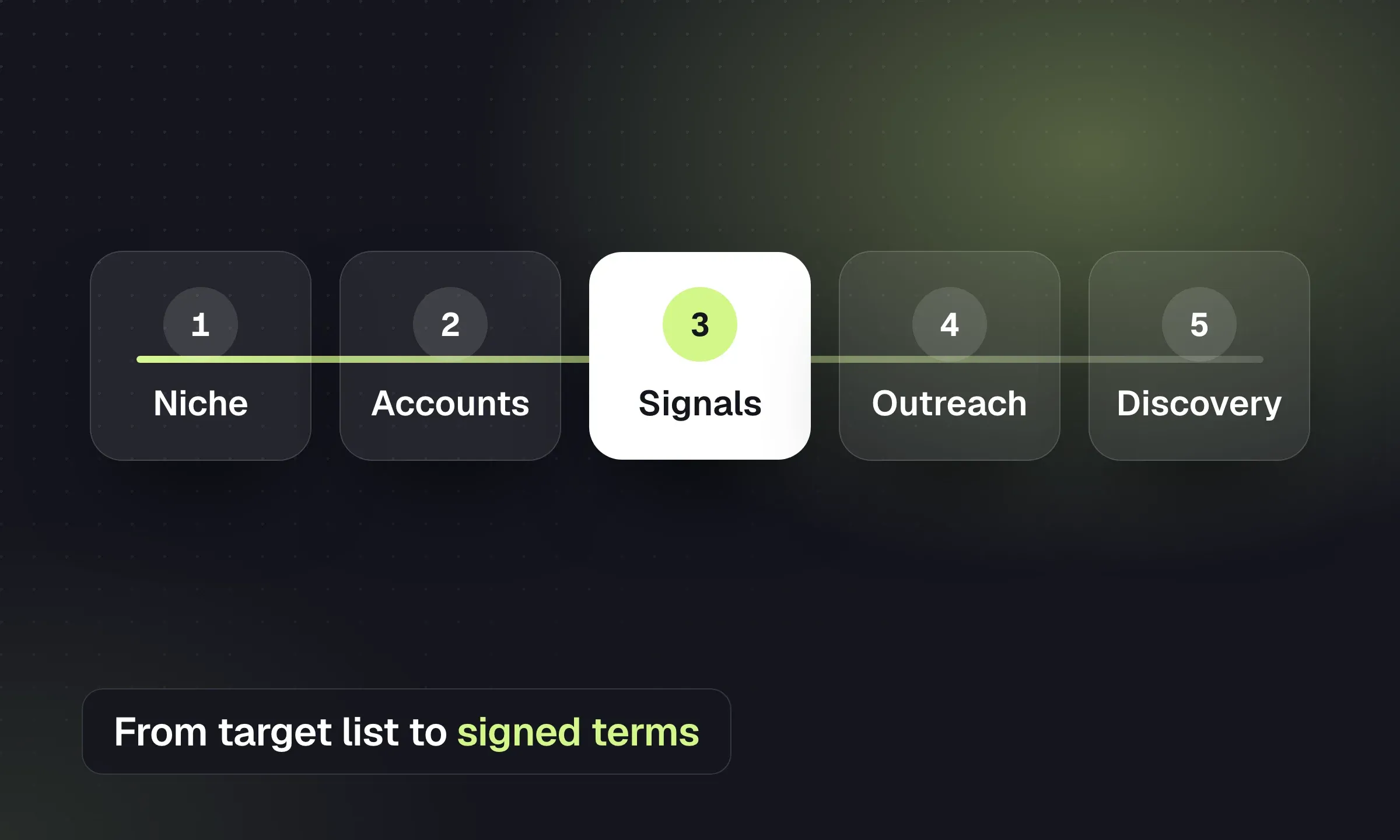
Build a target list, act on hiring signals, qualify the brief and turn a first placement into repeat work.
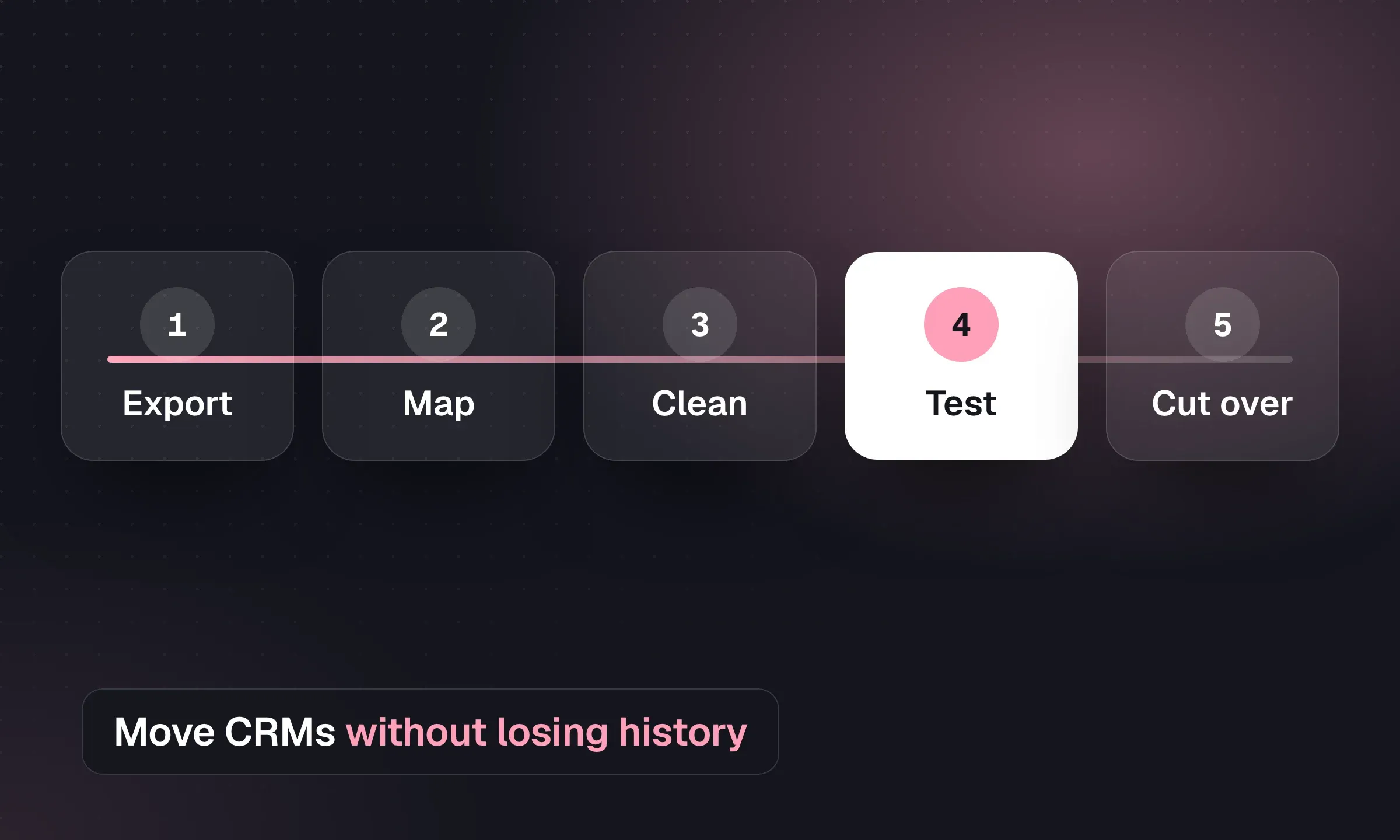
Recruitment CRM Migration: An Agency Checklist
Map records, reconcile CVs and test a pilot before switching systems, with a downloadable migration checklist.
YOUR NEXT CHAPTER STARTS HERE
Less admin.
More “you got the job.”
Let’s walk through a better working day for your agency.