THE CRM + ATS FOR RECRUITING AGENCIES

More placements.
Less busywork.

Find candidates, manage client relationships, and track every placement in one CRM and ATS.

Free data migration24 × 6 human support14-day free trial
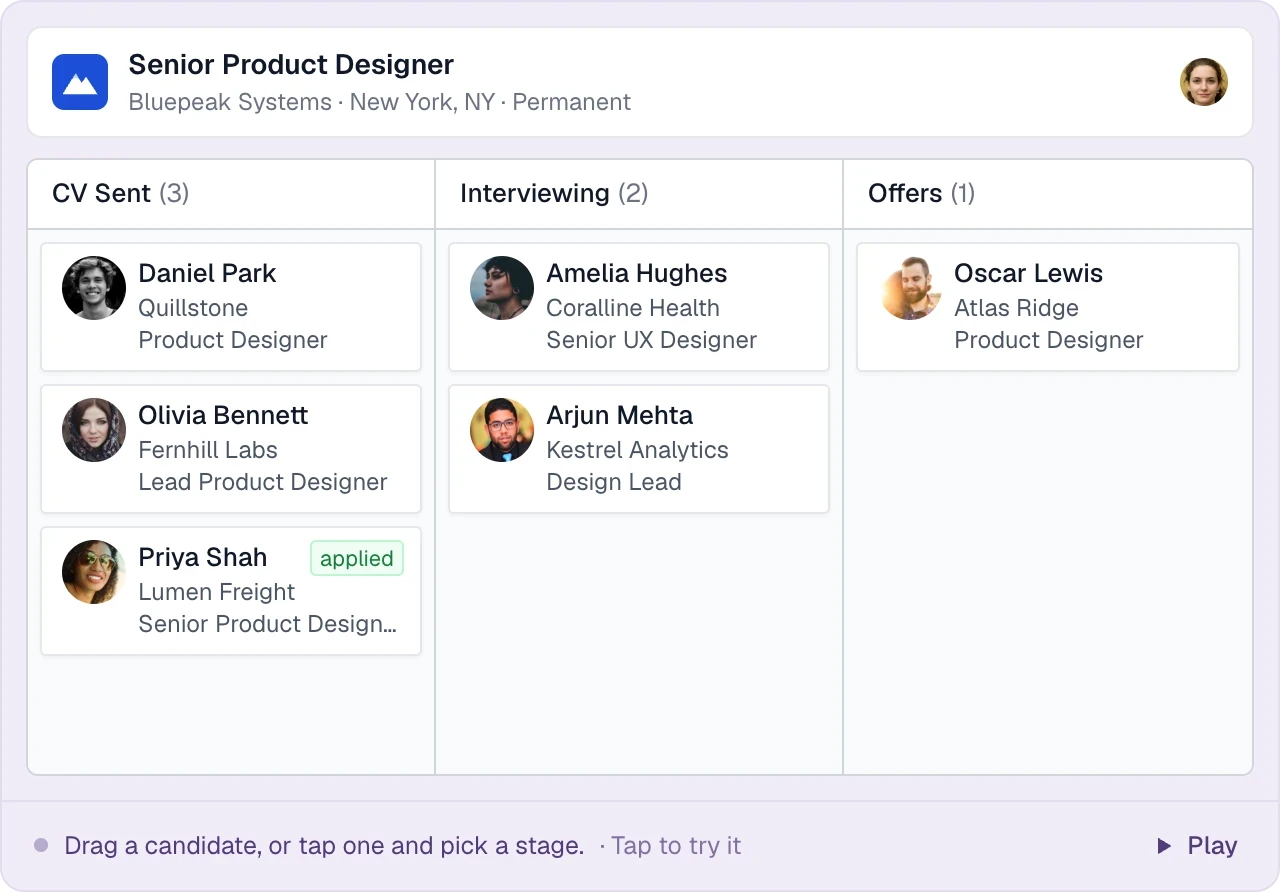
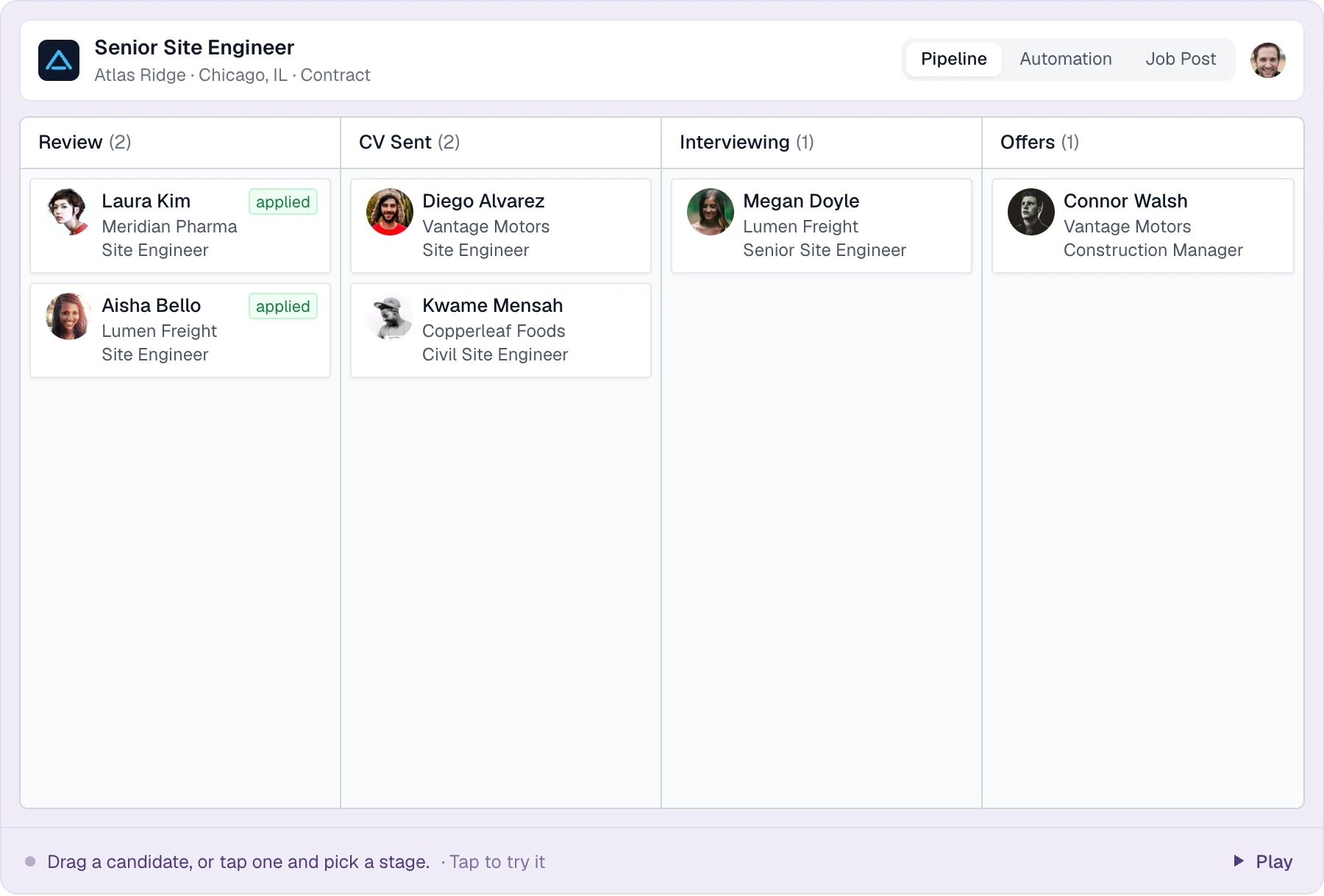
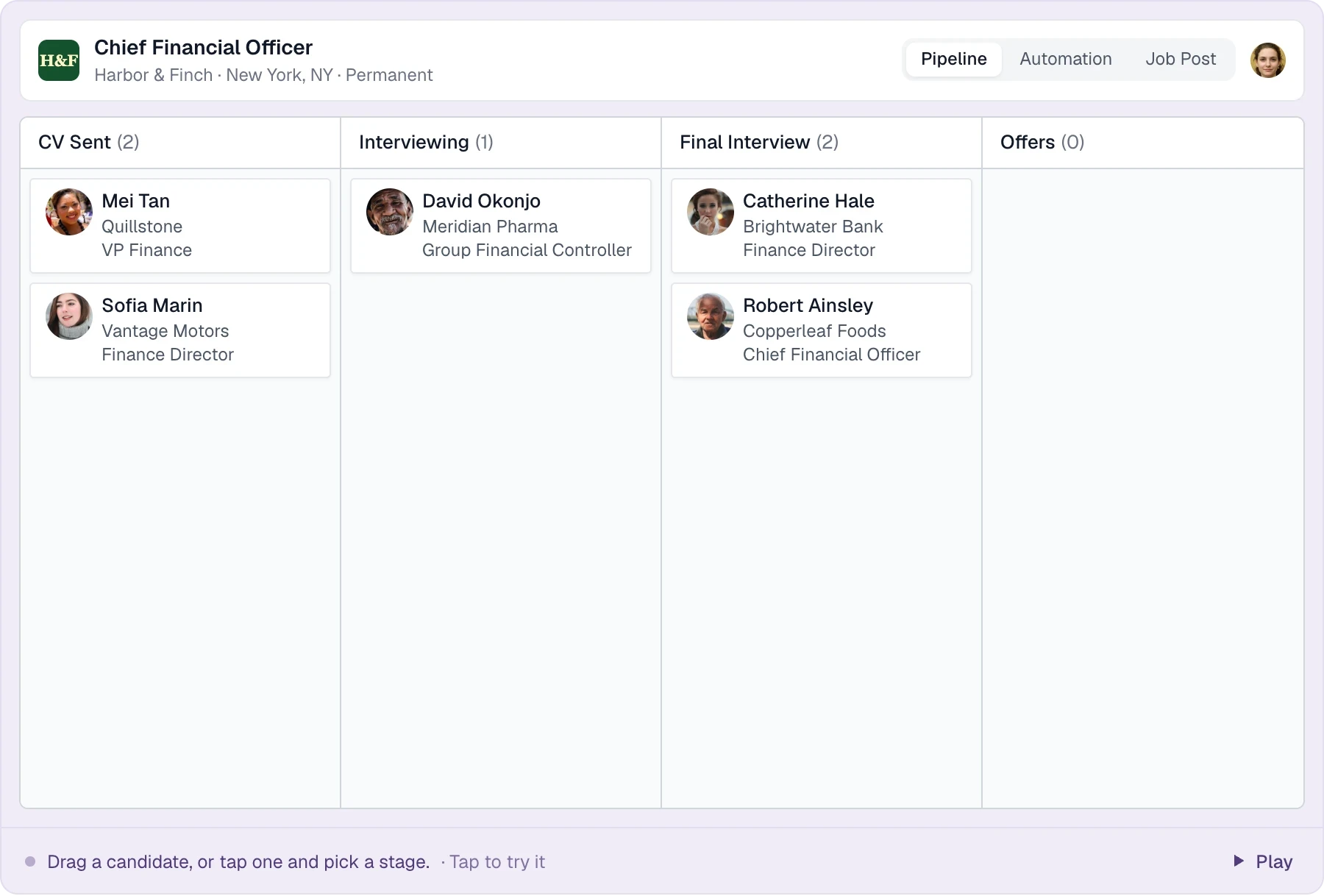
Candidates move through the job’s stages; a move to Offers asks for the placement details.

GOOD COMPANY.
GREAT RECRUITING TEAMS.

LT HarperJanikin EnergyMason & CoFidiusHeadley

FROM FIRST HELLO TO HIRED

One place for the work.
More space for the people.

Your best work happens in conversations.
Give your team the tools to get to more of them.

01 SOURCE & ORGANIZE

Your next placement might already be in your database.

Put the relationships you’ve built to work. Search your talent pool, narrow it down, and keep promising people close for the next opportunity.

  • Capture profiles with the sourcing extension
  • Filter candidates by location, tags, and connections
  • Keep resumes and candidate details together
Explore candidate sourcing
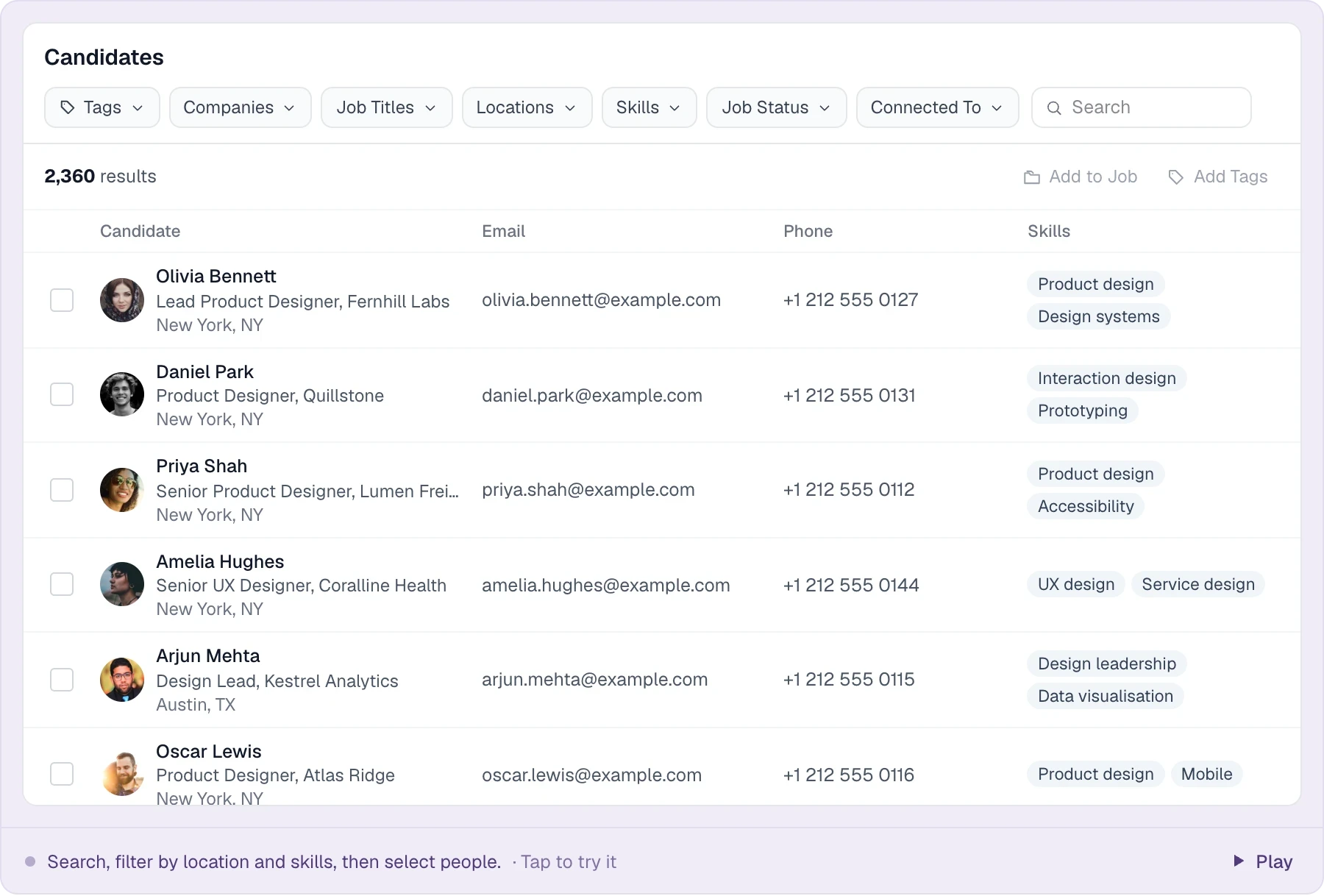
Keyword search with location radius and skills filters across the candidate database.

02 ENGAGE & FOLLOW UP

Thoughtful outreach. Without the chasing.

You write the message. Longlist keeps the follow-ups moving. Build personalized email sequences for candidates and clients, with timing that fits your working day.

  • Personalize messages with contact variables
  • Set the wait between follow-ups
  • Choose when your emails go out
Explore email sequences
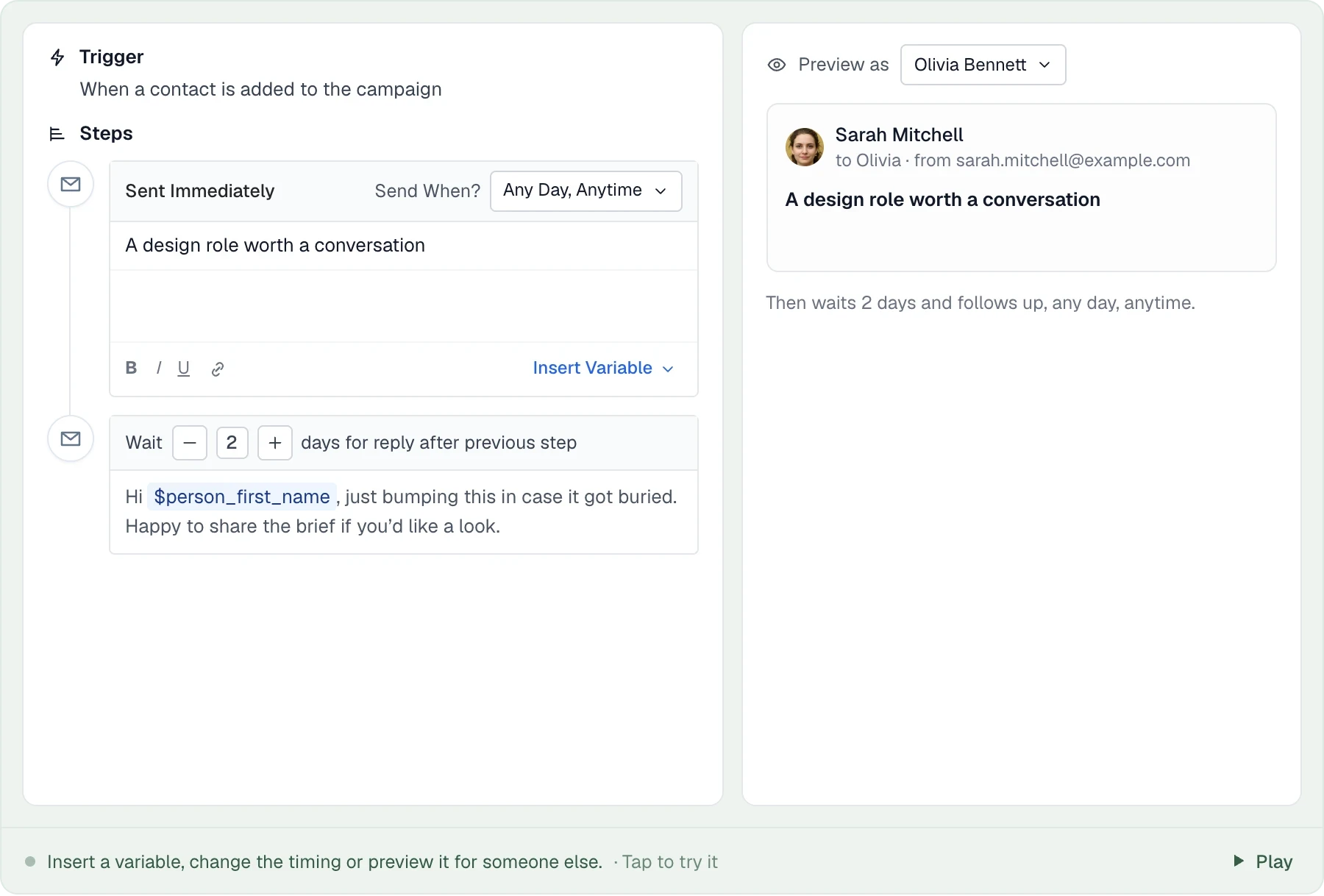
A personalised email sequence that sends in working hours and stops when someone replies.

03 MANAGE YOUR PIPELINE

Know where every candidate stands.

From the first shortlist to the final offer, keep your search moving. See who’s ready for the next step and give your team a shared view of every open role.

  • Follow candidates through your hiring stages
  • Move people forward with drag and drop
  • Keep job details, notes, and your team together
Explore hiring pipelines
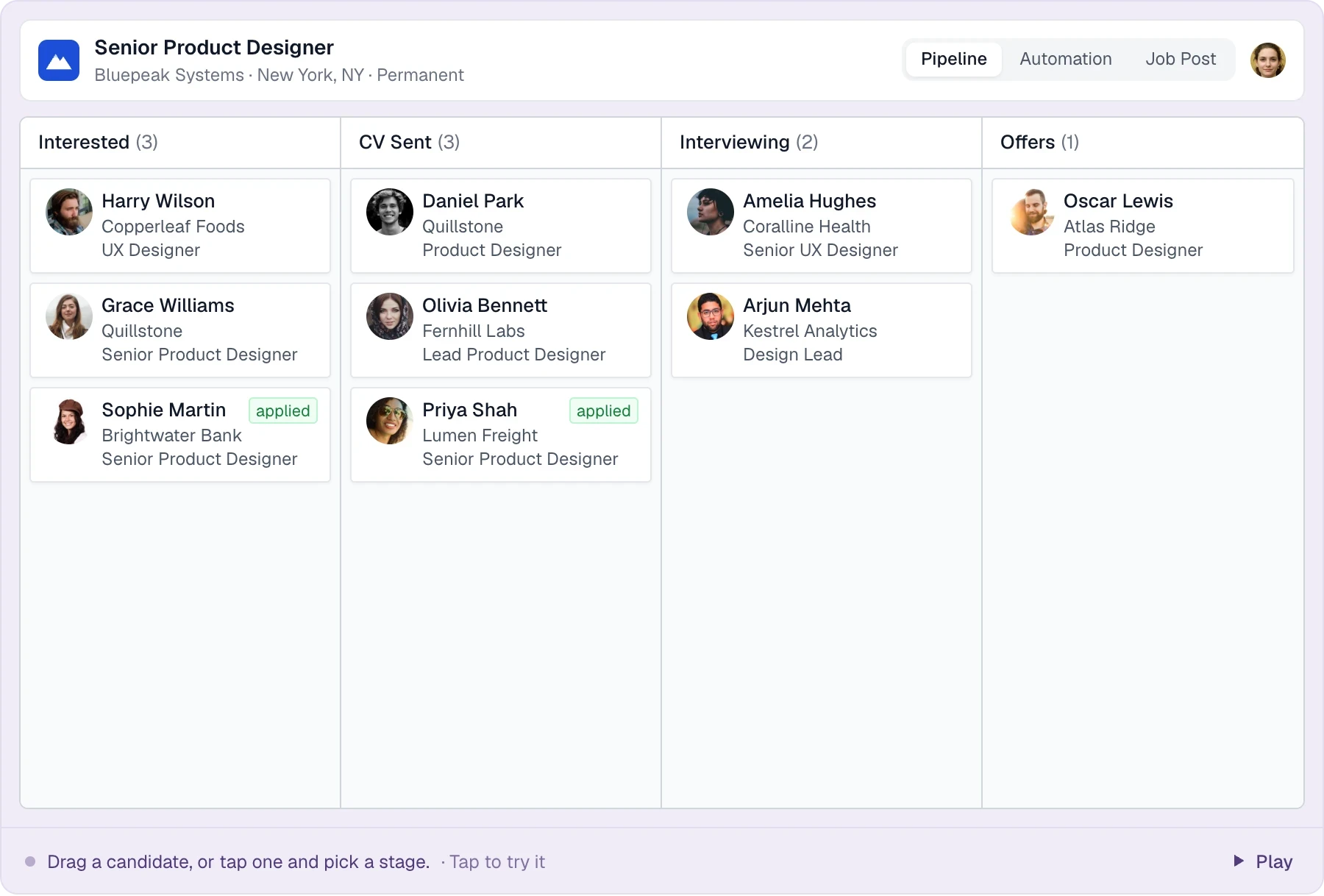
Candidates move through the job’s stages; a move to Offers asks for the placement details.

04 COLLABORATE & PLACE

Pick up the conversation. Right where it left off.

The last call. A colleague’s note. The next interview. Give your team the context to move every candidate and client relationship forward.

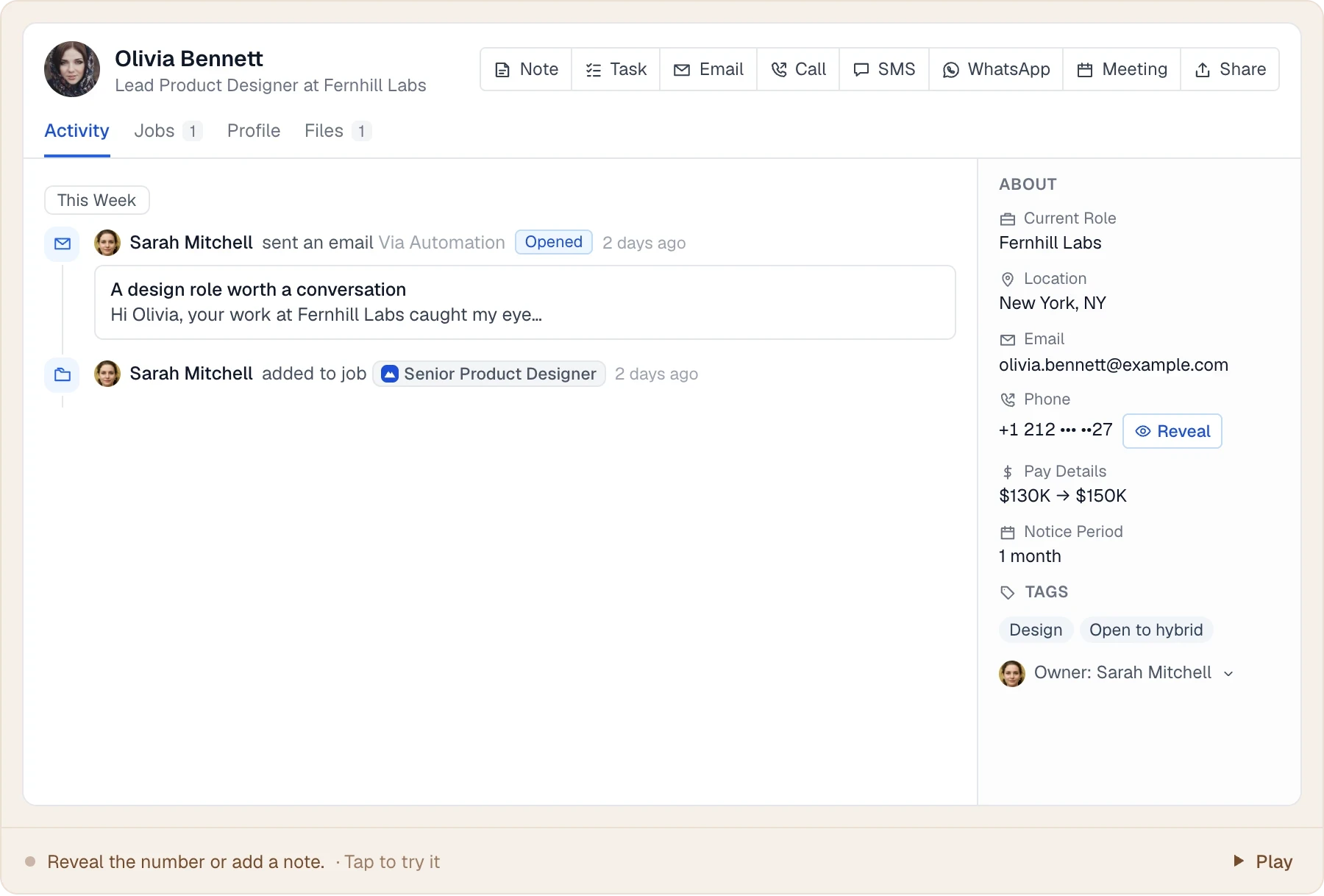
  • See conversations and notes in the activity timeline
  • Move candidates through visual job pipelines
  • Keep client contacts, jobs, and opportunities connected
Explore your recruiting database
Emails, calls, WhatsApp messages, stage moves and tasks on one candidate timeline.

05 MEASURE & IMPROVE

See the work behind every placement.

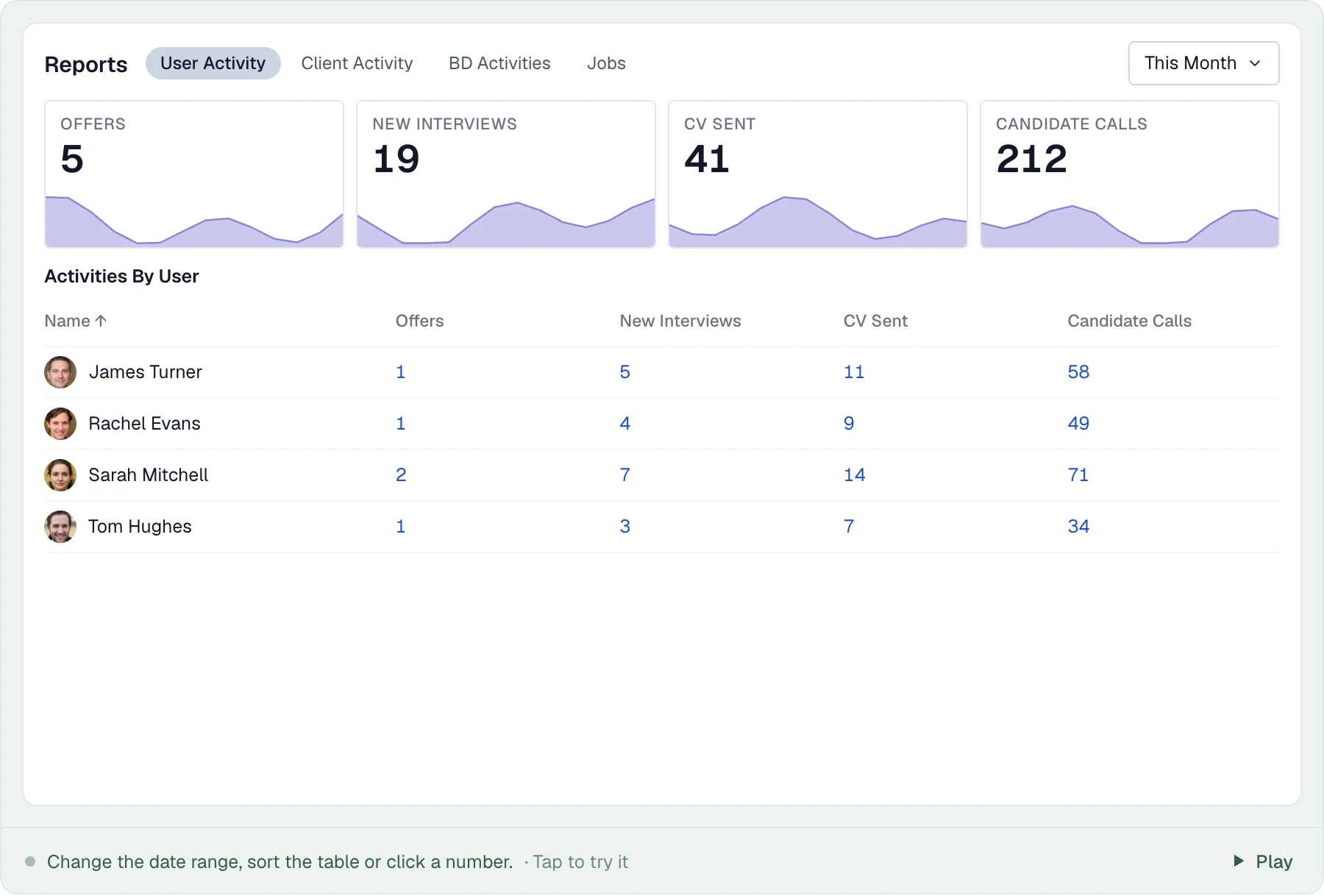
Bring your team’s activity into focus. See calls, CVs sent, interviews, and offers in one place, then look at the detail to understand where things are moving.

  • Track recruiting activity over time
  • Compare activity across team members
  • Drill into the records behind the numbers
Explore reporting
Offers, interviews, CVs sent and calls by recruiter, with the records behind every number.

WHATEVER YOU PLACE

Permanent, contract or search.
One workspace for every desk.

Pick the way your agency recruits and see how it runs in Longlist.

From shortlist to signed offer, with the fee on record.

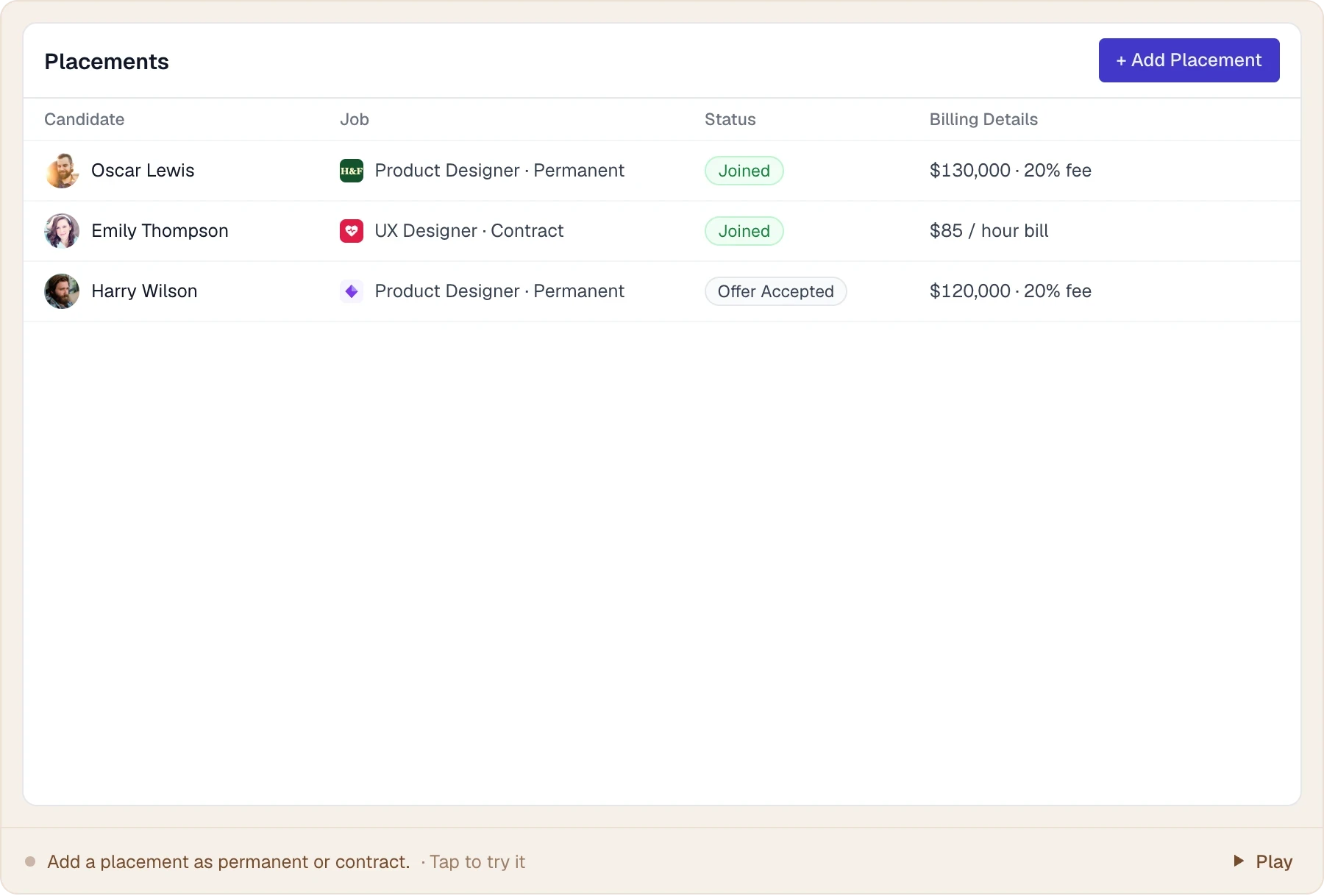
Keep candidate and client relationships warm between roles, then record the salary, fee and start date the moment an offer is accepted.

  • Shortlist from your own database
  • Record salary, fee and start date on the placement
  • See placements and fees by recruiter
Explore the recruitment CRM
A permanent placement recorded with salary and fee, then marked Joined.

THE DIFFERENCE IN YOUR DAY

A move that moves you forward.

More conversations. More placements.
More room to grow your agency.

Higher Response Rate
+62%
More Hires
2.5x
Client NPS
2.7x
Reduction in Costs
-73%

FROM THE TEAMS USING LONGLIST

Recruiters, in their own words.

Chris Byrne · Head of Delivery, Marsh RPF

Growing the business

I could say we have seen more than a 20% increase without any additional overhead.

Our business has gone up a lot, and there are two reasons for that. One – the database that we were able to build in quick succession allowed us to promptly reach out to candidates and clients.

Second, I feel more confident that we have all the new technology for recruitment at our disposal.

Brad Chapman · Managing Director, TechSearch360

Getting started

Longlist.io team has been a great support to us from the first day of the launch.

They understood straight away what a newly formed recruitment business would need and helped me to set up my recruitment processes to create candidate and client leads.

Matthew Edge-Wilkins · MD, Talent Seeker

Empowering the team

As the founder of TalentSeeker, integrating Longlist has been transformative.

It's not just about efficiency gains; it's about empowering our team to make smarter decisions and provide exceptional service to our clients and candidates.

From the blog

Practical advice for your next step

All guides →

Recruitment software10 min read

Recruitment CRM vs ATS: What Agencies Need From Each

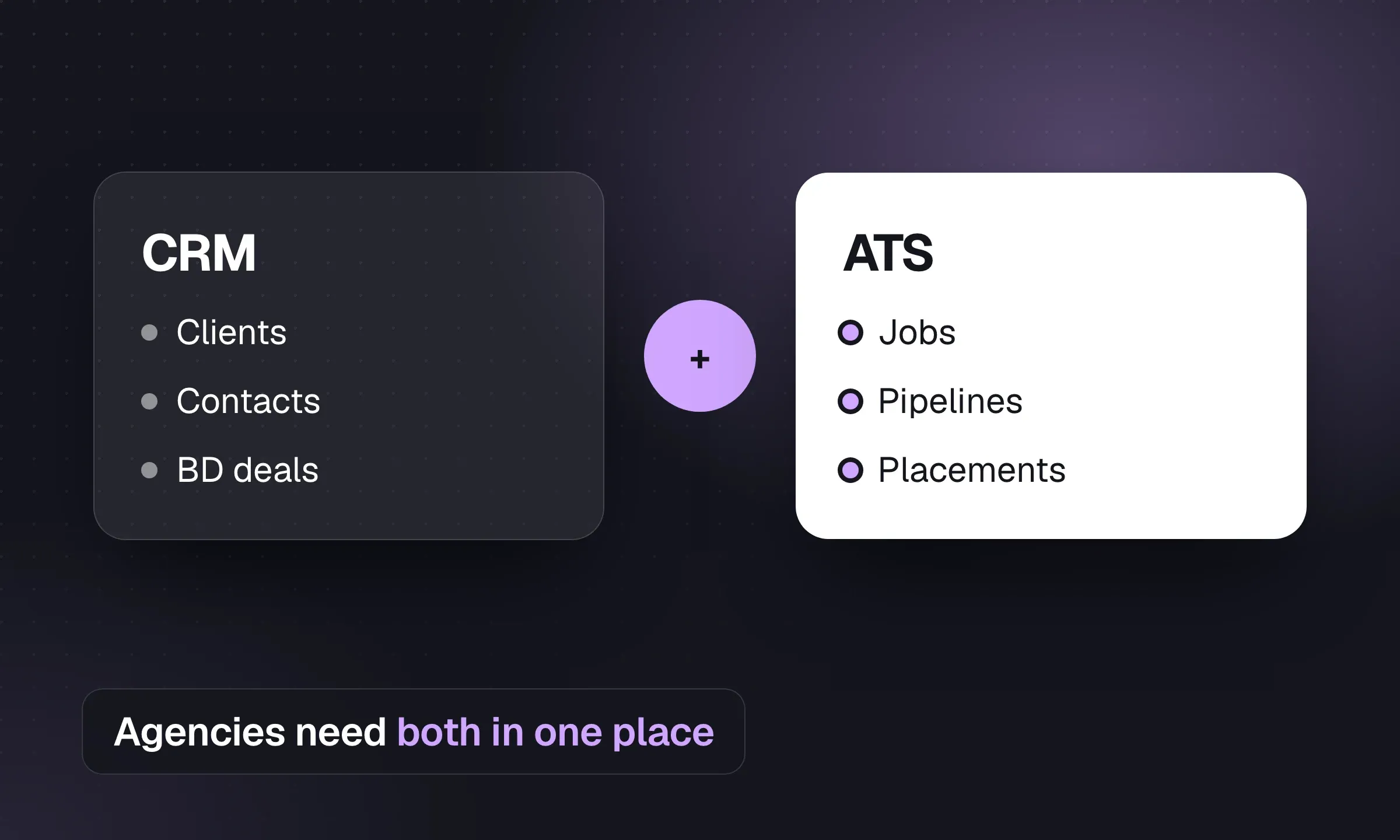
An ATS tracks candidates through a live job; a recruitment CRM keeps client and candidate relationships useful between jobs. Agencies need both in one system. Here is where each fits in an agency's day, with scenarios, our pick and a buying checklist.

Updated Oct 2026

Recruitment software11 min read

Recruitment Software Cost: Per-Seat Prices and Worked Examples

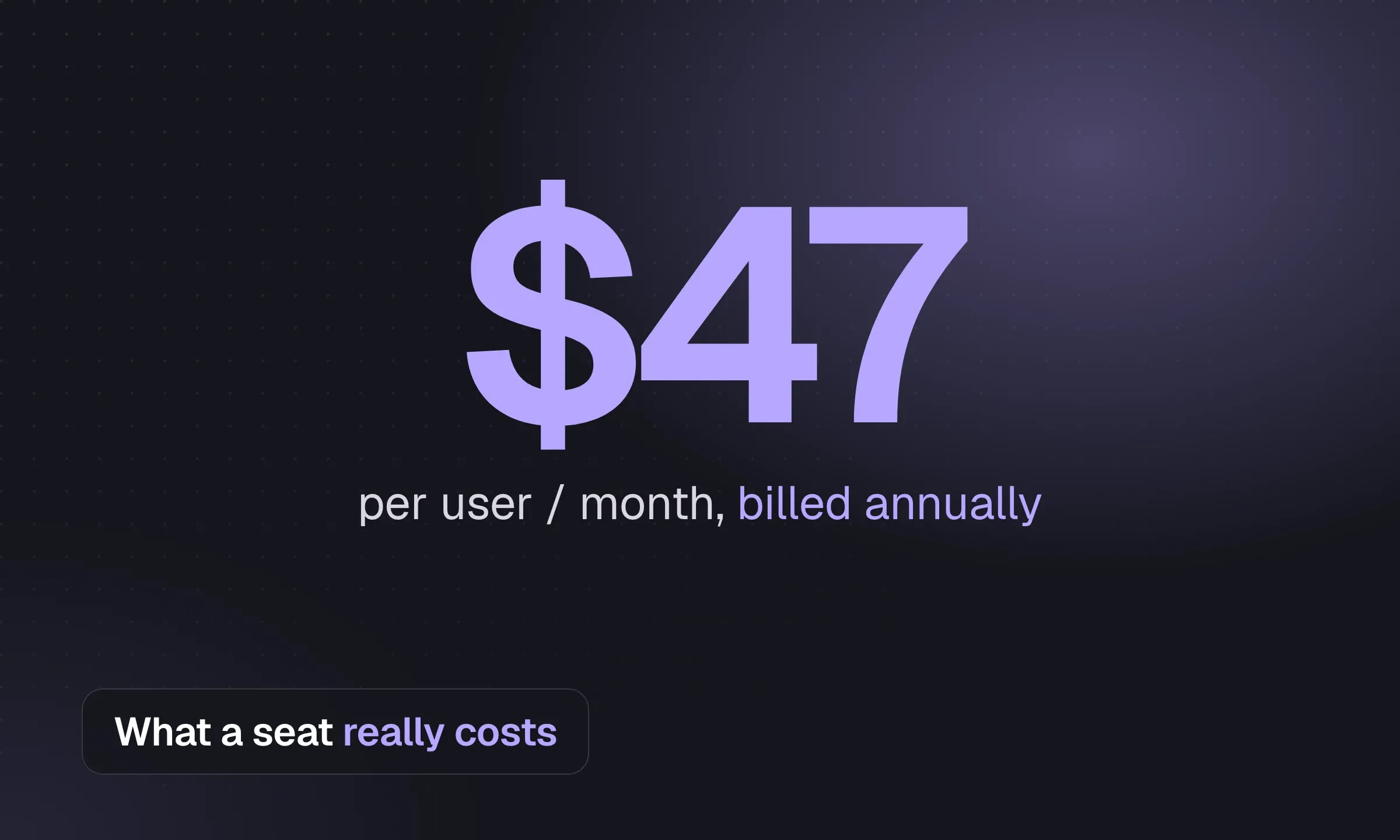
What recruitment agency software really costs in 2026: published per-seat prices from 13 vendors, the best value per seat for agencies, the five cost layers most budgets miss, and worked examples for one, five and twenty seats.

Updated Oct 2026

Running an agency12 min read

Recruitment CRM Migration: A Step-by-Step Checklist for Agencies

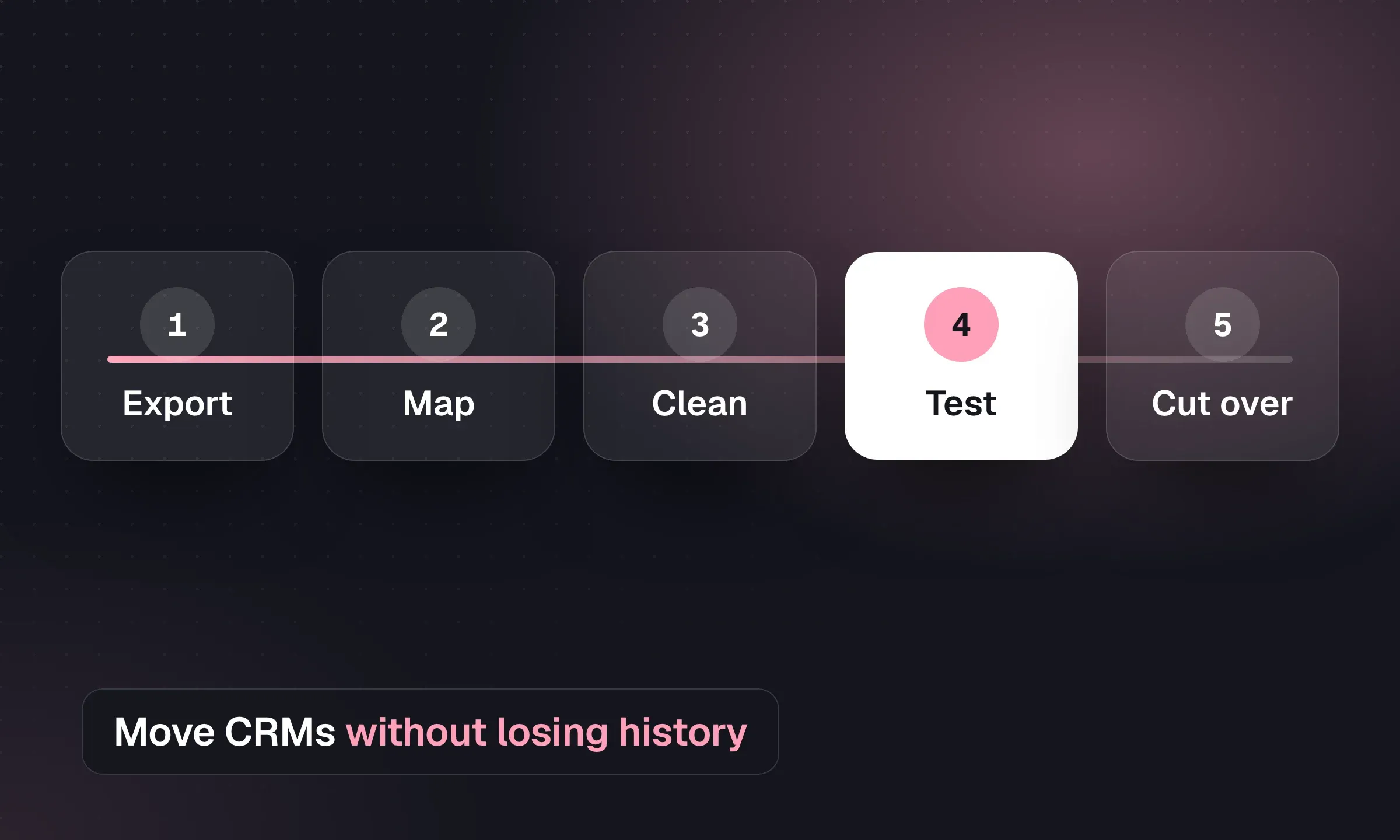
How to move a recruitment agency from one CRM to another without losing candidates, CVs or history: inventory, mapping, dedupe, GDPR consent data, attachments, testing, cutover and adoption, plus export notes for Bullhorn, JobAdder and Vincere.

Updated Oct 2026

NEW CRM. FAMILIAR FACES.

A fresh start.
With your team behind you.

Bring your data. Keep your relationships.
We’ll help with the move.

Let’s talk about switching
  1. 01

    Your data comes with you

    Free migration from spreadsheets and supported recruiting CRMs. Free exports, too.

  2. 02

    Get your team up and running

    We’ll help you set up Longlist around the way your agency recruits.

  3. 03

    Real people, a message away

    24 × 6 live chat and email support when you need a hand.

A FEW THINGS YOU MIGHT BE WONDERING

Good questions.
Straight answers.

Talk to our team
Is Longlist an ATS or a recruitment CRM?

Both. Use the ATS to manage jobs, candidates, and hiring pipelines, and the CRM to manage your relationships with candidates, client contacts, and companies. Outreach, activity history, and reporting bring the two sides together.

Can we bring our existing database?

Yes. We offer free data migration from spreadsheets and supported recruiting CRMs. We’ll work with you to understand your existing data and help your team get set up. You can also export your data for free.

Can we use Longlist for business development?

Yes. Manage company and contact records, track sales opportunities, and run personalized email campaigns for prospective clients alongside your candidate outreach.

Does Longlist support our recruitment model?

Longlist has solutions for permanent recruitment, contract recruitment, staffing agencies, and executive search. In your demo, we’ll walk through the workflows that matter to your team.

What happens in a demo?

We’ll learn about your agency and show you how Longlist fits your sourcing, outreach, and placement process. It’s also a chance to talk through migration, pricing, and the support your team needs.

YOUR NEXT CHAPTER STARTS HERE

Great people.
Meet your next great CRM.

See what your recruiting day could look like with Longlist.