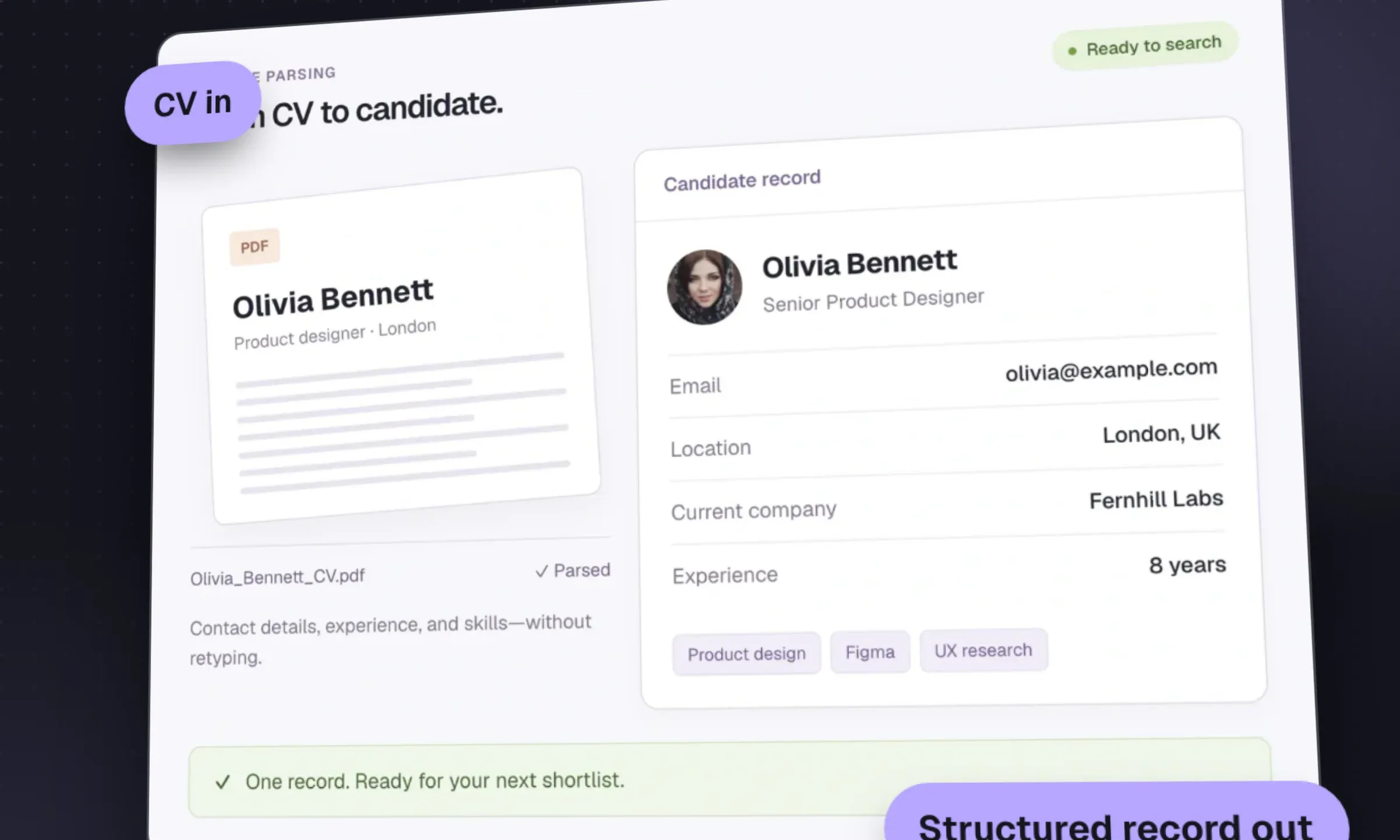
For an agency, start by testing the parser already in your CRM: does it produce a candidate record you can search and use without much cleanup? A standalone parsing API is more relevant if you are building software or need extraction your CRM cannot provide. Longlist publishes this guide and sells a built-in parser. The test results below are fictional examples; we have not benchmarked the listed APIs against one another.
Resume parser test scorecard (manual CSV)A CSV with one row per CV field, columns for expected and parsed values, and manual scoring instructions.DownloadBuilt-in parser or API?
For a recruitment agency the order is:
- Test the parser in your current CRM on 30 of your CVs.
- If it passes, stop. Spend the time on searching your database properly instead.
- If limits, scans or duplicates make the workflow unusable, ask what your CRM can fix before considering a move. Longlist includes unlimited parsing and duplicate matching; test those functions on your own files. Compare options in recruitment agency software compared and the CRM vs ATS guide.
- If it fails on languages or skills taxonomy at high volume, ask your CRM vendor which parsing engine it uses and whether a premium option exists.
For a software team, run the same 30-CV test across two or three APIs, then weigh price per document, hosting region, self-hosting and the output schema your developers prefer.
Parse the CV, then place the candidate
Parsing, search, job pipelines, email sequences and branded CV packs on one database. Send us your CV archive and exports and we migrate them for free.
How to test a parser on your own CVs
Vendor accuracy claims are measured on the vendor’s test set, not your candidates. We couldn’t find a current, independent benchmark of resume parsers. Use a small sample of your own documents and allow time to record the expected values before testing.
- Collect 30 CVs. Use CVs you have permission to process (or synthetic ones). Match your real mix: if a third of your candidates send two-column designer CVs, a third of the sample should be two-column.
- Cover the awkward cases. Include at least three scanned or image-only PDFs, three non-English or bilingual CVs if you recruit across borders, three contractor CVs with many short assignments, and three candidates who already exist in your database.
- Write the expected values first. For each CV, record the correct name, email, mobile, location, current title, employer and start date, one previous role, highest qualification and top five skills. That’s ten checks per CV and 300 in total.
- Run every parser on the same files. Use the same settings and record exactly what each returns.
- Score each field. Correct, wrong, missing or extra. Keep wrong separate from missing: a blank phone number costs a minute, a wrong one costs a candidate.
- Check the duplicates. For the returning candidates, did the parser update the existing record or create a new one?
- Time the cleanup. How long does a recruiter take to fix one parsed record? Multiply by your monthly CV volume.
Worked example (fictional numbers)
A fictional eight-desk engineering agency in Bristol tests two parsers on 30 CVs, ten fields each, 300 checks per parser.
Scroll the table to see all columns →
| Result | Parser A | Parser B |
|---|---|---|
| Correct | 264 | 255 |
| Wrong | 21 | 6 |
| Missing | 15 | 39 |
| Field accuracy (correct ÷ 300) | 88% | 85% |
| Returning candidates duplicated (of 3) | 2 | 0 |
On headline accuracy, A wins: 264 ÷ 300 = 88% against 255 ÷ 300 = 85%. But A gets 21 values wrong to B’s 6, and it created duplicate records for two of three returning candidates. A wrong mobile number means a missed call; a duplicate splits a candidate’s history in two. For this fictional agency, B produces fewer wrong values and duplicate records despite its lower field-accuracy score. For an API comparison, assess duplicate handling in the application that saves the output, since the parser may not control it.
The agency also times cleanup: about 90 seconds per record with A and 60 with B. At 400 CVs a month, that’s 400 × 90 seconds = 10 hours with A against 400 × 60 seconds ≈ 6.7 hours with B.
What a resume parser actually does
Turning a CV into a usable candidate record involves text extraction, field extraction and saving the result. Check each stage separately when diagnosing an error.
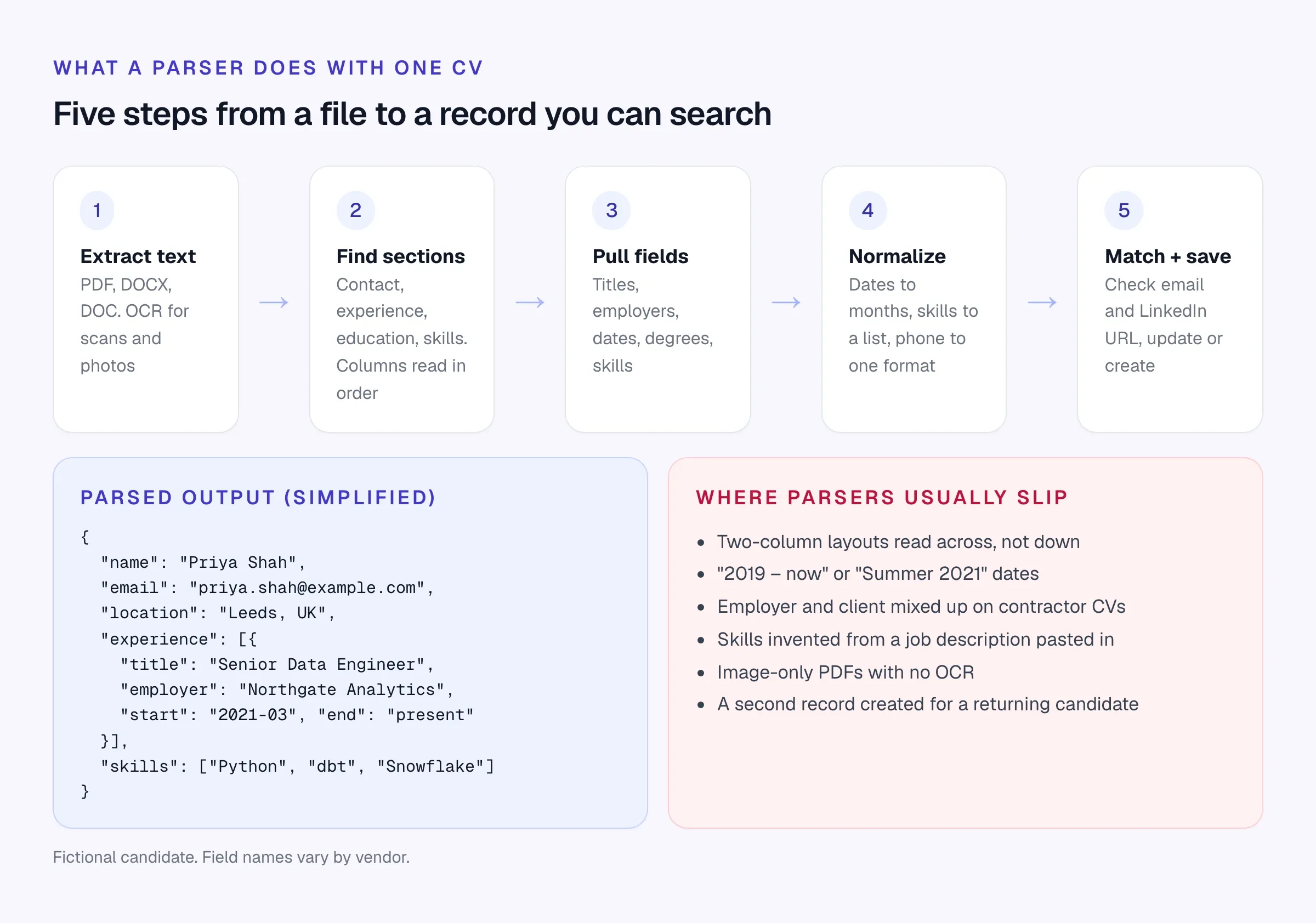
- Extract the text. Read the PDF or Word file. Scanned PDFs and photos of CVs need OCR (optical character recognition) first. If this step fails, nothing else works.
- Find the sections. Work out which block is contact details, which is experience, which is education. Two-column layouts and tables trip up weaker parsers, which read across the columns and mix sections together.
- Pull the fields. Job titles, employers, start and end dates, degrees, skills. Modern parsers use machine learning or large language models here rather than keyword rules.
- Normalize. Turn “Mar 21 – now” into a start date and “present”, phone numbers into one format, and skill mentions into a clean list. API vendors often map skills and job titles to a taxonomy, which helps matching.
- Match and save. Check whether this person already exists (by email or LinkedIn URL) and update their record instead of creating a duplicate. APIs usually leave this step to you. Built-in parsers do it for you, with varying success.
Built-in parsing: what to check in your CRM
Nearly every agency CRM parses CVs. The differences are in the terms and the last step.
Scroll the table to see all columns →
| Check | Why it matters | What good looks like |
|---|---|---|
| Caps and credits | Some plans cap parses per day or sell credits; a job fair or migration blows through them | Unlimited on your plan, or a cap you’ll never hit |
| Bulk upload | Backlogs, job fairs and migrations come in batches | Dozens of CVs at once, with created / updated / failed results |
| Scanned PDFs | Older CVs and some applicants send image-only files | OCR fallback, plus a flag when text couldn’t be read |
| Duplicates | Returning candidates should update one record | Match on email and LinkedIn URL before creating |
| Applicants | Careers page and job board applicants should parse automatically | Same parser, applicant lands on the job |
| Original file | Clients and compliance may need the original | CV stays attached to the record |
| Editing | Every parser gets something wrong | Every field editable, with the CV side by side |
Longlist
Learn more →- Best for
- Recruitment agencies that want unlimited parsing inside a full CRM + ATS
- Pricing
- From $47/user/month, parsing included
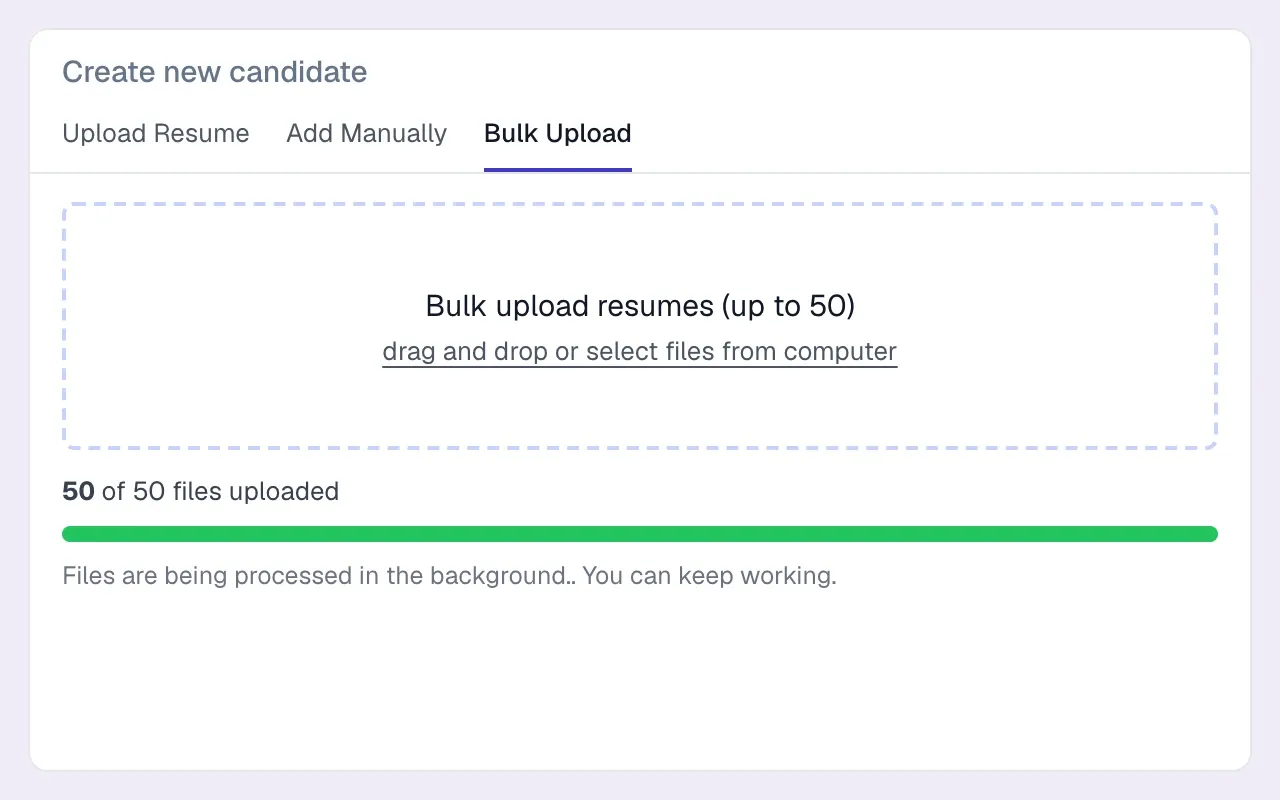
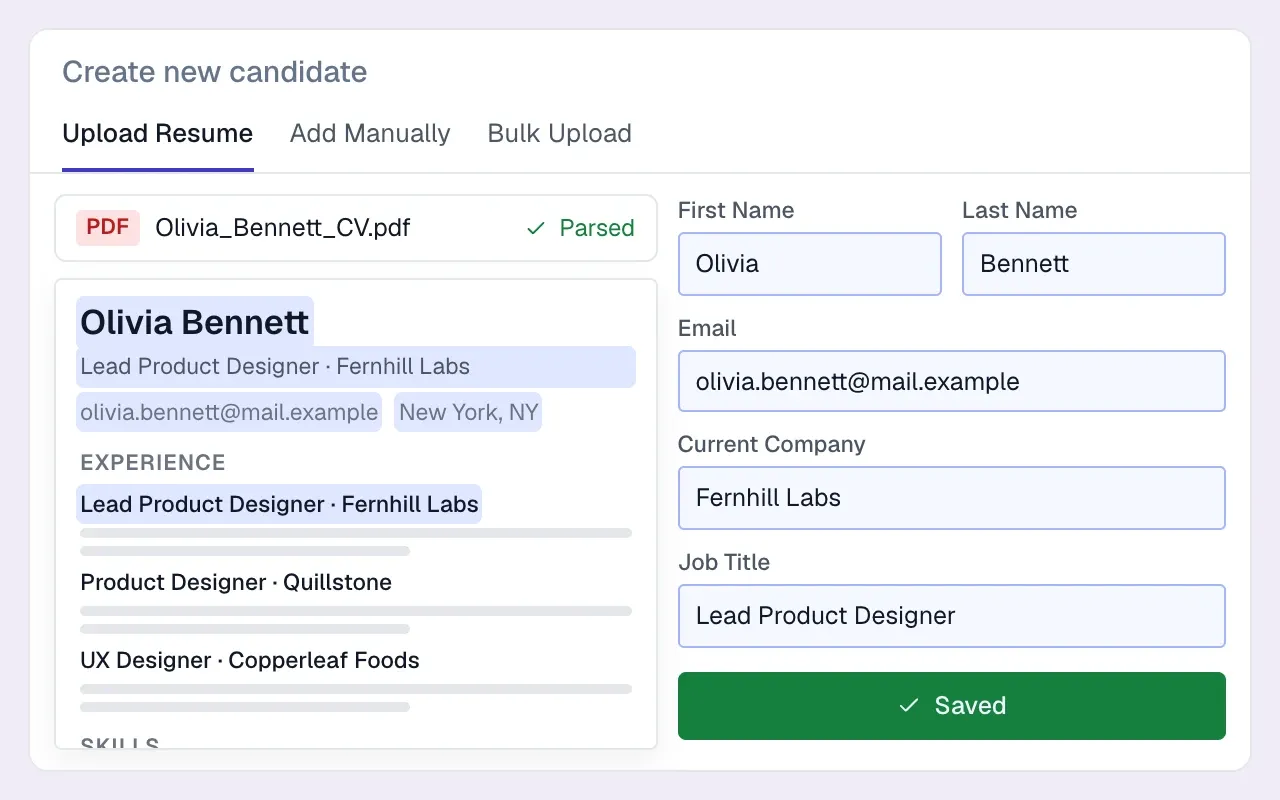
Longlist’s resume parser includes parsing and record matching; test both with the same CV sample. Parsing is included on every plan with no per-CV fee or credit allowance. Upload PDF, DOC or DOCX files one at a time or 50 per batch, with OCR for scanned PDFs and created / updated / failed results when the batch finishes.
Email addresses and profile URLs are matched before a record is created, the original CV stays attached, and every field is editable.
Applicants from the careers page and apply-by-email go through the same parser, and the same AI features draft first-touch outreach once the record exists. Pairs with a parsing API only if you’re also building your own software.
For comparison, Bullhorn includes resume parsing from its Starter plan ($99 per user/month as of October 2026), and Zoho Recruit caps parsing at 250 a day on its Standard plan.
If your CV archive is the reason you’re looking at parsers, read the CRM migration checklist first. Bulk-parsing 40,000 old CVs is a migration project, and the duplicate rules matter more than extraction quality.
Parsing APIs worth evaluating
These are the established vendors selling parsing as a product in their own right. All of them are built for developers and platforms; agencies usually meet them inside their ATS rather than buying direct.
Textkernel
Website ↗- Best for
- Platforms and large staffing firms that want parsing plus search, match and skills data
- Pricing
- Free trial with 500 credits; Professional from $99/month
The Amsterdam company has been part of Bullhorn since Bullhorn acquired it in June 2024. Textkernel had already bought Sovren, the US parsing company, in late 2021; sovren.com now redirects to Textkernel, so treat old Sovren comparisons as Textkernel. The parser page lists 29 languages for resumes, OCR for scanned files, US, EU and APAC availability, and an LLM Parser add-on. Developer docs sit under the name Tx Platform. Professional plans run from 500 to 25,000 credits a month; enterprise is quoted.
RChilli
Website ↗- Best for
- Developers who want a credit-based API with a free plan to start
- Pricing
- Free plan with 100 credits; Standard from $75
RChilli sells a REST API that returns more than 140 fields in over 30 languages, with bulk import, inbox parsing, configurable fields, taxonomies and CV redaction. It lists SOC 2 Type II and ISO 27001 on its site, and marketplace listings on Salesforce AppExchange and Oracle Cloud Marketplace. The Standard plan’s credit bundles are billed monthly, quarterly or annually; check how many credits a parse uses before comparing.
Affinda
Website ↗- Best for
- Teams that need to self-host, or want a published per-document price
- Pricing
- US$0.10 per document self-serve; annual plans from US$3,600
Affinda publishes the clearest pricing of the group, on its resume parser pricing page: self-serve hosted parsing at US$0.10 a document, annual hosted plans from US$3,600 for 66,000 documents, and a self-hosted Docker option from US$12,000 a year for 500,000 documents, where CVs never leave your infrastructure. It lists 50+ languages, hosting in APAC, EU or US regions, ISO 27001 and SOC 2 Type II, and says customer documents aren’t used for model training.
DaXtra
Website ↗- Best for
- Staffing and search firms that want parsing with search, match and ranking
- Pricing
- Quote-based
DaXtra sells parsing alongside candidate search and match, AI ranking and candidate engagement, aimed at staffing agencies and executive search firms, with OEM partnerships for software vendors. It bought PivotCX, a candidate communications company, in 2024. No prices are published.
HireAbility
Website ↗- Best for
- Software vendors that want an installed, hosted or private-cloud parser
- Pricing
- Quote-based; free trial of 30 parses
HireAbility’s ALEX parser handles resumes and job postings, detects language automatically (the site claims 50+ languages and dialects) and is offered installed, hosted or in a private cloud. The site lists integrations with over 200 ATS and CRM systems and a free trial of 30 parses valid for 30 days. Pricing is on request.
Eden AI
Website ↗- Best for
- Developers who want to compare several parsing providers through one API
- Pricing
- Platform fee on top of provider costs; check current terms
Eden AI isn’t a parser itself. It’s an API gateway that routes to several providers, including Affinda and HireAbility, so you can compare their output on the same file with one key. Useful during evaluation; for production, weigh the extra hop against going direct.
Or build it on a general LLM
Large language models are good at reading CVs. A developer can send CV text to an LLM with a fixed schema and get usable fields back. What you still have to build: text extraction and OCR, handling of odd files, consistent output, duplicate matching, retries, cost control, and a data flow your privacy notice covers. Specialist vendors have done that work, and several now offer LLM-based options themselves. For an agency, building your own parser is rarely a good use of money.
GDPR and candidate data
A parser processes personal data, often lots of it, sometimes including health information or criminal records a candidate chose to mention. In UK and EU terms your agency is the controller and the parser vendor is a processor (or a sub-processor of your CRM vendor).
The UK regulator has looked closely at recruitment tools. In its audit of AI recruitment tool providers, published November 2024, the ICO found tools that inferred characteristics such as gender from names, collected more data than needed and weren’t clear about controller and processor roles. Its recruitment and selection guidance applies to agencies directly, though it notes the guidance is under review after the Data (Use and Access) Act 2025.
- A data processing agreement covering the parser (GDPR Article 28), directly or through your CRM vendor’s sub-processor list
- Where CVs are processed and stored (UK, EU, US), and the transfer safeguards if outside the UK or EEA
- How long the vendor keeps files and parsed output after processing, and whether you can set it to zero
- Whether your CVs or parsed data are used to train the vendor’s models, and how to opt out
- Security certifications you can verify (ISO 27001, SOC 2 Type II) and a recent report on request
- Whether the parser infers anything not on the CV (gender, age, ethnicity); it shouldn’t
- Your privacy notice tells candidates their CV is processed by automated tools
- A deletion route: when a candidate asks to be erased, the parsed record and the original file both go