Turn the brief into a search plan before opening LinkedIn. Search candidates your agency already knows, ask for referrals, then widen to external networks and job boards. The aim is a shortlist of people you have spoken to and can recommend against the client’s requirements. The worked search and funnel examples here are fictional.
The sourcing workflow at a glance
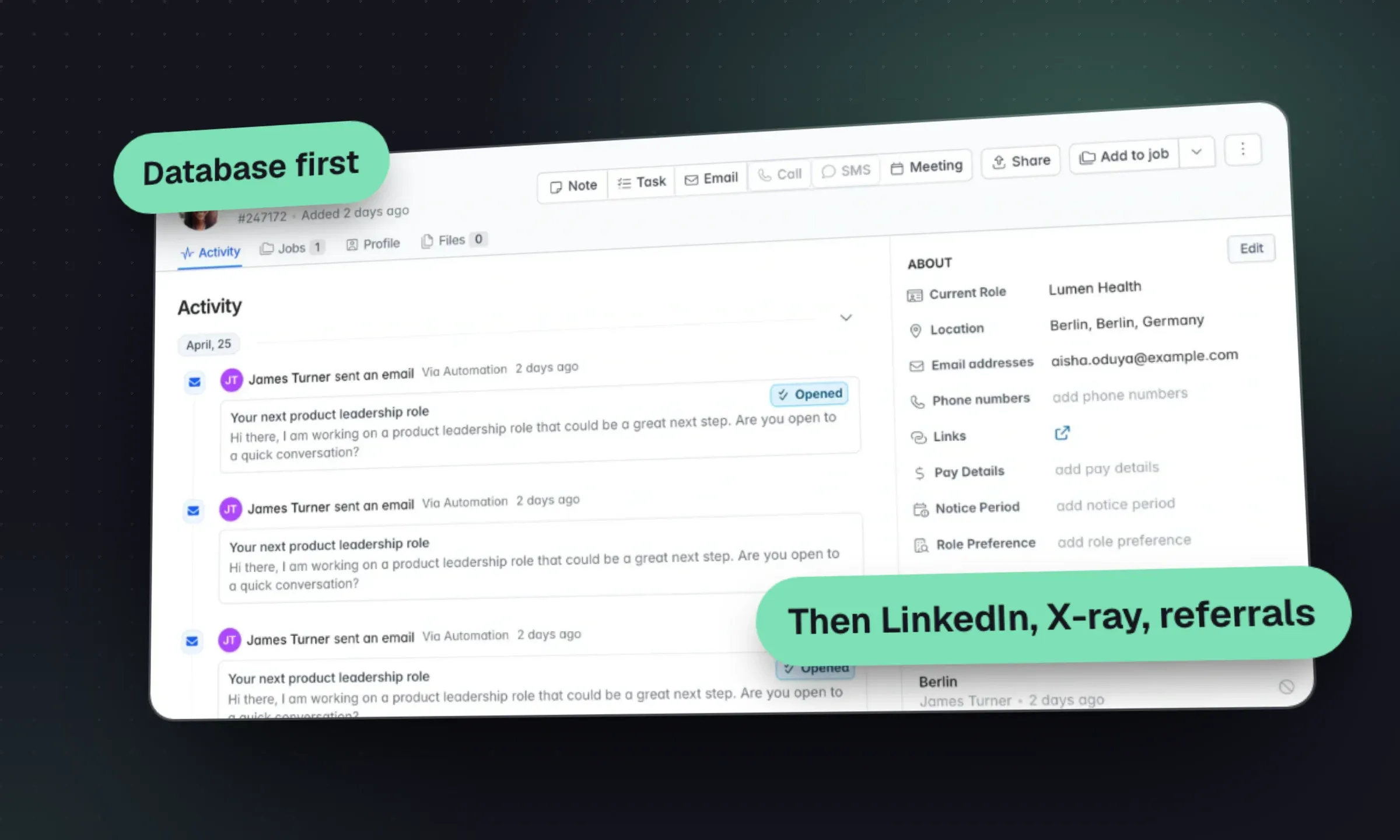
- Take a brief you can search. Must-haves, nice-to-haves, title variants, target companies, pay and the deal-breakers.
- Rediscover your database. Previous applicants, silver medallists, placed candidates and contractors coming off assignment.
- Ask for referrals. Placed candidates and strong candidates you did not place may know others who fit.
- Search external networks. LinkedIn, Boolean and X-ray, GitHub and niche communities, CV databases.
- Find and verify contact details. Lookup tools, then a check before you send anything.
- Reach out and follow up. Personal first message, two or three follow-ups, calls for the warmest.
- Qualify. Motivation, pay, notice, location, and the must-haves tested on a call.
- Shortlist and submit. Three to five people the client should meet, with your reasons.
Work the search, step by step
1. Turn the brief into a search plan
Most sourcing problems start at the intake call. A brief that says “senior .NET developer, hybrid, competitive” is impossible to search well. Before you search anything, write a one-page plan.
Take a fictional example: a three-desk IT contract agency in Leeds gets a brief for a six-month .NET contractor to help a payments company migrate services to Azure.
Scroll the table to see all columns →
| Plan item | What to write down | Example |
|---|---|---|
| Must-haves (max 3) | Things the client will reject without | .NET (C#) services in production; Azure; financial services or payments |
| Nice-to-haves | Things that tip a close call | Service Bus; Kubernetes; previous migration project |
| Title variants | What people in this job call themselves | Software engineer, .NET developer, C# developer, backend engineer, contractor |
| Target companies | Where people like this work now | Payment processors, challenger banks, fintechs with Azure stacks |
| Off-limits | Clients, recent placements, competitors the client won’t hire from | Any current client; anyone placed in the last 12 months |
| Practicals | Rate or salary, location, start date, IR35 status (UK contract) | £500–£575/day, inside IR35, Leeds one day a week, start within four weeks |
| Calibration profiles | Two real profiles the client says “yes” to | Ask the hiring manager to point at two people they’d hire tomorrow |
The calibration profiles are the most underused item on that list. Send two contrasting profiles after the intake call and ask “which is closer, and why?” You’ll learn more from the answer than from the job description.
2. Start with the database you already own
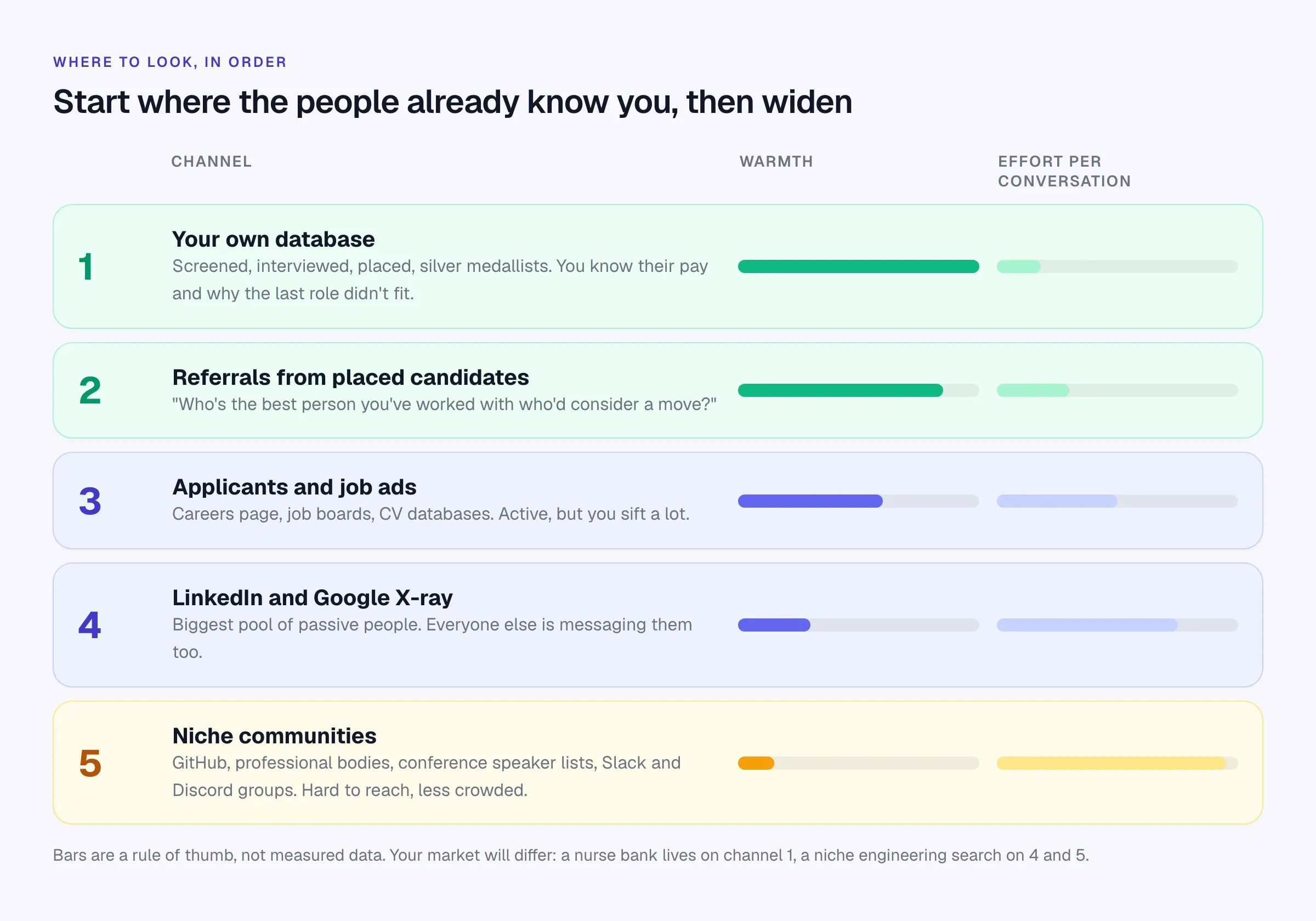
Every agency’s database is full of people who’ve already told you what they earn, why they’d move, and what they thought of the last client. They also already know your name. That’s why rediscovery should come before any external search.
Who to look for first:
- Silver medallists. Candidates who reached final interview for a similar role in the last 12–18 months. They were good enough then; their circumstances may have changed.
- Placed candidates, 18–36 months on. Many people look again two or three years into a job. Check your terms before approaching anyone you placed with a current client.
- Contractors coming off assignment. For contract desks, the people finishing in the next four weeks are your warmest pool. Tag them before their end date, not after.
- Recent applicants to other jobs. Someone who applied for a similar role last month and wasn’t right for that client may be perfect for this one.
How to search it well:
- Run the title block and the main must-have as keywords over parsed CVs.
- Add structured filters: location radius, tags, salary or rate band, last contact date.
- Read the activity history before calling. “Turned down a counter-offer in March, wants fully remote” changes your opener.
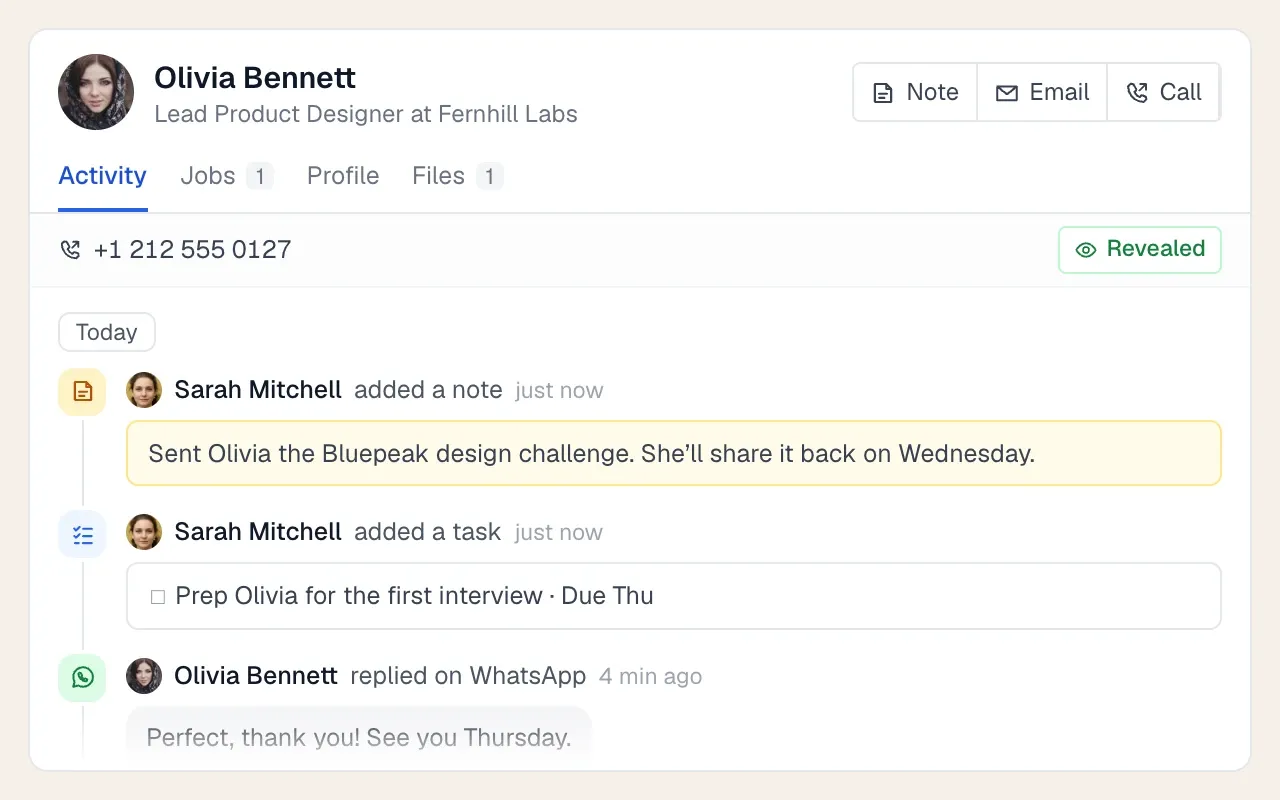
A database is only searchable if it’s clean. Parse every CV into fields, merge duplicates, keep one set of tags (not “Java”, “java dev” and “JAVA” as three), and update availability after every real conversation. If your CVs live in folders or an old system, the CRM migration checklist covers moving them across without losing the history, and the resume parsing guide explains what parsing should extract.
3. Ask for referrals on every call
Referrals from candidates are the most underused channel in agency recruitment, mostly because recruiters forget to ask. Build the question into every screening and every placement check-in.
Referral ask (end of a screening call)
"One last thing. Who's the best [job title] you've worked with,
someone you'd hire again if you were building a team? They don't
need to be looking. I'll mention you only if you're happy for me to."
Two rules make this work. First, ask about a specific person, not “anyone looking”. Second, always ask whether you can mention who referred them. “Priya suggested I call you” gets a very different reception from a cold approach. If your agency pays referral fees, make the terms simple and pay quickly.
4. LinkedIn: pick the right seat and use it properly
LinkedIn is still the biggest searchable pool of professional profiles. It’s also where every other recruiter is looking, so it pays to know what each plan gives you.
Scroll the table to see all columns →
| Plan | InMails per month | Search reach | Notes |
|---|---|---|---|
| Free / Premium | None on free accounts; varies by Premium plan | Your network; monthly commercial use limit on free accounts | Fine for occasional searches; Boolean works in the main search bar |
| Recruiter Lite | 30 per seat | Up to third-degree connections | 20 filters; self-serve sign-up |
| Recruiter Professional Services (RPS) | 100 per seat | Third-degree plus 30 out-of-network profiles a month | 40+ filters, base AI features |
| RPS+ | 140 per seat | Third-degree plus 50 out-of-network profiles a month | Advanced AI features; Hiring Assistant as an add-on |
| Recruiter (Corporate) | 150 per seat | Full network | Advanced AI features; Hiring Assistant as an add-on |
Source: LinkedIn’s Recruiter plan comparison, checked October 2026. Only Recruiter Lite is sold self-serve; the others are priced by LinkedIn sales.
Sales Navigator is built for selling, not recruiting. It’s useful for agency business development (finding hiring managers), but it lacks recruiter features like candidate projects and pipelines. The recruitment lead generation guide covers how agencies use it for BD.
LinkedIn’s AI features are now part of Recruiter. AI-assisted search turns a plain-English request into filters, and Hiring Assistant, an agent that can source and review candidates for a role, became generally available in English in September 2025 as a paid add-on. They’re good at producing a first draft of a search. They’re not good at knowing that your client won’t hire from its biggest competitor, or that “Head of” means a team of two at one company and fifty at another. Check the titles and companies the AI picked before trusting the results.
Practical habits that improve LinkedIn results:
- Put titles in the Job titles field, not Keywords. Keywords also matches people who mention the title in passing.
- Filter on “current” title and company unless past experience is genuinely what matters.
- Use projects to save searches and shortlists, then move interested people into your own CRM. LinkedIn is not your database; you lose access to everything if a seat is cancelled.
- Write InMails that could only go to that person. One specific line about their work beats three paragraphs about your client.
5. Boolean search and X-ray
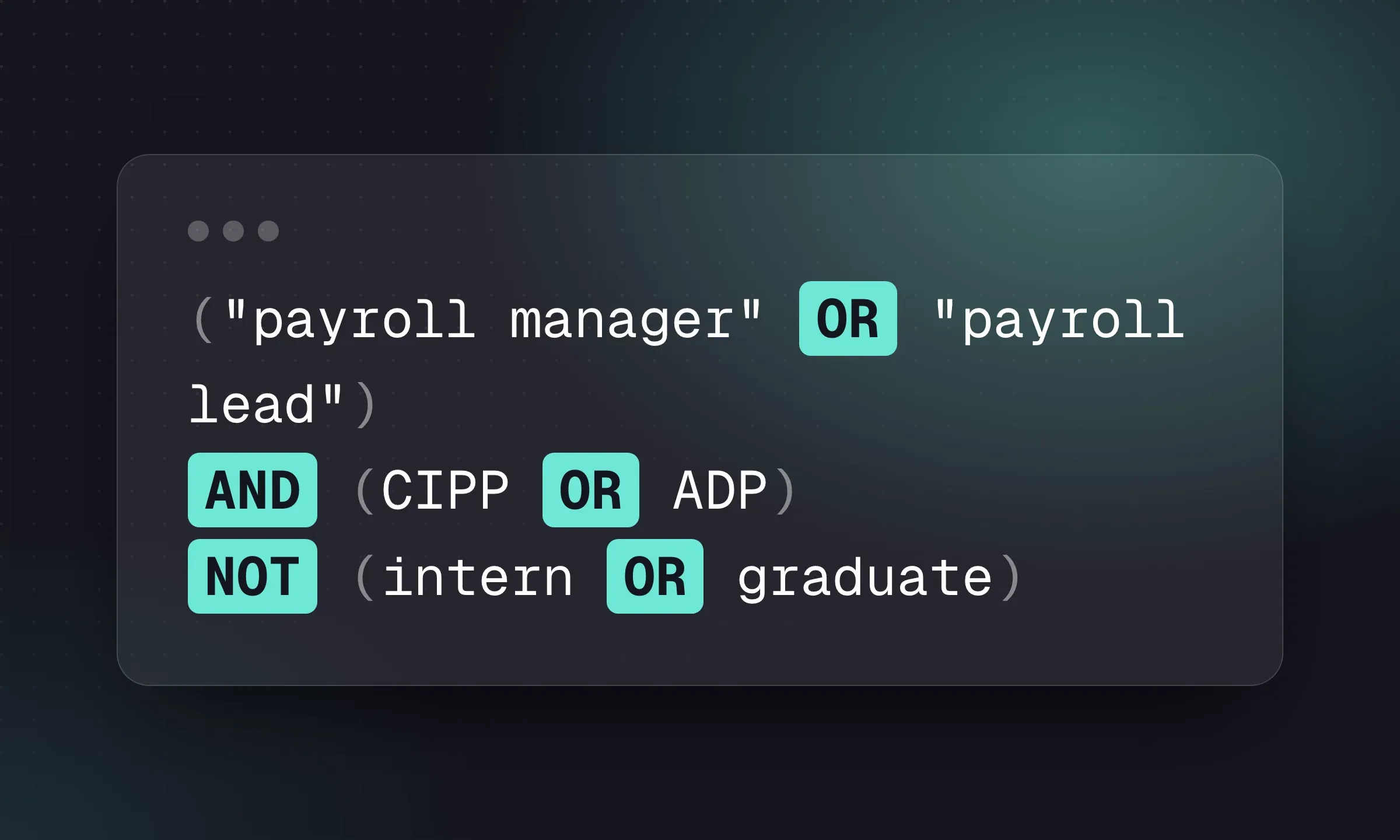
Boolean is how you tell LinkedIn, Google, job boards and your ATS exactly what you want. A typical string:
("software engineer" OR ".NET developer" OR "C# developer") AND (Azure) AND (payments OR fintech OR "financial services")And the Google X-ray equivalent for public LinkedIn profiles:
site:linkedin.com/in (".NET developer" OR "C# developer") Azure (payments OR fintech) LeedsEach platform handles operators differently. LinkedIn doesn’t support wildcards, Google ignores the word NOT (use a minus sign), and CV databases vary. The full Boolean search guide covers the rules per platform, common mistakes and 12 strings by role you can copy.
6. GitHub, Stack Overflow and niche communities
For technical roles, and for any market where everyone’s LinkedIn inbox is full, go where people show their work.
GitHub. The user search supports qualifiers like location:, language:, followers: and repos:. For example, location:Leeds language:C# followers:>5 finds active C# developers who list Leeds. Read their pinned repositories and contribution history before contacting them; mention something specific. Many developers list a personal site or email on their profile. If they don’t, don’t go digging.
Stack Overflow. It closed its jobs board and developer profiles product in 2022, so it’s no longer a sourcing platform in its own right. Top answerers in a niche tag are still worth noting as experts, but expect to find their contact route through GitHub or a personal site.
Other communities worth checking by market:
Scroll the table to see all columns →
| Market | Where people show their work |
|---|---|
| Data and machine learning | Kaggle profiles, Hugging Face, conference talk lists |
| Design | Dribbble, Behance, personal portfolios |
| Finance and accounting | Professional body member directories where public, regional finance networks |
| Engineering and construction | Professional institution events, trade association member lists, project case studies |
| Healthcare | Specialty associations, conference speaker lists |
| Any niche | Slack and Discord communities, meetup organizers, podcast guests, award shortlists |
Communities have their own norms. Join and contribute before you post jobs, read the rules on recruiter messages, and never scrape member lists.
7. Job boards, CV databases and your careers page
Inbound still matters, especially for volume, contract and regional roles. Two separate tools:
- Job ads bring active applicants to you. Post where your candidates look, write the ad around what’s in it for them, and screen fast. The best job boards, UK job boards and free job boards roundups cover where to post.
- CV databases (Indeed Smart Sourcing, Reed, Totaljobs, Monster and others) let you search CVs people have uploaded. They’re paid per seat, per period or per contact. Their Boolean rules differ, so test a string on a role you know well before relying on one.
Your own careers page is the cheapest channel of all. Every role you publish there is a chance to collect applicants who become part of your database for the next role. Longlist’s careers page publishes jobs with Google for Jobs markup and parses each application straight into the job’s Review stage.
8. Find and verify contact details
InMail response rates are limited, and many good candidates rarely check LinkedIn. A direct email or phone number usually gets a faster answer. Contact-finding tools (mostly Chrome extensions) look up work and personal emails and phone numbers from a profile page.
Treat any lookup as a lead, not a fact:
- Choose a suitable contact route. Personal email is usually better for a job conversation if you have it. Use a work address cautiously, with a short, relevant message; some candidates do not want recruiter email at work.
- Check before you send. Bounces hurt your mailbox’s reputation. If a tool marks an email as “guessed” or “risky”, verify it or use another route.
- Record the source on the candidate record (“email from contact lookup, 14 Oct”). You’ll need it if the person asks where you got their data.
- Don’t buy bulk lists. You have no idea how the data was collected, and you’ll inherit the problem.
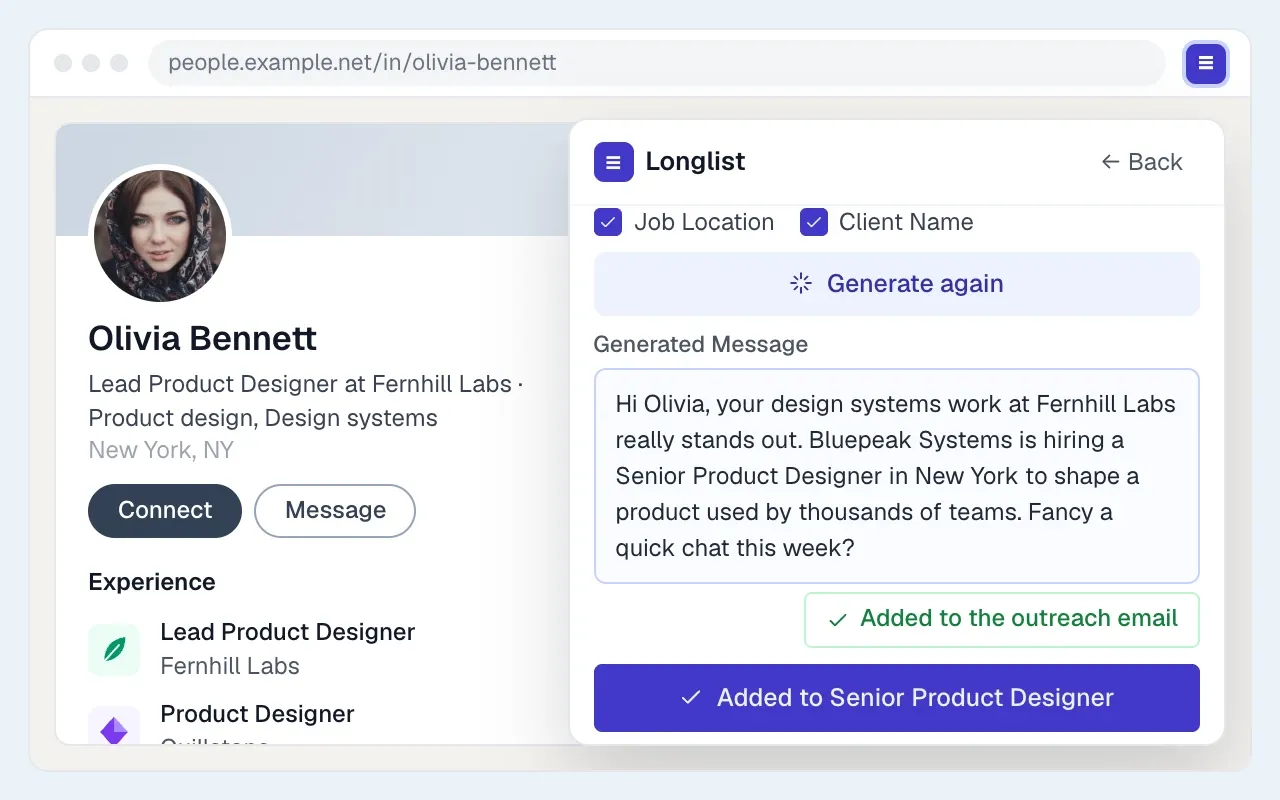
The Chrome extensions for recruiters roundup compares the current contact-finding tools. Longlist’s own browser extension checks whether the person is already in your CRM, looks up available emails and phone numbers through third-party providers (Apollo and Prospeo), and saves them to a job or campaign.
9. Compliance: legitimate interest, notices and objections
Sourcing means processing personal data about people who never applied to you. In the UK and EU, that’s allowed under GDPR, but only if you do it properly. This is a general summary, not legal advice.
- Lawful basis. Most agencies rely on legitimate interests (Article 6(1)(f)) to source and contact candidates. The ICO describes three tests you must pass before you start: a legitimate purpose, processing that’s necessary for it, and a balance that doesn’t override the person’s interests. Write that down as a short legitimate interests assessment. Contacting a .NET developer about a .NET role passes; storing everyone you’ve ever viewed “just in case” doesn’t.
- Tell people where you got their data. When you collect data from somewhere other than the person, the ICO says you must give them privacy information within a reasonable period and at the latest within one month, or when you first communicate with them if that’s sooner. In practice: a line in your first message saying where you found them, plus a link to your privacy notice.
- Honor objections immediately. If someone says “don’t contact me”, mark it on the record so nobody else on the team emails them next week. The right to object is absolute for direct marketing, and arguing a “compelling reason” to keep messaging a candidate is not a fight worth having.
- Collect only what you need, and set a retention period. Delete or refresh records you haven’t touched in years.
- Don’t scrape. Automated scraping tools breach LinkedIn’s User Agreement, and bulk-collected data is hard to justify under legitimate interests.
In the US there’s no single federal equivalent, but California’s CCPA has covered job applicants’ personal information since 1 January 2023, and other state privacy laws are following. Keep your privacy notice current and be ready to say what you hold and where it came from. Longlist’s own approach is set out on its GDPR page.
First approach with the source stated (email)
Subject: [Specific thing from their profile] + a [contract/perm] role in [city]

Hi [First name],

I found your profile on [GitHub / LinkedIn] while looking for [title]s
who've [specific experience, e.g. "moved .NET services to Azure"].
Your [project/role] stood out.

I'm working with a [type of company] in [location] on [one-line role
summary, with rate or salary range]. Worth a 10-minute call this week?

If not, no problem, and if you'd rather I didn't contact you again,
just say so. Our privacy notice explains how we handle your details:
[link]

[Your name], [Agency]
10. Reach out, follow up, then qualify
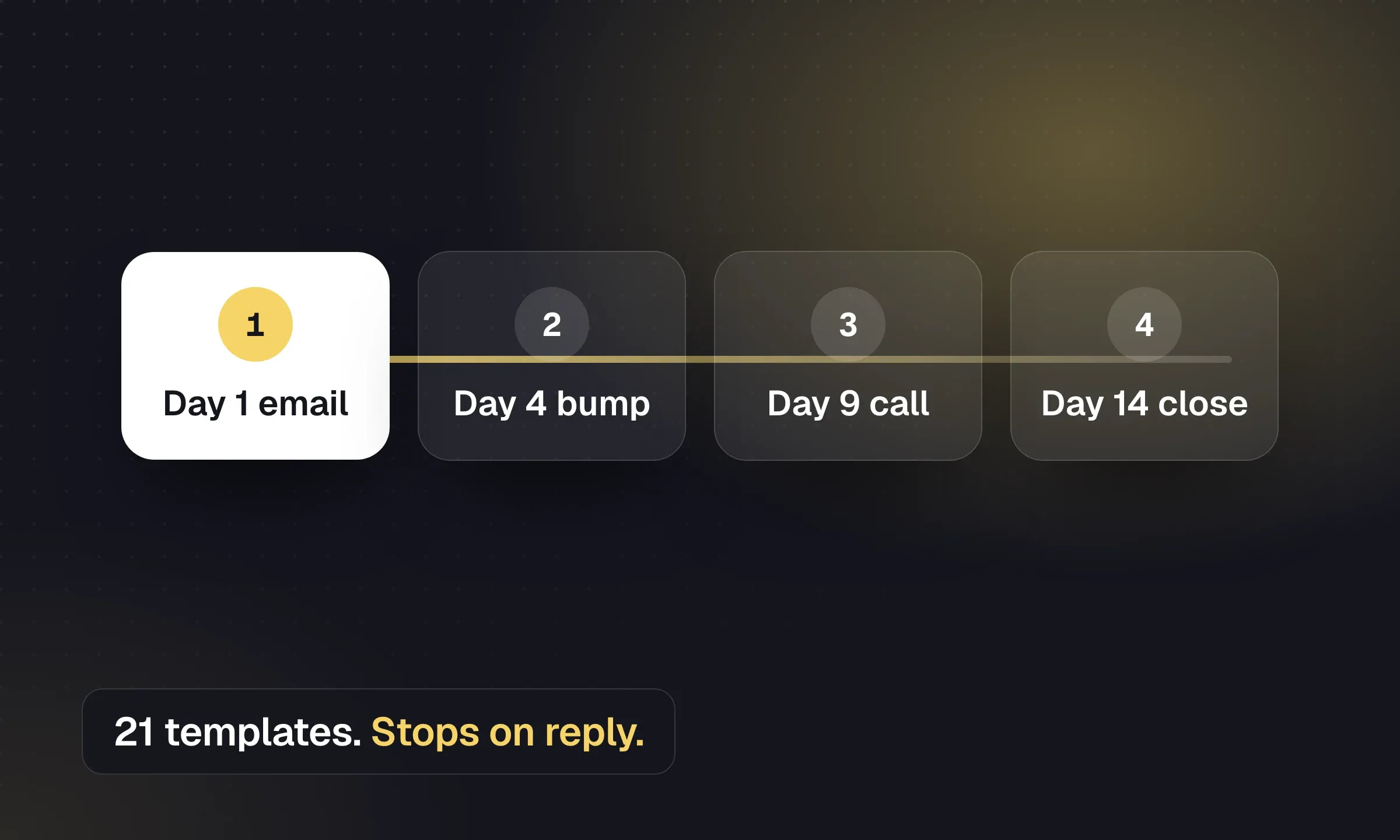
A single message gets a fraction of the replies that a short sequence gets. A practical cadence for passive candidates is a personal first email, a short follow-up three working days later, a final note a week after that, and a call or LinkedIn message for anyone who opened but didn’t reply. The recruitment email sequence templates have copyable versions, and Longlist’s email sequences send them from your own mailbox and stop when the person replies.
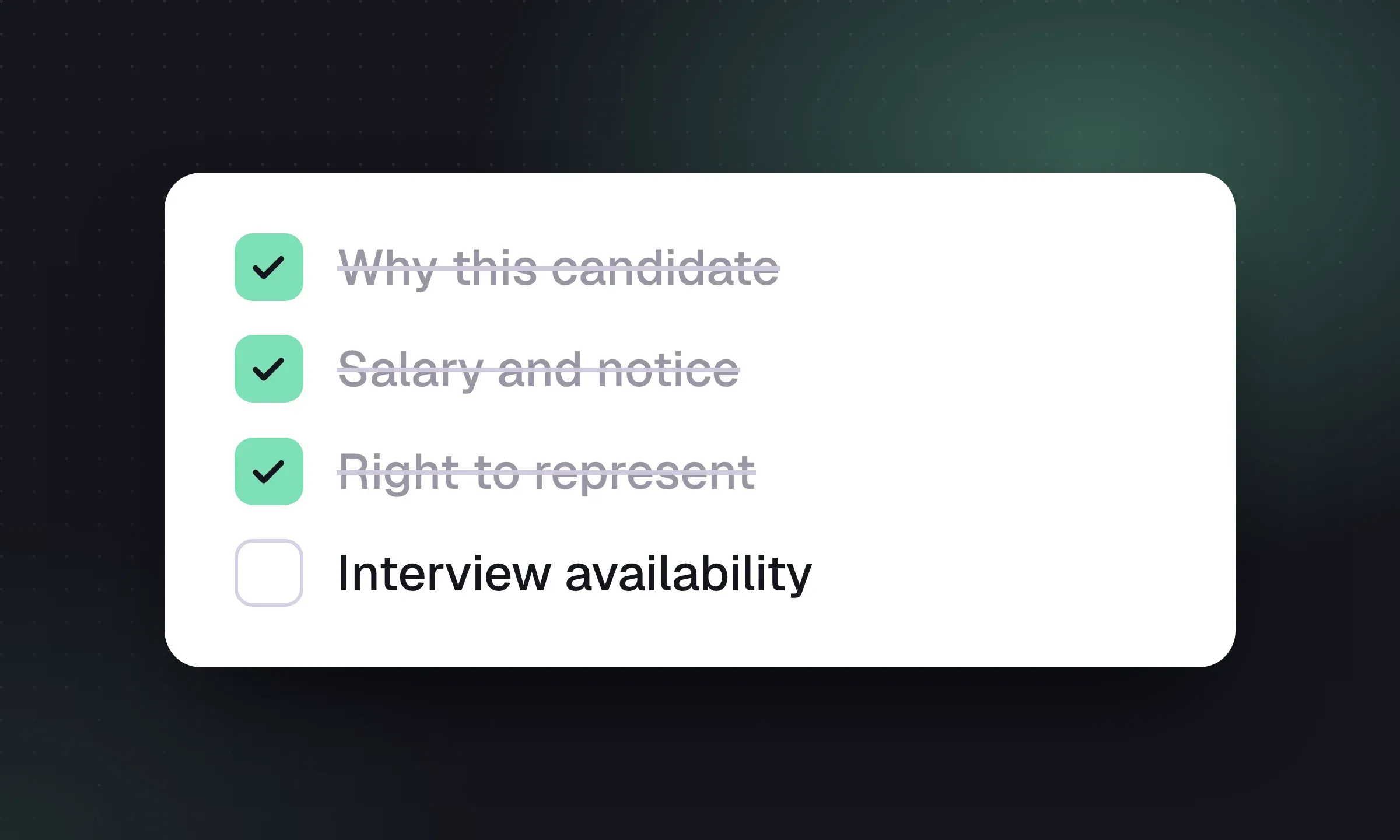
When someone replies, qualify on a call before anything else. Use the same structure every time so candidates are comparable:
- Why would they move? (Their words, written down)
- What would make them stay? (Counter-offer risk)
- Current pay and expectations, with the basis (salary, bonus, day rate)
- Notice period or contract end date
- Location, commute and working pattern they’ll accept
- Each must-have from the brief tested with a specific question
- Other processes they’re in, and how far along
- Right to work, if relevant to the role
- Permission to represent them for this specific client
Record answers on the candidate record, not in your notebook. When the next role comes up in six months, that conversation is what makes your database worth searching.
11. Shortlist, submit and measure
For the shortlist, choose three to five people you can recommend against the brief and explain why each belongs there. For the cover page, client email and pre-send checks, use the candidate submission template.
Here’s how the numbers might look for the fictional .NET contract role:
- Profiles reviewed 180
- Approached 45
- Replied 18
- Qualified and interested 8
- Submitted 4
- Interviewed 3
- Placed 1
The arithmetic: 45 approaches produced 18 replies (40%), 8 of those qualified (44% of replies), and 4 of the 8 went to the client. Notice that 135 of the 180 profiles reviewed were never approached. Reviewing profiles before approaching people keeps the outreach focused on candidates who fit the brief.
Now split the same funnel by channel. If the database produced 3 of the 8 qualified candidates from 10 approaches, while LinkedIn produced 4 from 30, your database converts more than twice as well, and that’s where next week’s first hour should go. The recruitment agency KPIs guide shows how to put sourcing metrics into a weekly scorecard without drowning in numbers.
Sourcing tools: what you actually need
You don’t need a dozen tools. A practical agency sourcing stack has four layers:
Scroll the table to see all columns →
| Layer | What it does | Examples |
|---|---|---|
| Your CRM + ATS | The searchable database, history, pipelines and outreach | Longlist, or see the recruitment agency software roundup |
| External search | Where you find people you don’t know yet | LinkedIn Recruiter, CV databases, GitHub |
| Contact finding | Emails and phone numbers from a profile | Browser extensions; see the extensions roundup |
| Outreach | Sequences, calls and texts that log back to the record | Built into your CRM, or a separate tool |
The common failure is the gap between layers: a great LinkedIn search whose results end up in a spreadsheet, or a contact lookup that never gets saved to the record. Whatever you use, make sure every person you find ends up in one database with the source, the job and the conversation attached. The recruitment tech stack guide goes into how the pieces connect.
Candidate sourcing in Longlist
Search your own candidate history, save new profiles from the browser with available contact details, and start a sequence that stops on reply. Sourcing, parsing and sequences are included on every plan.