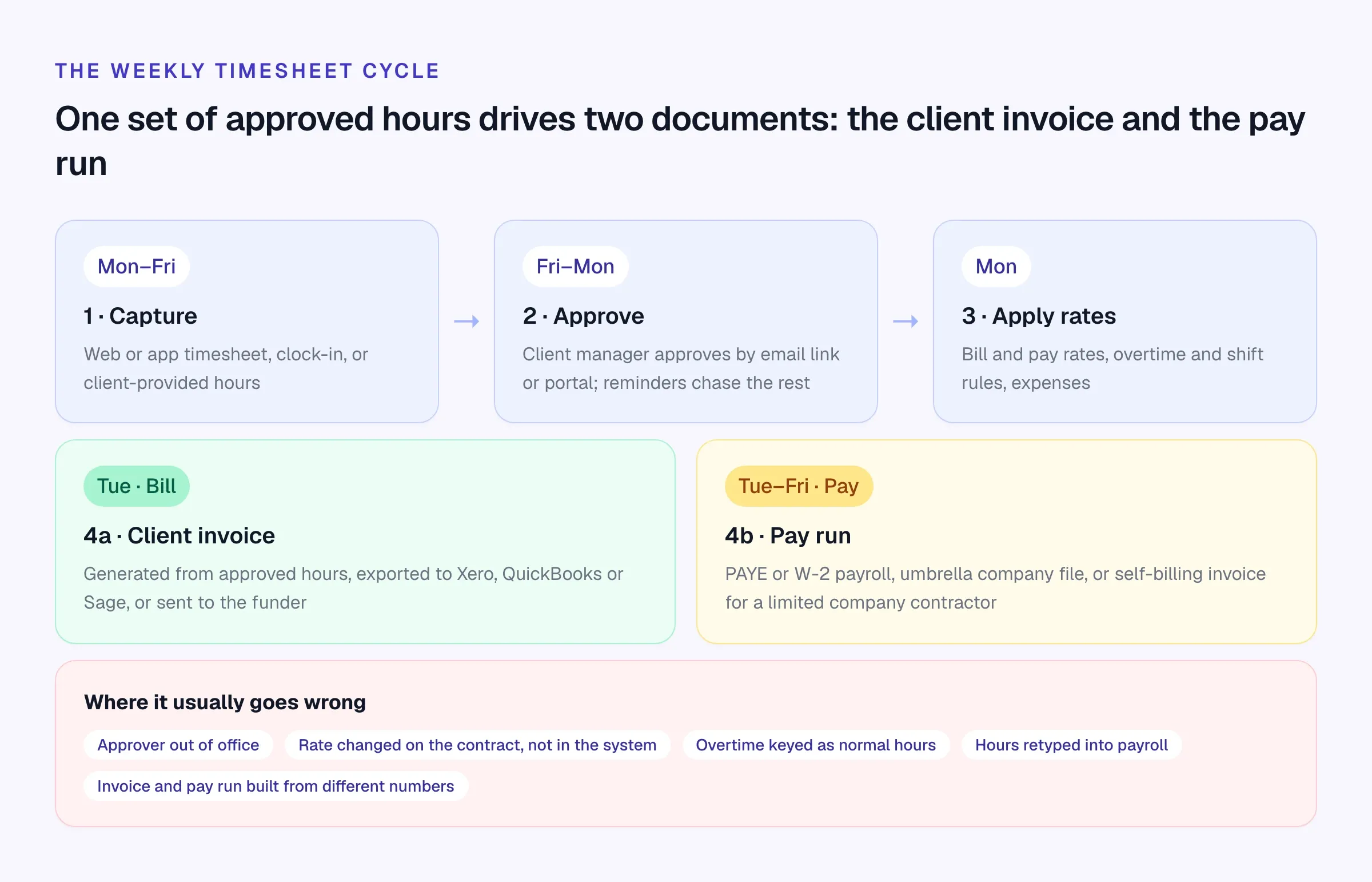
Agency timesheets turn the same hours into a client invoice and worker pay, using separate bill and pay rates. The system needs to handle client approval, overtime and the worker’s payment arrangement together. Start with the setup that fits your contract book, then test those steps on a real assignment before choosing a vendor.
Three ways to run it
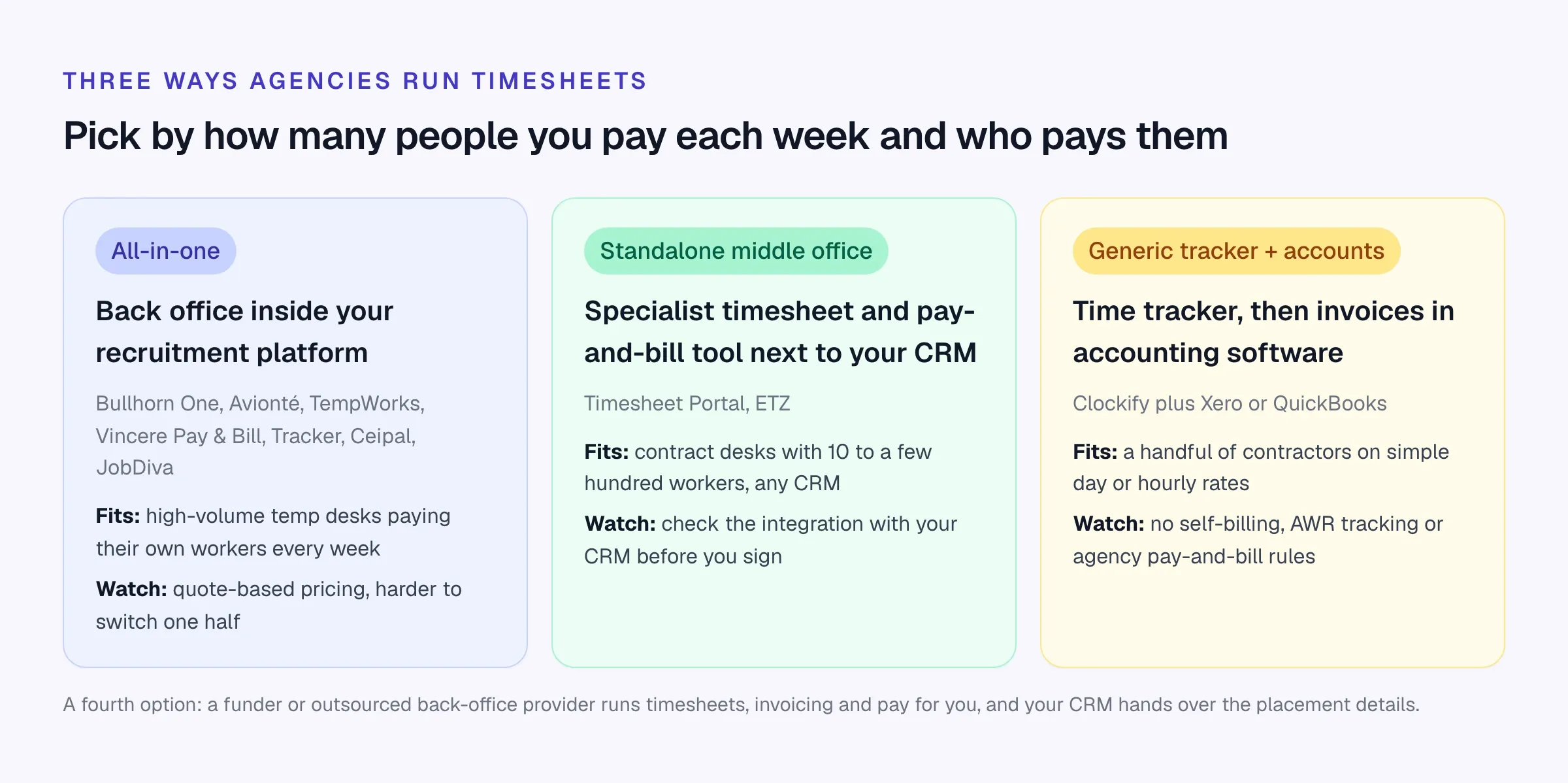
A rough rule of thumb from what we see: under ten contractors on simple rates, a generic tracker plus your accounting package can work. From ten to a few hundred, a standalone middle-office tool usually pays for itself in time saved and invoices raised on time. Paying hundreds of temps a week, especially across US states, is where an all-in-one staffing platform earns its price. Our guide for mid-sized US staffing firms covers that decision in more depth.
What agency timesheet software has to do
A generic time tracker answers “how long did my team spend on this?” Agency timesheet software answers three harder questions every week:
- Did the client approve these hours? Approval is the evidence behind your invoice and the first thing a client disputes.
- What do we bill and what do we pay? The same eight hours carry a bill rate and a pay rate, sometimes with overtime, shift, weekend or holiday rules on top.
- Who gets paid, and how? A PAYE or W-2 temp goes through payroll. A UK contractor working through an umbrella company gets paid by the umbrella from your remittance. A limited company contractor gets a self-billing invoice.
If a tool can’t answer all three, you’ll be doing the rest in spreadsheets, and spreadsheets are where retyping errors live.
Agency timesheet tools compared
We checked each tool’s own website in October 2026. Prices are shown only where the vendor publishes them.
Scroll the table to see all columns →
| Tool | Type | Client approval | Invoicing | Pay | Published price |
|---|---|---|---|---|---|
| Timesheet Portal | Standalone middle office | Yes, with reminders | Yes, to Xero, QuickBooks, Sage | Self-billing, pay run prep, AWR | Calculator on site |
| ETZ | Standalone middle office | Chasing and rules | Auto from timesheets | Ask in demo | No |
| Bullhorn One | Platform module | Yes | Yes | Pay and bill | No |
| Avionté | Platform module | Approved time drives billing | Yes | In-house US payroll | No |
| TempWorks | Platform module | Ask in demo | Yes | Software or service | No |
| Vincere | CRM module | Timesheets on Core | Pay & Bill on Pro | Pay & Bill on Pro | Core |
| Clockify | Generic tracker | Standard plan | Standard plan | No | Yes |
Timesheet Portal
Website ↗- Best for
- UK contract and temp agencies that want a standalone middle office
- Pricing
- Pay-as-you-go modules priced per contractor; 30-day free trial
The Recruitment Edition covers timesheets with clock-in, multiple rates and overtime calculations, expenses, client invoicing exported to Xero, QuickBooks or Sage, and a pay module with self-billing, pay run preparation, holiday accrual and AWR management. Lists integrations with recruitment CRMs including Bullhorn, JobAdder, Firefish, Voyager and Microdec Profile, plus an API and CSV export.
ETZ
Website ↗- Best for
- UK and Australian agencies that want timesheets, invoicing and compliance together
- Pricing
- Quote-based, by candidate volume
Online and paper timesheets with rules to enforce terms and tools to chase them, invoices created automatically from timesheets, compliance documents with send-and-sign, expenses and reporting. One package with all features; price depends on candidate volume.
Bullhorn
Website ↗- Best for
- Agencies already on Bullhorn that want pay and bill in the same vendor
- Pricing
- Bullhorn One and Recruitment Cloud editions by quote
Bullhorn One includes timesheet management, time interpretation, invoicing and pay and bill automation. The Starter ($99) and Core ($165) plans don’t include them. Bullhorn compared with Longlist.
Avionté
Website ↗- Best for
- US temp staffing firms running weekly payroll in-house
- Pricing
- Quote-based
Time capture feeds payroll directly, with multi-state tax calculations and client invoicing from approved time, rates and billing rules. Avionté compared with Longlist.
TempWorks
Website ↗- Best for
- US light-industrial and clerical staffing
- Pricing
- Not listed on the website; ask for a quote
Time management inside its payroll and billing products, with geo check-in by QR code, PIN or WebCenter. Payroll is offered as software or as a service.
Vincere
Website ↗- Best for
- UK agencies that want timesheets from their CRM vendor
- Pricing
- Core £95 per user/month (2–7 users); Pay & Bill on Pro by quote
Now part of The Access Group. Timesheets come with Core; Pay & Bill and the client portal come with Pro. Vincere compared with Longlist.
Clockify
Website ↗- Best for
- A handful of contractors on simple rates
- Pricing
- Standard $5.49 per seat/month billed annually ($6.99 monthly)
A general time tracker. Timesheet approvals and invoicing from tracked time start on Standard, kiosk clock-in from Basic and GPS tracking on Pro. No self-billing, umbrella handling or agency pay-and-bill rules, so it suits very small contract books only.
Other recruitment platforms include timesheets too: Tracker on its Professional and Enterprise plans (compared with Longlist), Ceipal through its workforce module (compared), JobDiva through its MyTime app (compared), and Firefish through a time capture add-on (From £150 per module).
Two worked examples
A UK day-rate contractor
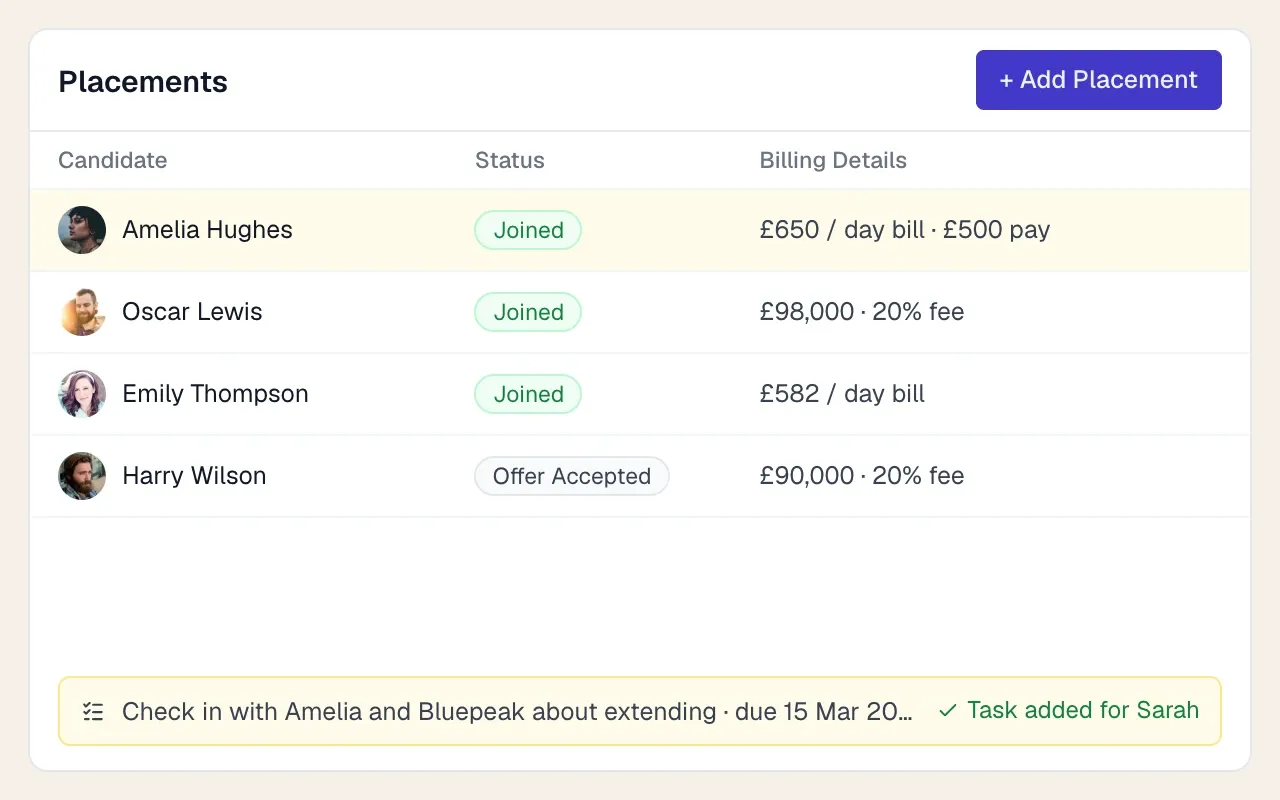
A fictional five-desk IT contract agency in Leeds has 40 contractors out. One of them, Olivia, bills at £650 a day and is paid £500 a day.
- Gross margin per day: £650 − £500 = £150
- Per five-day week: 5 × £150 = £750
- Weekly invoice to the client: 5 × £650 = £3,250
Now say one in ten timesheets is approved late each week. With 40 contractors at similar rates, that’s four invoices, or about 4 × £3,250 = £13,000 of billing that slips by a week, every week. For a small agency funding its own payroll, that delay comes straight out of cash.
A US hourly temp with overtime
A fictional light-industrial temp earns $22 an hour, billed at $31.90 (a 1.45 markup), and works 46 hours in a week. Under the FLSA, non-exempt employees get at least time and a half for hours over 40 in a workweek (DOL), and many staffing contracts bill overtime at 1.5× as well.
Scroll the table to see all columns →
| Straight time (40 h) | Overtime (6 h) | Total | |
|---|---|---|---|
| Pay | 40 × $22.00 = $880.00 | 6 × $33.00 = $198.00 | $1,078.00 |
| Bill | 40 × $31.90 = $1,276.00 | 6 × $47.85 = $287.10 | $1,563.10 |
Gross margin before employer taxes and other burden: $1,563.10 − $1,078.00 = $485.10.
Key those six overtime hours as straight time and you pay 46 × $22 = $1,012 (underpaying the worker by $66, which is a wage problem, not just an admin one) and bill 46 × $31.90 = $1,467.40 (leaving $95.70 on the table). A rule-based timesheet tool catches this automatically. A spreadsheet catches it when the temp complains.
The approval flow
Most late invoices come from approvals, not from workers forgetting to submit. Design the flow so the client manager has to do as little as possible.
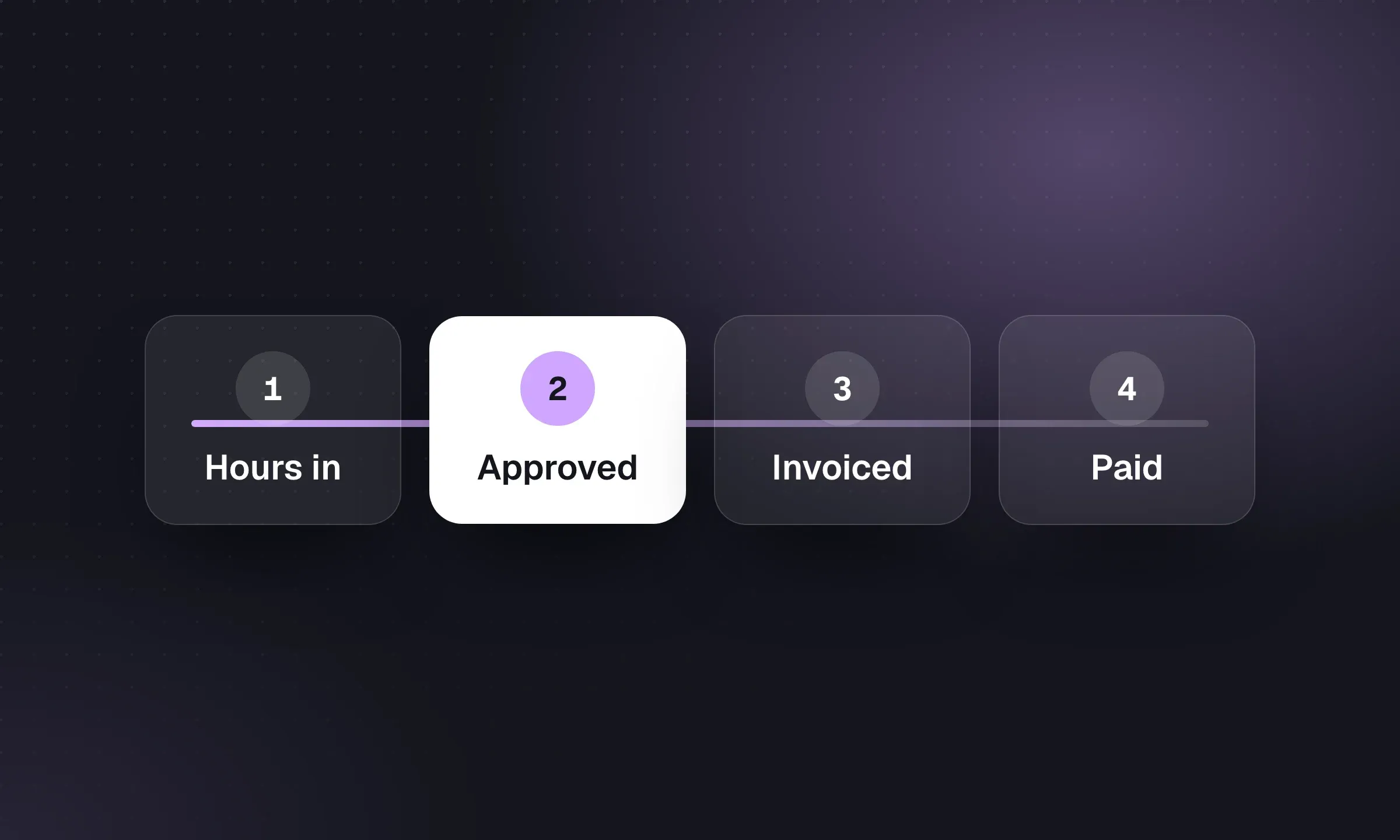
- Worker submits. By Friday end of day, from a phone or browser, or the hours come from a clock-in system. Automated reminders go out on Friday afternoon to anyone who hasn’t.
- Client approves. A one-click approve or query link by email works for most managers. Busy clients with many workers prefer a portal where they approve in bulk.
- Chase on Monday morning. Reminders go to the approver, then to a named backup. Your consultant calls anything still open by Monday lunchtime.
- Query, don’t edit. If the client disputes hours, the timesheet goes back to the worker with a note. Nobody edits approved hours silently.
- Lock and process. Approved timesheets are locked, rates are applied, and the invoice and pay run are built from the same locked numbers.
Email approval links
- No login for the client manager
- Fast for one or two workers per approver
- Easy to miss in a busy inbox
- Harder to approve in bulk
Client portal
- Bulk approval for managers with many workers
- One place to see history, queries and invoices
- Another login for the client to remember
- Takes setup and a little client training
When one approver goes quiet, a short, specific chase works better than “please approve your timesheets”:
Monday timesheet chase email
Subject: 2 timesheets waiting for you – week ending [date]
Hi [First name],
Two timesheets from your team are waiting for approval for the week ending [date]:
- [Worker name]: [hours] hours
- [Worker name]: [hours] hours
You can approve both here: [link]. If anything looks wrong, reply to this email and we’ll check it with them today.
We invoice on Tuesday, so approving by midday Monday keeps everything on time.
Thanks, [Your name]
Clock-in, mobile and GPS: when they’re worth it
Clock-in features are worth paying for when workers start and finish at the same site at set times, and the client doesn’t already run its own time system: warehouses, manufacturing, events, cleaning, security. Timesheet Portal lists mobile, NFC and facial-recognition clock-in hardware; TempWorks offers geo check-in by QR code, PIN or its WebCenter; Avionté customers have integrated time clocks from partners.
For IT and professional contractors, clock-in is usually overkill. A weekly timesheet in an app or browser is enough, and GPS tracking of a software contractor will annoy them without telling you anything useful.
The rules that catch agencies out
A few more points to build into your timesheet setup:
- UK umbrella companies. For payments made on or after 6 April 2026, new PAYE rules for labor supply chains that include umbrella companies make the agency with the contract to supply the end client (or the end client, where there’s no agency) jointly and severally liable for PAYE an umbrella fails to account for. HMRC’s policy paper sets out the change. Your timesheet and remittance data are the evidence you’ll use to check umbrella payslips against assignment rates.
- UK holiday and AWR. PAYE temps accrue holiday, and after a qualifying period the Agency Workers Regulations bring equal-treatment obligations. Tools such as Timesheet Portal offer holiday accrual and AWR management in their pay module.
- US recordkeeping. The DOL’s Fact Sheet #21 lists the hours and pay records employers must keep: hours worked each day and week, rates, overtime and totals. Time cards are kept for two years and payroll records for at least three.
- US overtime and states. Federal overtime is weekly, but some states add daily overtime or other rules. Make sure the tool’s rule engine handles every state you place in.
This is general information, not legal advice. Check the specifics with an adviser who knows your contracts.
Features checklist
- Separate bill and pay rates per placement, with overtime, shift and holiday rules
- Client approval by email link and by portal, with reminders and a backup approver
- Mobile or browser submission; clock-in only where your sites need it
- Approved timesheets locked, with an audit trail of every change
- Client invoices generated from approved hours and exported to your accounting software
- Pay outputs for each worker type: PAYE or W-2, umbrella remittance, self-billing invoices
- Expenses with receipts, and mileage if your workers travel
- Holiday accrual and AWR tracking for UK PAYE temps
- Integration with your recruitment CRM, or a clean import of new starters
- Reports on margin by client, consultant and worker, and on late approvals
Where your recruitment CRM fits
Your CRM is where the commercial deal is agreed: who starts, where, when, at what bill and pay rate. Your timesheet tool turns that into weekly invoices and pay. Agree which system owns the rates and dates and who corrects a mismatch.
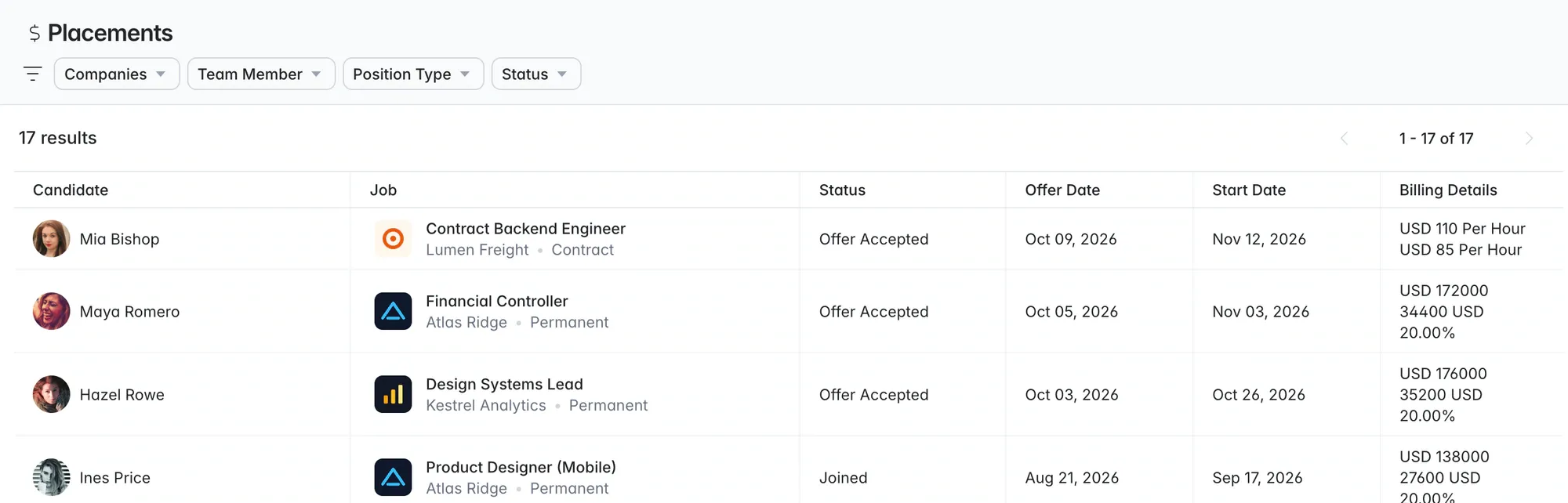
In Longlist, contract placements record the bill rate, pay rate, currency, rate period and start date, and a dated task reminds the consultant to talk about the extension before the contract ends. Set up the assignment in your timesheet or payroll system from that placement record. Before buying, agree whether this uses manual entry, a CSV import or a supported integration, who owns corrections, and how changed rates are reconciled. A finishing-soon campaign list keeps the contractors you need to redeploy in front of the desk. If you’re moving recruitment systems and want to keep timesheets where they are, our CRM migration checklist covers the order of operations.
Contract recruitment software for agencies
Record bill and pay rates on every contract placement, set reminders before contracts end, and redeploy contractors from one database. Keep timesheets and payroll in the tool that already runs them.
For the rest of the stack, see our recruitment tech stack guide, and model the full cost, timesheet modules included, with the worksheet in what recruitment software costs. Tracking late approvals is also a good addition to your weekly agency KPI review.