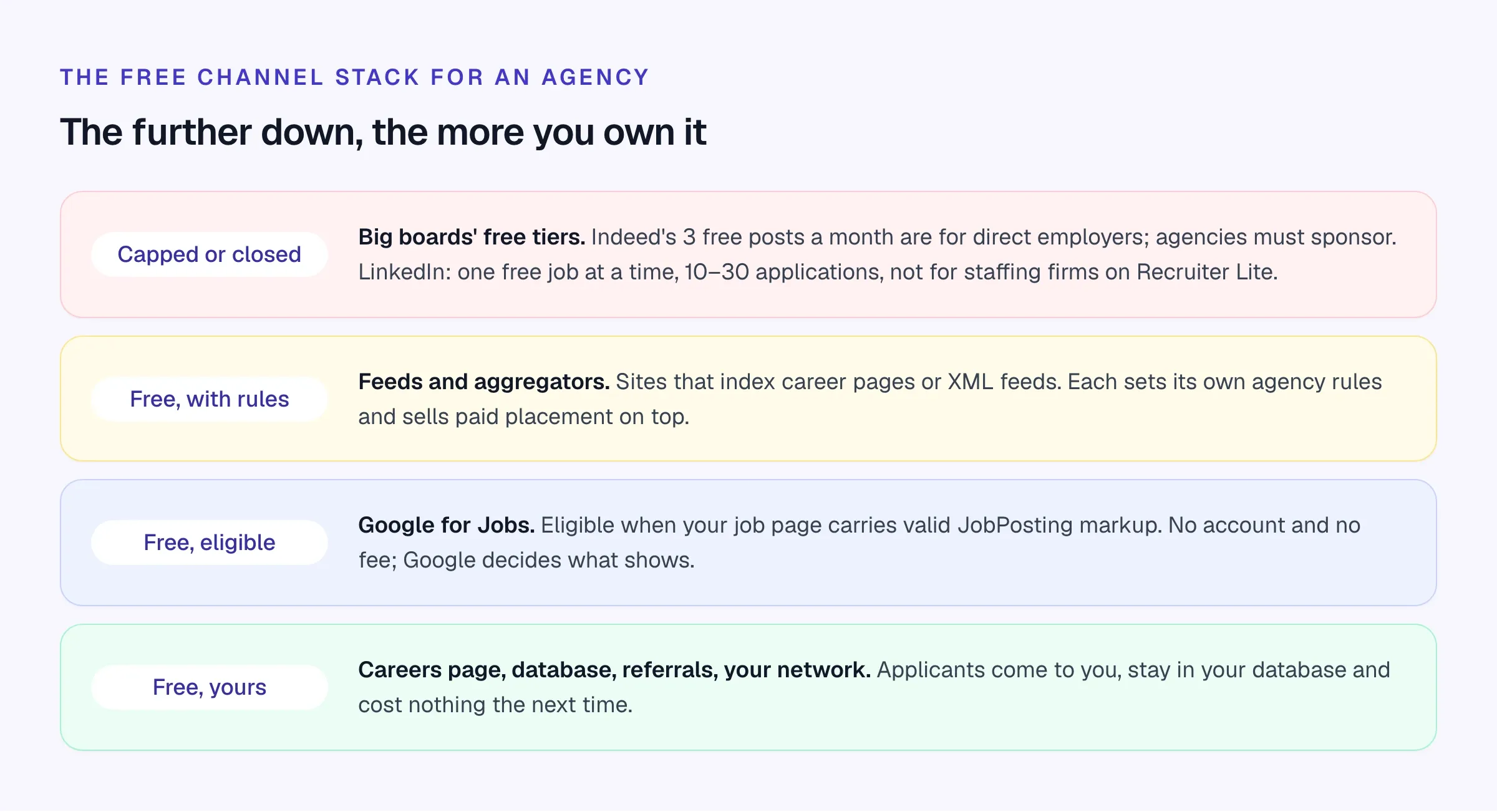
Your careers page can qualify for Google for Jobs without a media fee. Free offers on other boards need closer checking: an employer’s allowance may exclude agencies posting client vacancies. The table records agency eligibility separately, using terms checked October 16, 2026. Referrals and your existing database can also supply candidates without an advertising budget.
What’s actually free in 2026, board by board
Scroll the table to see all columns →
| Channel | Free for direct employers? | Free for agencies? | The catch |
|---|---|---|---|
| Your careers page + Google for Jobs | Yes | Yes | Needs valid JobPosting markup; Google decides what appears |
| Indeed | Up to 3 posts a month, 30 days each | No: agencies must sponsor | Free visibility “not guaranteed” |
| 1 job at a time, 14 days | Not on Recruiter Lite | 10–30 application cap | |
| Glassdoor | Jobs come via Indeed | Via Indeed | Now part of Indeed Inc. |
| Wellfound | Unlimited free posts | No: terms bar agencies | Startup-focused |
| Handshake | Basic plan free | Check school rules | Early careers only |
| Monster / CareerBuilder | No free posting | No | $10 credit on first promoted job |
| Craigslist (US jobs) | No | No | $10 to $75 per post by area |
Indeed
Website ↗- Best for
- Direct employers' occasional roles; agencies need sponsorship
- Pricing
- 3 free posts/month for direct employers; sponsored jobs for agencies
Indeed’s pricing guide (updated September 2026) says employers can post up to three free jobs a calendar month, each live for up to 30 days, with limits varying by country (Indeed). In June 2026 Indeed told ERE that organic visibility for free jobs “is not guaranteed nor will it be consistent over time,” and that it would limit refresh reposts (ERE).
The agency catch: Indeed’s third-party recruiter policy says staffing, recruitment and placement companies may post jobs if they sponsor them, and that Indeed gives priority to jobs posted directly by employers.
What still works for free: none of Indeed’s free tier, if you’re an agency. What you can do is keep the sponsored budget small and make the ad itself convert better (see the checklist below).
LinkedIn Jobs
Website ↗- Best for
- Testing demand for a professional role
- Pricing
- One free job at a time; promoted jobs on a budget
LinkedIn allows one free job post active at a time, plus a limited number within 30 days. A free post stays active for up to 14 days and usually caps at 10 to 30 applications (LinkedIn Help).
The agency catch: “Generic and staffing companies can’t post a free job with a Recruiter Lite account” (LinkedIn Help).
What still works for free: posting about the role from your own profile and your consultants’ profiles, linking to the job on your careers page. That’s content, not a job post, so the job-post limits don’t apply. It works best when the post says something specific: the salary, the team, why the role is open.
Wellfound
Website ↗- Best for
- Hiring your agency's own staff into a startup-style role
- Pricing
- Free, unlimited job posts; paid ads from $200
Formerly AngelList Talent. Job posts are free and unlimited, but Wellfound’s terms say an external third-party recruiter or agency may not use the site. Use it to hire for your own agency, not for client roles.
Handshake
Website ↗- Best for
- Graduate schemes and entry-level roles in the US
- Pricing
- Basic free; promoted jobs from $34/day; Pro $450/month
Handshake’s Basic plan lets employers post jobs free to students and recent graduates. Many college career centers set their own rules for third-party recruiters, so check with your target schools before you build a graduate desk around it.
Monster, CareerBuilder and Craigslist: not free
The old advice that Monster lets you “post for free” no longer holds. Monster’s employer site (now shared with CareerBuilder under owner Bold) lists Monster+ Standard from $8 a day and Monster+ Pro at $299 a month. The closest thing to free is a $10 upfront charge on your first promoted job that comes back as $10 of credits (Monster pricing, October 2026).
Craigslist is free for most categories but charges $10 to $75 for US job posts, depending on the area. For local hourly roles, that’s still cheap.
Aggregators and feeds
Job aggregators such as Adzuna, Careerjet, Jooble and Talent.com collect listings from feeds and career sites. Each sets its own rules for agencies and sells paid placement on top of any organic inclusion, and we couldn’t confirm their current free terms from their own sites in October 2026. Don’t count on them, but don’t block them either: if your careers page publishes a clean feed, some of these sites will pick it up.
Free vs sponsored: what you’re really choosing
Free listing
- Costs nothing but time
- Shown lower, for less time, with caps on some boards
- Closed to agencies on Indeed, limited on LinkedIn
- Works well on your own careers page, where you set the rules
- Good for roles with an obvious title and plenty of candidates
Sponsored listing
- Costs per click or per started application, on a budget you set
- Shown higher and longer, to more people
- Required for agencies on Indeed
- Rewards a well-written ad more than a big budget
- Worth it for hard-to-fill roles and roles worth a large fee
A good rule: put every role on your careers page for free, and spend only on the roles where you can show that free channels aren’t producing a shortlist within a week. Track the outcome by source so you know which paid boards actually earn their spend. The best job boards guide has a source-quality scorecard you can copy.
Google for Jobs: the free board every agency can use
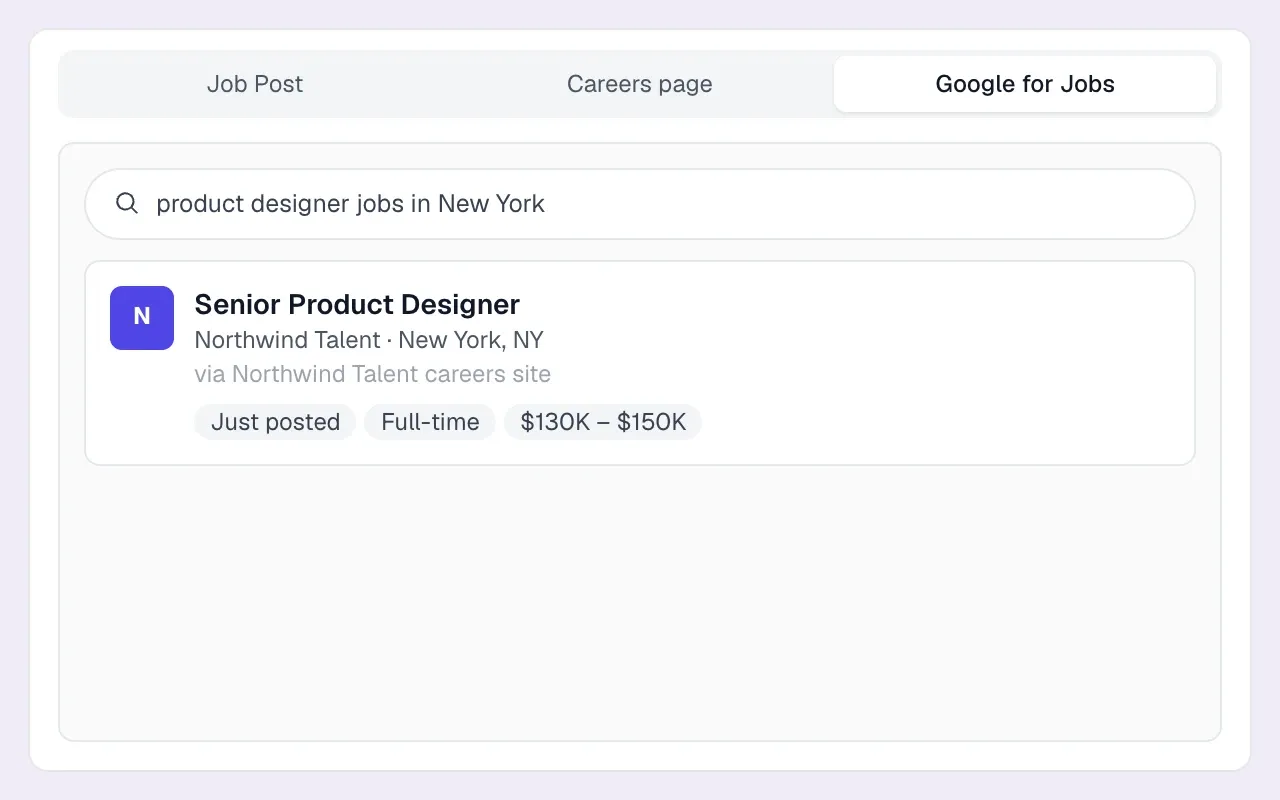
Google for Jobs is the job search panel Google shows for searches like “payroll administrator jobs Leeds.” It isn’t a site you post to. Google reads the JobPosting structured data on individual job pages and decides which listings to show. It’s available across North America, Latin America, the UK and much of Europe, Asia and Africa.
Job boards appear there because their job pages carry the markup. Your own careers page can too, and when a candidate clicks through, they land on your page and apply to your agency.
The fields that matter
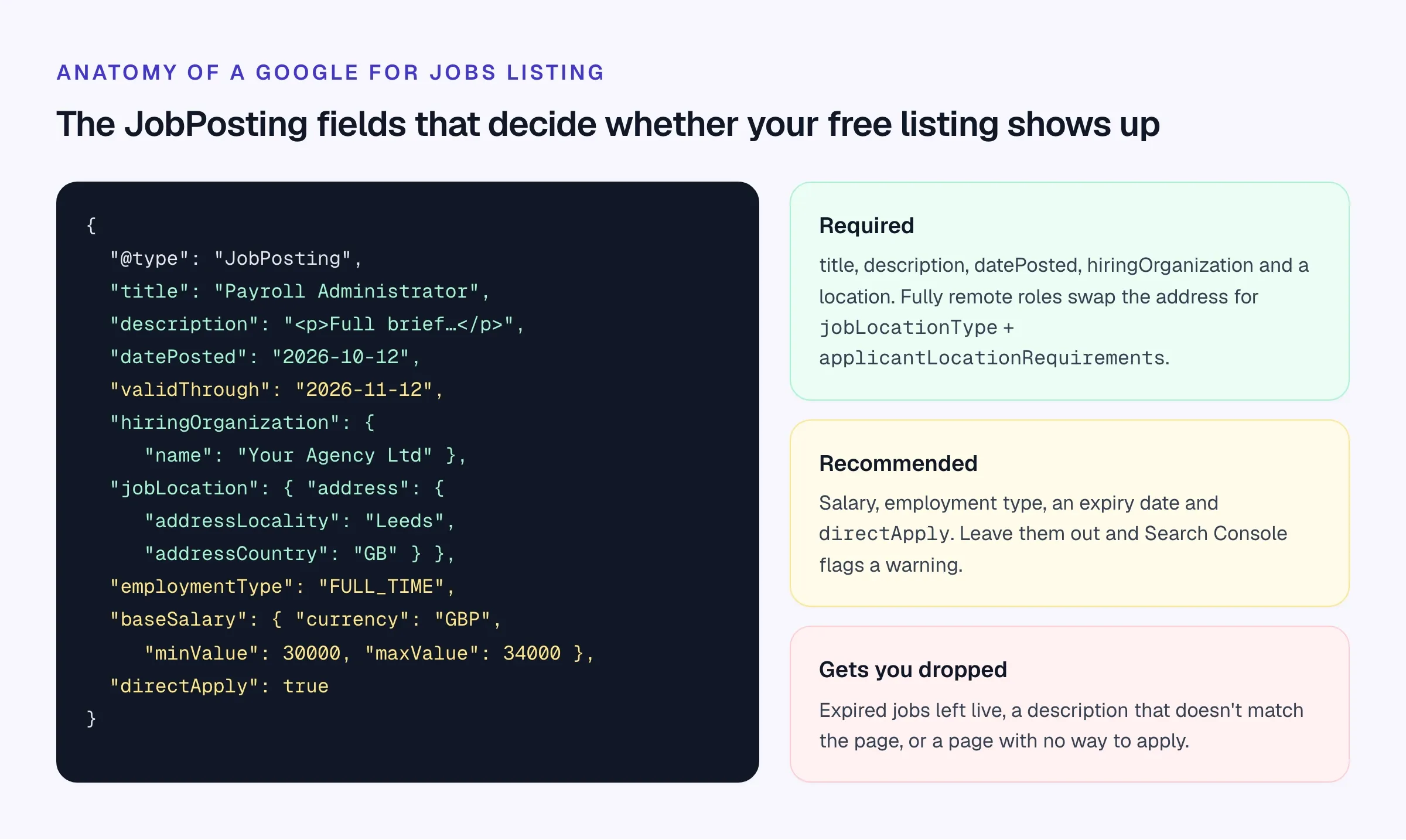
Google’s documentation (last updated September 2026) lists five required properties: title, description, datePosted, hiringOrganization and jobLocation. Fully remote jobs use jobLocationType: TELECOMMUTE with applicantLocationRequirements naming the countries where candidates can live. Recommended properties include baseSalary, employmentType, validThrough, directApply and identifier.
Getting your careers page indexed
- Publish one page per job. Each with its own URL, a full description and a visible way to apply. List pages don’t count.
- Add JobPosting markup to each job page. Check it with Google’s Rich Results Test. Fix errors first, then add the recommended fields that trigger warnings.
- Get the hiring organization right. Google defines it as the organization offering the job, and says a staffing agency hiring for an anonymous employer should use the confidential value for
hiringOrganization.name. Never put a client’s name in the markup unless the client has agreed to be named. - Tell Google when jobs change. Google recommends its Indexing API for job pages, so new and closed jobs are crawled sooner, plus a sitemap for coverage.
- Close jobs the day they’re filled. Set the expiry date or remove the page. A stale job hurts the candidate experience and your eligibility.
- Check Search Console monthly. The rich result status report for job postings shows valid items, warnings and errors.
If you’d rather not touch markup at all, Longlist’s careers page generates JobPosting structured data with your agency as the hiring organization, creates a job sitemap and submits published jobs for indexing. Filled and archived jobs drop off your listing. It is included on every plan, alongside a Careerjet feed and an apply-by-email address per job for Indeed applicants.
Free job distribution you own
Publish a branded careers page with Google for Jobs markup and a job sitemap, feed open roles to Careerjet, and collect Indeed applications by email. Every applicant is parsed into the job’s Review stage. Included on every plan, with a 14-day free trial.
How to make free listings perform
A free listing competes with sponsored ones for the same candidate’s attention, with less space and less time. Small things decide whether it gets read.
- Title uses the words candidates search (“Payroll Administrator”, not “Payroll Ninja” or “Finance Superstar”)
- Location is a real town or city, plus the working pattern (on-site, hybrid days, remote country)
- Pay range is in the first two lines and in the
baseSalarymarkup - First paragraph says what the person will actually do in week one
- Must-haves are no more than five bullets, and they are genuine must-haves
- Applying takes under two minutes on a phone, with CV upload and at most three screening questions
- The agency is named, with a one-line description, so candidates know who they’re dealing with
- Every applicant gets an acknowledgment, even if it’s automated
- The job comes down, or is marked expired, the day it’s filled
- Each applicant is tagged with the source they came from
A free listing template
Job ad template for a careers page or free post
[Job title as candidates search it] – [Town/city], [on-site / hybrid X days / remote in country] [Pay range, currency, per year/hour/day] · [Permanent / Contract X months / Temp]
What you’ll do: [Two sentences on the actual work and who they’ll work with.]
You’ll fit if you have:
- [Must-have 1]
- [Must-have 2]
- [Must-have 3]
Nice to have: [One line, optional.]
About the client: [Two lines without naming them if confidential: sector, size, why the role is open.]
How to apply: Upload your CV. It takes two minutes. [Recruiter name] at [Agency] will reply within [X] working days.
Keep applicants findable for future roles
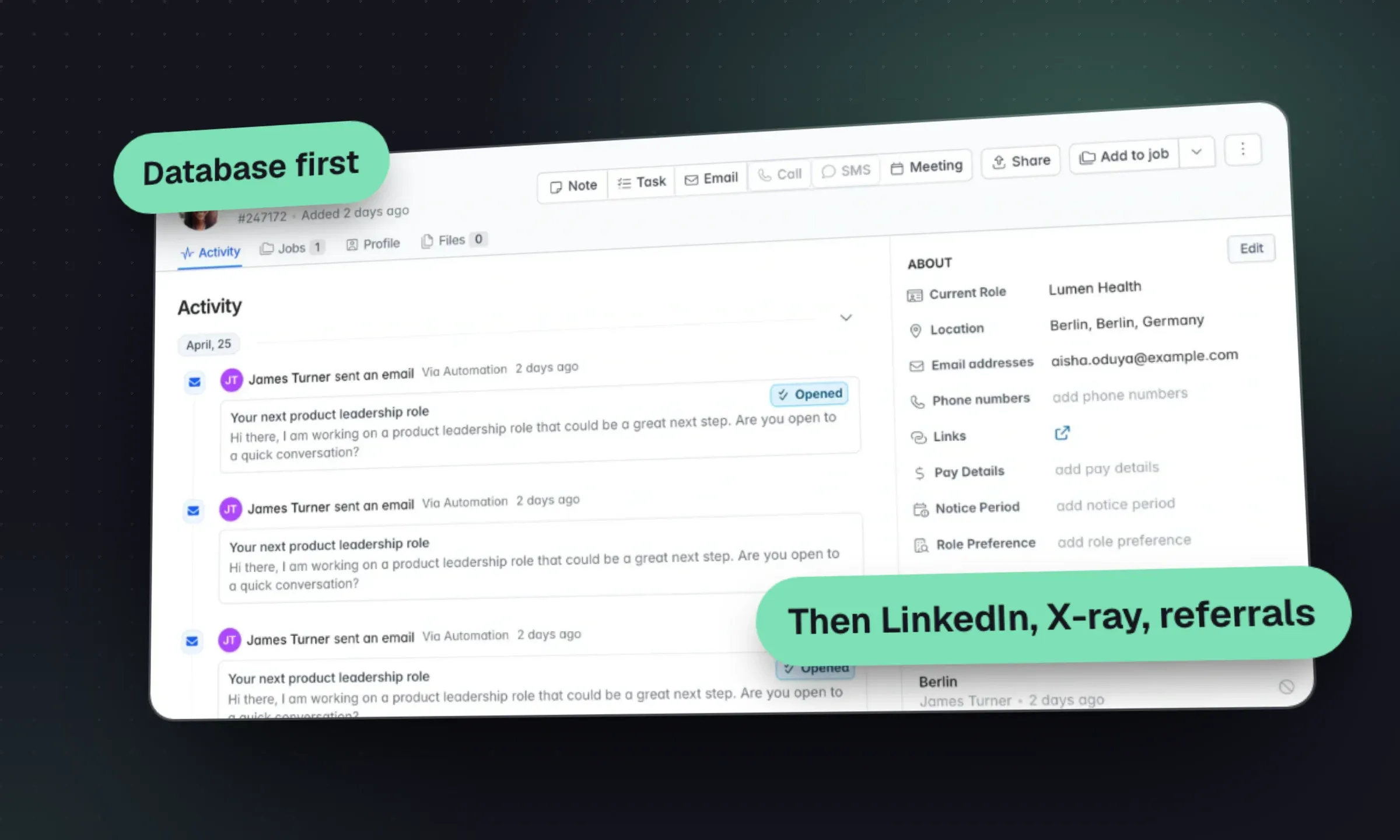
Applicants from one job can become candidates for later briefs. Every applicant who wasn’t right for this role is a parsed, searchable candidate for the next one. Search your database before you post anything, paid or free. Our guide to candidate sourcing for agencies covers how to work your own database first, and Boolean search helps when you widen the search to LinkedIn and the open web.
In Longlist, careers page applicants land in the job’s Review stage with their CV parsed into a searchable candidate database, and applicants whose email is already on file attach to their existing record instead of creating a duplicate.
Other free channels worth your time
- Referrals from placed candidates. Ask at the 30-day check-in, when they’re happiest.
- Your consultants’ own posts. A specific post about one role from a consultant with a relevant network often beats a free job slot.
- College career services. Through Handshake or direct relationships, for graduate roles.
- Government job services. In the UK, the DWP’s Find a job and the DfE’s Teaching Vacancies are free, with their own eligibility rules; see our UK job boards guide.
- Your email list. A monthly “roles we’re working on” email to opted-in candidates. Our recruitment email sequence templates include follow-ups.
If you’re comparing tools to run all of this, our roundup of free recruiting software and the guide to what recruitment software costs a small agency are the next stops.