An order for sixty starts needs enough screening time, induction places and confirmed workers to survive no-shows. Work backwards from the start date using your desk’s conversion rates, then decide how much new advertising you need. The examples here are fictional. Longlist publishes this guide and sells the CRM + ATS recommended in the tools section.
Why agency volume hiring is different
An in-house team hiring 200 warehouse operatives competes with other employers. An agency competes with other employers and with the three other agencies on the same client’s supplier list, often for the same workers. That changes what good looks like:
- Speed beats polish. If you call back tomorrow, someone else already offered them a shift today.
- Fill rate is the client’s scorecard. Many clients rank their agencies on how many of the ordered roles were filled and how many people turned up. Miss it twice and your share of the next order shrinks.
- Keep past workers available for the next order. Workers who’ve done a good shift for you before are faster to place, more likely to show and cheaper to find than any new applicant.
- Margin is thin. Temp margins don’t pay for hours of admin per worker. Every manual step you remove matters.
1. Design the process before you buy anything
Give every handoff an owner and a deadline. Otherwise, applicants can sit untouched over a weekend and confirmed workers can miss reminders, even when the tools are in place.
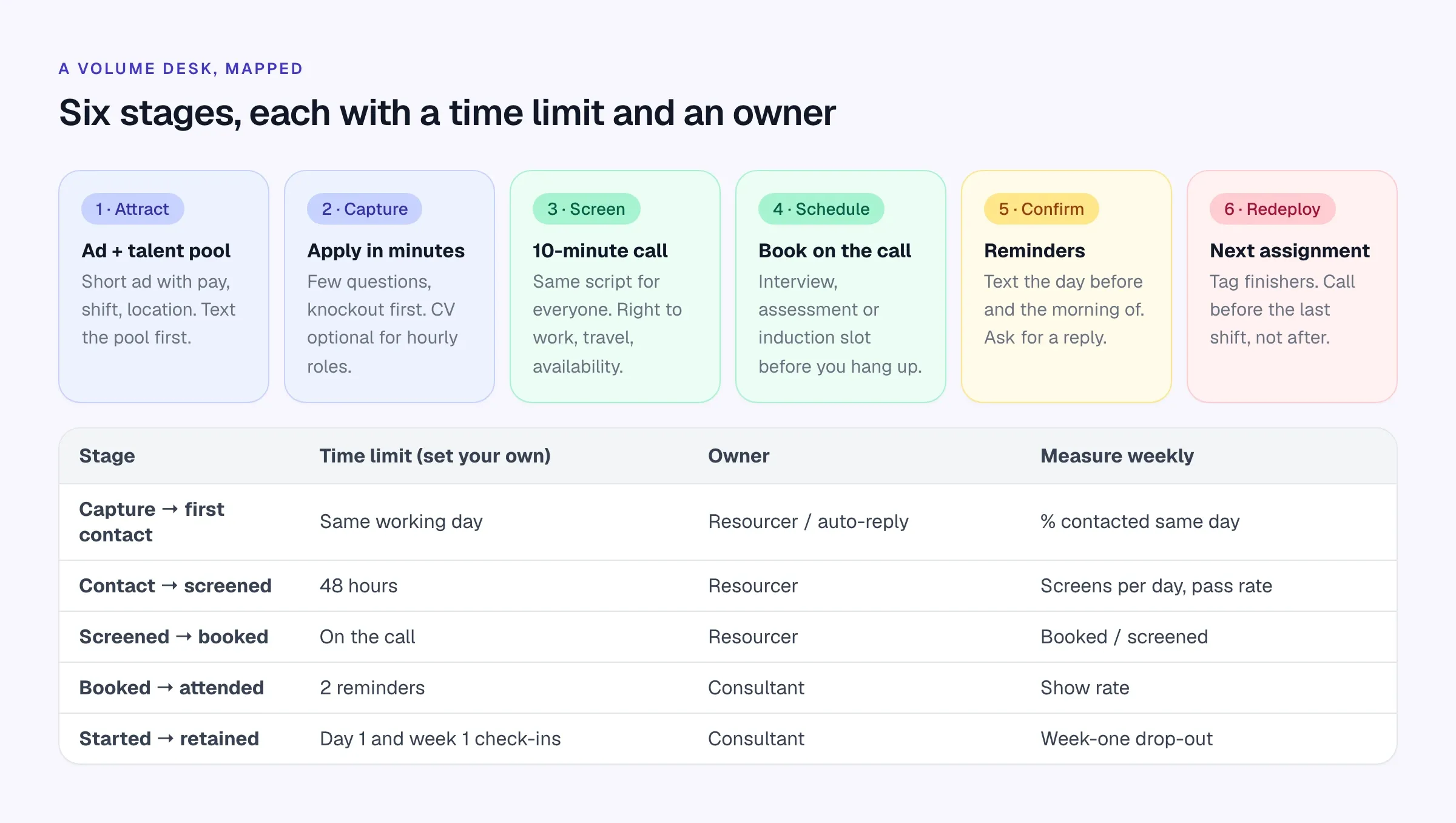
Write the map on one page and agree it with the desk. The two rules that make the biggest difference:
- Same-day first contact. Every new applicant gets a human or automated response the day they apply, and a call within one working day.
- Nobody leaves a screening call without a booked next step. “I’ll send you a link” loses people. Book the interview, assessment or induction slot while they’re on the phone.
2. Do the capacity math backwards
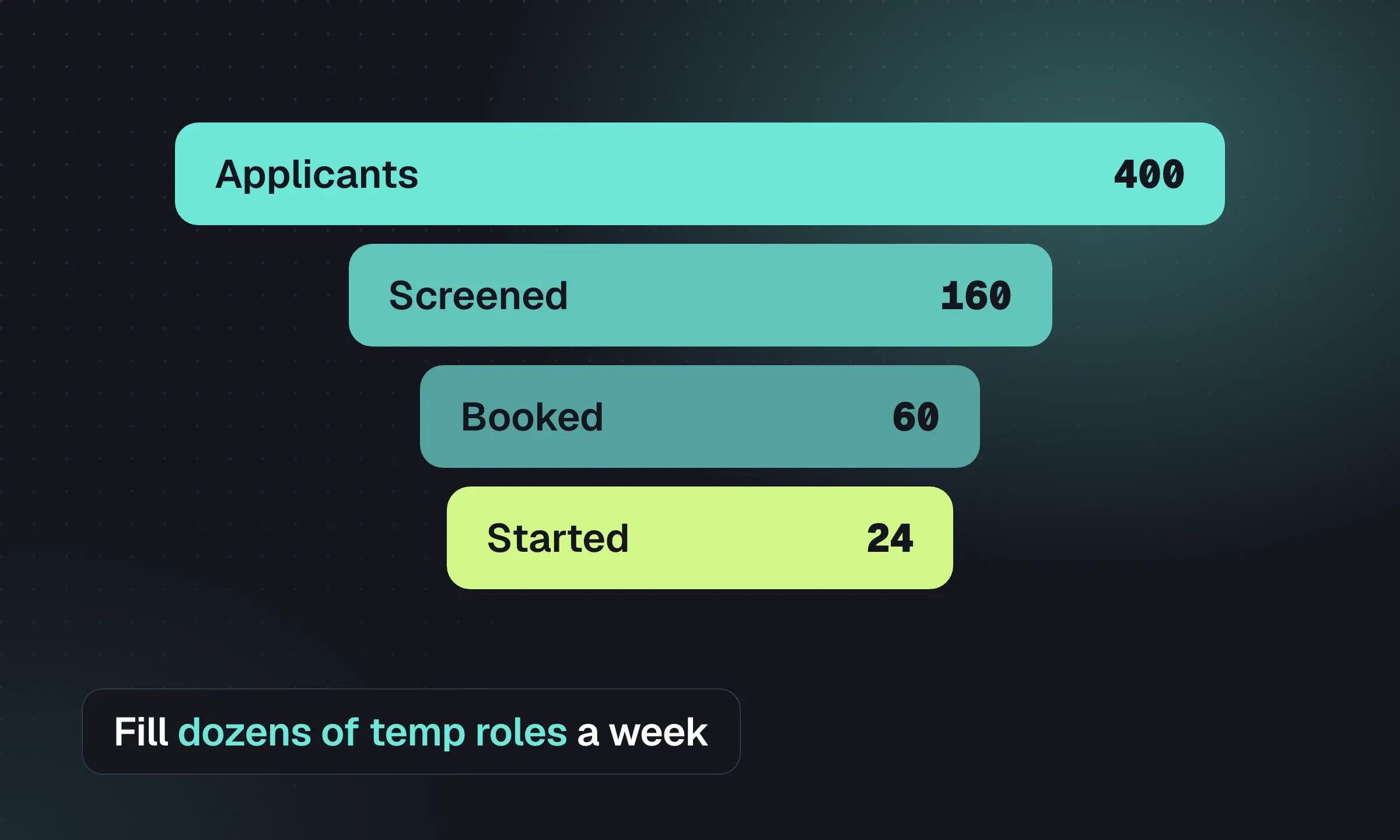
Here’s a fictional example. A four-desk industrial staffing branch in the Midlands gets an order for 60 pickers and packers for a peak period starting in three weeks. Working backwards with the desk’s own historical ratios:
- People to contact 296
- Screened 148
- Booked to induction 89
- Attended and confirmed 71
- Started on day one 60
The arithmetic, using this desk’s (fictional) ratios:
- About 15% of confirmed workers don’t turn up on day one, so they need 60 ÷ 0.85 ≈ 71 confirmed.
- About 80% of people booked attend induction, so 71 ÷ 0.8 ≈ 89 booked.
- About 60% of screened people are suitable and accept a booking, so 89 ÷ 0.6 ≈ 148 screens.
- About half of the people they try to reach actually complete a screen, so they need roughly 296 contacts.
At 25 screens per resourcer per day, 148 screens is about six resourcer-days. Spread over the first week, that’s two people screening for three days, plus time for the 296 contact attempts. Now the branch manager knows whether the order is achievable before agreeing a start date with the client, and can talk about a phased start if it isn’t.
Use your own ratios. If you don’t know them, track one order end to end and you will.
3. Build the talent pool before the order lands
The best volume desks fill a good share of every order from people they already know. That only works if the pool is current.
- Tag availability after every conversation. “Available now”, “available from [date]”, “weekends only”, “not available”. A pool where half the tags are six months old is a list of strangers.
- Run a “finishing soon” list. Every worker whose assignment ends in the next four weeks goes on it. Call them before their last shift, not after; by then they’ve found something.
- Keep good leavers. A worker who did six good months and left for a permanent role may want shifts again in a year. Note why they left and when to check back.
- Re-engage seasonally. Students, returners and people who only want peak work are worth a short message four to six weeks before your busy season.
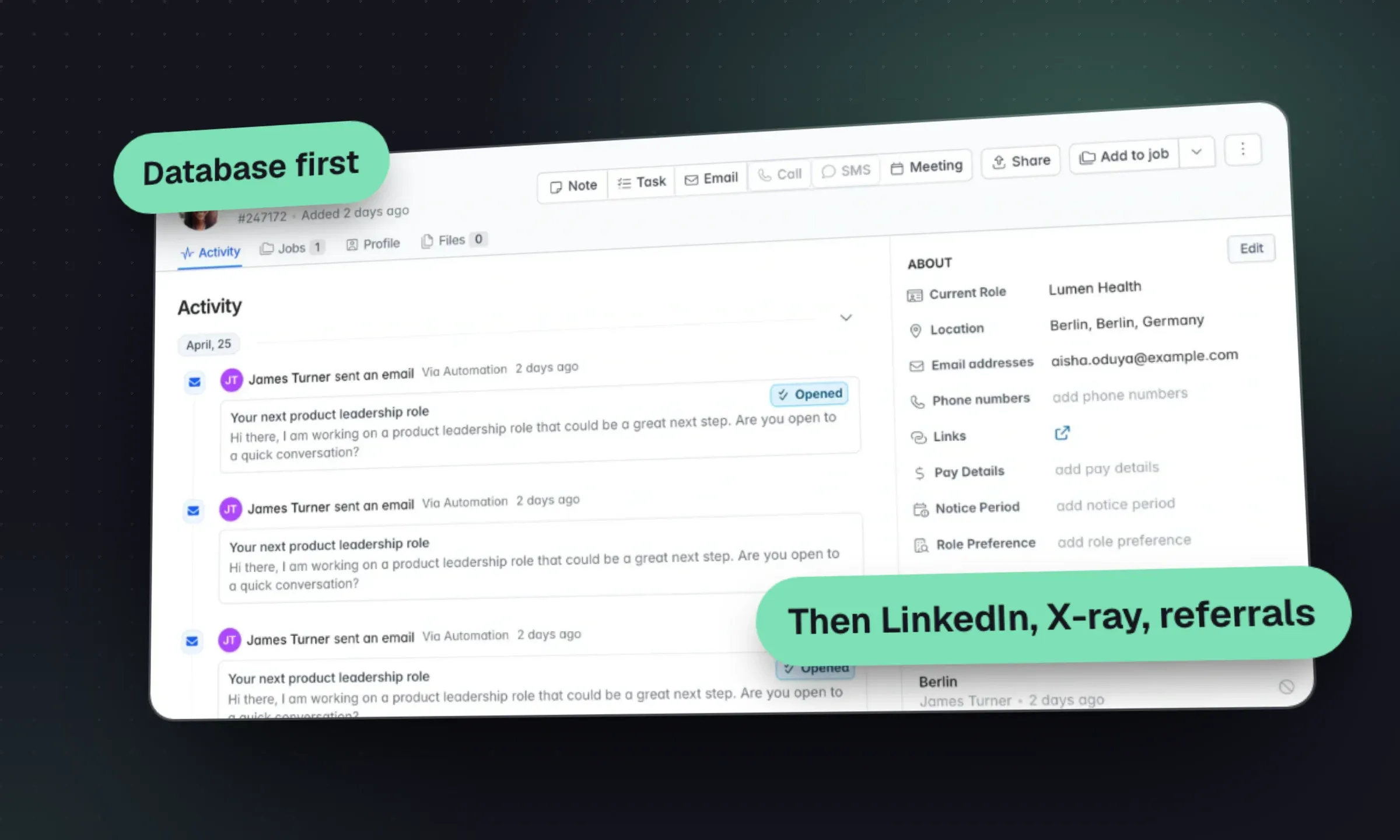
In Longlist you’d keep these as tags and campaigns (for example a “Finishing soon” campaign with its own stages), with dated follow-up tasks against each worker. The contract recruitment workflow shows how placement end dates and redeployment reminders fit together.
4. Make applying quick, and screen fast and consistently
For hourly and shift roles, every extra step in the application loses people. Appcast’s data shows most applications now happen on a phone, so assume your form will be filled in on a bus.
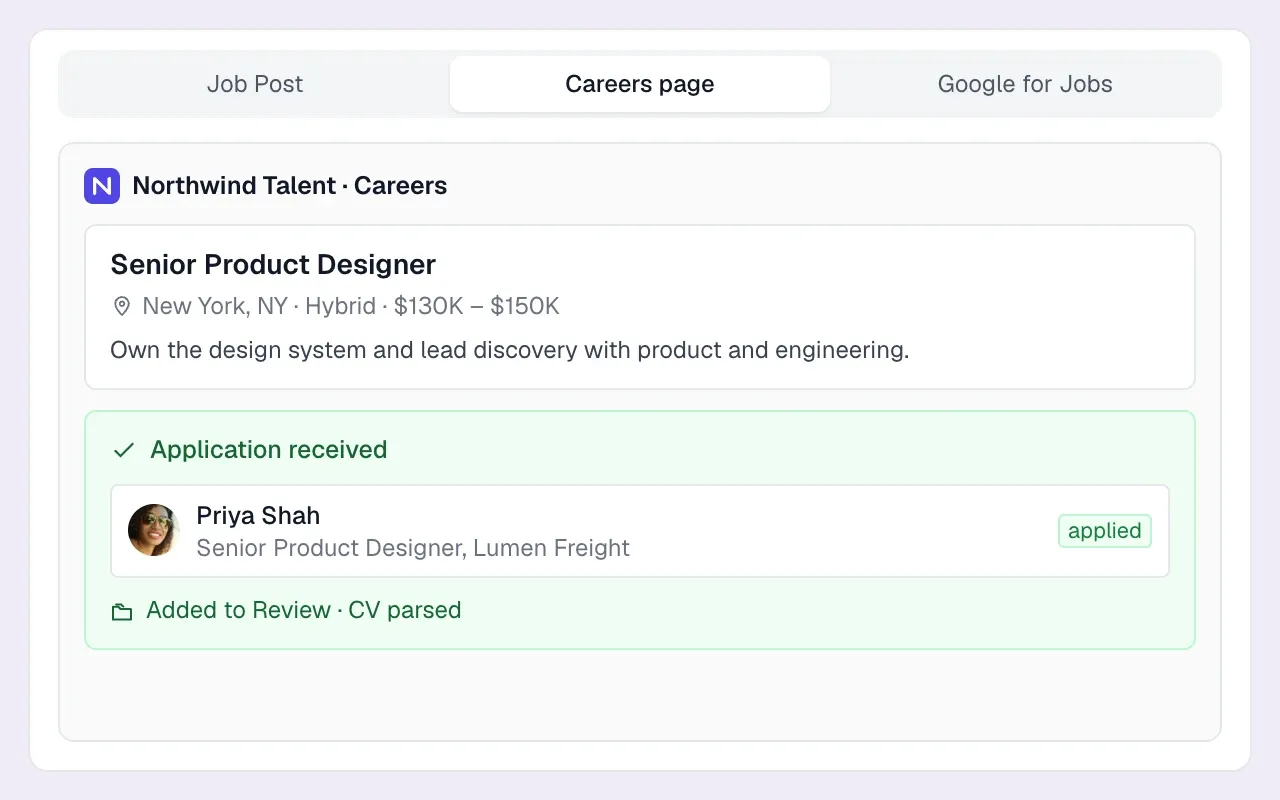
Keep the application short. Name, phone, email, postcode or ZIP, and three or four knockout questions: right to work, can they get to the site for the shift times, do they hold the required license or certificate. Make the CV optional for roles that don’t need one. On Longlist’s careers page, you add free-text and single- or multi-select questions to the apply form, and applicants land in the job’s Review stage with an email alert to the recruiter.
Screen by phone with a fixed script. Ten minutes, same questions, same order, notes in the same fields. Consistency means anyone on the desk can pick up any candidate, and it reduces the risk of treating similar applicants differently.
10-minute screening call (warehouse / industrial)
1. Confirm identity and the role they applied for.
2. "Tell me about the last job where you were on your feet all shift."
3. Shift pattern: "This is [days/times]. Does that work every week?"
4. Travel: "How will you get to [site]? How long does it take?"
5. Right to work: "We'll need to see [documents] before your first shift."
6. Licences/certificates: [FLT, food hygiene, CSCS, etc.] Which do you hold?
7. Pay: "The rate is [£/$ per hour], paid [weekly]. Does that work?"
8. Start: "When could you start? Any holidays booked?"
9. Book it now: "I've got induction at [time] on [day] or [day]. Which?"
10. Confirm mobile number and ask: "Is it OK if we text you
    reminders and shift details on this number?"
Record the answer to question 10. It’s your consent record for texting, and you’ll need it.
Right-to-work checks are a legal requirement in both markets: in the UK under the Home Office right to work scheme, in the US via Form I-9 (and E-Verify where required). Build the document check into induction so it never holds up a start date. Online skills or situational assessments can help for roles with a real skill component, but don’t add a 30-minute test to a picking role. The talent assessment tools roundup covers when assessments are worth the drop-off.
5. Text for logistics, call for decisions
SMS and WhatsApp are the workhorses of volume recruiting. Most hourly workers answer a text faster than an email, and a short reminder the day before a shift reduces no-shows. But messaging works best for logistics. For a decision (accepting an offer, explaining why a placement didn’t work) pick up the phone.
Scroll the table to see all columns →
| Message | Channel | Timing |
|---|---|---|
| “Thanks for applying, we’ll call today” | SMS or email (automated) | Within minutes of applying |
| Screening call | Phone | Same or next working day |
| Interview or induction confirmation | SMS or WhatsApp | Immediately after booking |
| Reminder, ask for a reply | SMS or WhatsApp | Day before, and morning of |
| Shift offer to the pool | SMS or WhatsApp | As soon as the order is confirmed |
| Day-one check-in | Phone or SMS | End of the first shift |
| Finishing-soon call | Phone | Two to four weeks before the end date |
Shift offer (SMS)
Hi [First name], it's [Name] at [Agency]. We have [number] shifts
at [site/area], [days] [start-end time], [£/$ rate]/hr, starting
[date]. Want one? Reply YES and I'll call to confirm.
Reply STOP to opt out.
Reminder (SMS or WhatsApp)
Hi [First name], reminder: [induction/first shift] tomorrow [time]
at [address]. Bring [ID / boots / documents]. Ask for [contact] at
[entrance]. Please reply OK to confirm, or call [number] if
anything's changed.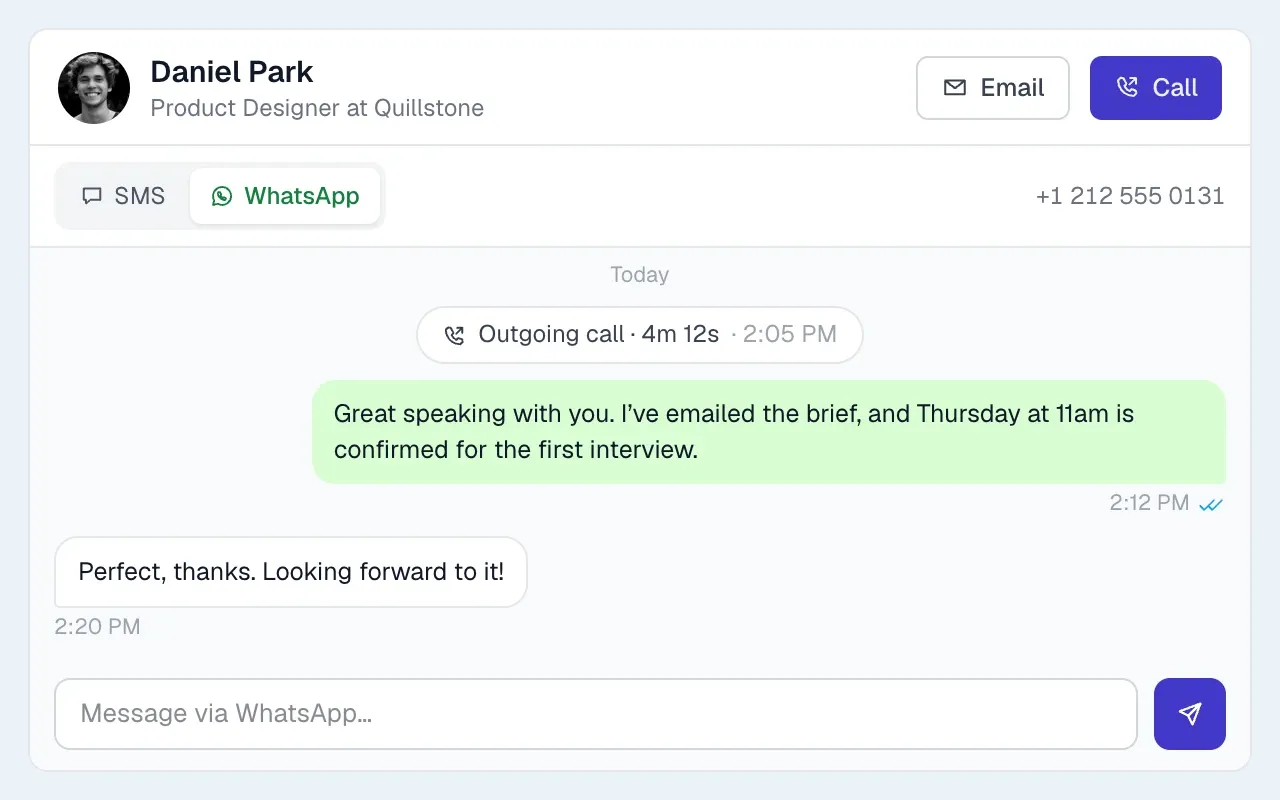
Keep every message on the candidate’s record, not on a recruiter’s personal phone. When a worker texts at 6am to say their car won’t start, whoever is on the desk needs to see the thread. Longlist Plus gives each recruiter a business number with two-way SMS and WhatsApp from the record, click-to-call and automatic call logs. Incoming texts also arrive as an email alert, and an email reply goes back to the worker as an SMS.
The rules for texting candidates
This is a summary, not legal advice. Take advice for your own setup.
- US: TCPA. The FCC treats texts as calls under the Telephone Consumer Protection Act. Automated texts need prior express consent, and marketing texts need prior express written consent. In January 2025 the 11th Circuit vacated the FCC’s “one-to-one consent” rule before it took effect, but the underlying consent requirements still apply. Make “Reply STOP to opt out” standard and honor it immediately.
- US: A2P 10DLC. Business texting from standard 10-digit numbers must be registered with the carriers (a brand and a campaign describing your messages and opt-in). Unregistered traffic gets filtered and charged extra. If your texting tool doesn’t handle registration, ask how it’s done.
- UK: PECR. Marketing texts to individuals need consent. The ICO’s guidance on service messages versus direct marketing is the useful test: a message about an interview someone booked is administrative; a bulk “register with us for winter work” text to people who never asked is likely marketing.
- WhatsApp. On the WhatsApp Business Platform, you can send free-form messages only within 24 hours of the person’s last message to you. Outside that window you must use pre-approved templates, and since 1 July 2025 Meta charges per template message (marketing, utility and authentication rates differ). Plan reminder templates in advance.
6. Schedule in batches, and over-book deliberately
Set induction slots the whole desk can book, with a capacity limit for each session.
- Run group inductions or assessment sessions at fixed times (for example Tuesday and Thursday at 10am and 2pm) and book people into them on the screening call.
- Over-book by your no-show rate. If 20% of booked people usually don’t attend, divide the target attendance by 0.8: 10 ÷ 0.8 = 12.5, rounded up to 13 bookings. This gives 10.4 expected attendees, not a guarantee of ten. Check session capacity and agree what happens if everyone arrives. Track it per session type, because evening and Monday-morning slots often behave differently.
- Send the reminder sequence automatically where your tools allow, and make the “please reply” part of it. A worker who replies “OK” the morning of a shift is far more likely to turn up than one who doesn’t reply.
- Have a reserve list for the first shift: two or three confirmed people on standby who’ll get paid for a shift if they’re needed.
For in-person client interviews in volume, self-scheduling links help when the client manager’s diary changes daily. For agency-run inductions, booking on the call is faster.
7. Measure the numbers clients care about
Scroll the table to see all columns →
| Metric | Definition | Why it matters |
|---|---|---|
| Fill rate | Workers started ÷ roles ordered, per order | The number clients rank agencies on |
| Time to first contact | Hours from application to first human contact | The leading indicator for everything else |
| Screen-to-booked | Booked ÷ screened | Shows whether screening calls are closing |
| Show rate | Attended ÷ booked (interviews, inductions, first shifts) | Where volume desks lose most people |
| Week-one drop-out | Leavers in first week ÷ starters | Tells you if the job was sold honestly |
| Redeployment rate | Workers placed again within 30 days of an assignment ending ÷ assignments ended | Your cheapest source of supply |
Review these weekly per client, not just per consultant. A client with a 50% week-one drop-out has a site problem (or a job description problem) that more sourcing won’t fix, and it’s a conversation worth having with their operations manager. The weekly KPI scorecard shows how to set definitions and review them without blame, and the recruitment reporting page covers what Longlist reports out of the box.
- 2.2m temporary and contract employees worked for US staffing companies in an average week in 2024 (American Staffing Association)
- 40% of candidates who gave up on a recruiter said the process didn’t move quickly enough (Bullhorn GRID 2026 Talent Trends)
- 71% of candidates want to hear from their recruiter at least weekly; 56% say it happens (Bullhorn GRID 2026)
- 70.6% of job applications in Appcast’s 2025 data came from mobile devices (Appcast 2026 Benchmark Report)
8. The tools worth paying for
A volume desk needs fewer tools than vendors suggest. The core is a CRM + ATS that holds your talent pool, takes applications and logs every call and text, and for agencies that’s where we recommend Longlist. Specialist tools earn their place when volume outgrows what recruiters can do by hand. Tools below were checked in October 2026; several are built for in-house employers rather than agencies, which is noted.
Core system
Longlist
Learn more →- Best for
- Small and mid-sized agencies running temp, contract and perm volume desks
- Pricing
- From $47/user/month; calling, SMS and WhatsApp on Plus
Agency CRM + ATS in one database. A branded careers page with screening questions, Google for Jobs eligibility, a Careerjet feed and Indeed apply-by-email, with every applicant parsed into the job’s Review stage at no per-CV charge.
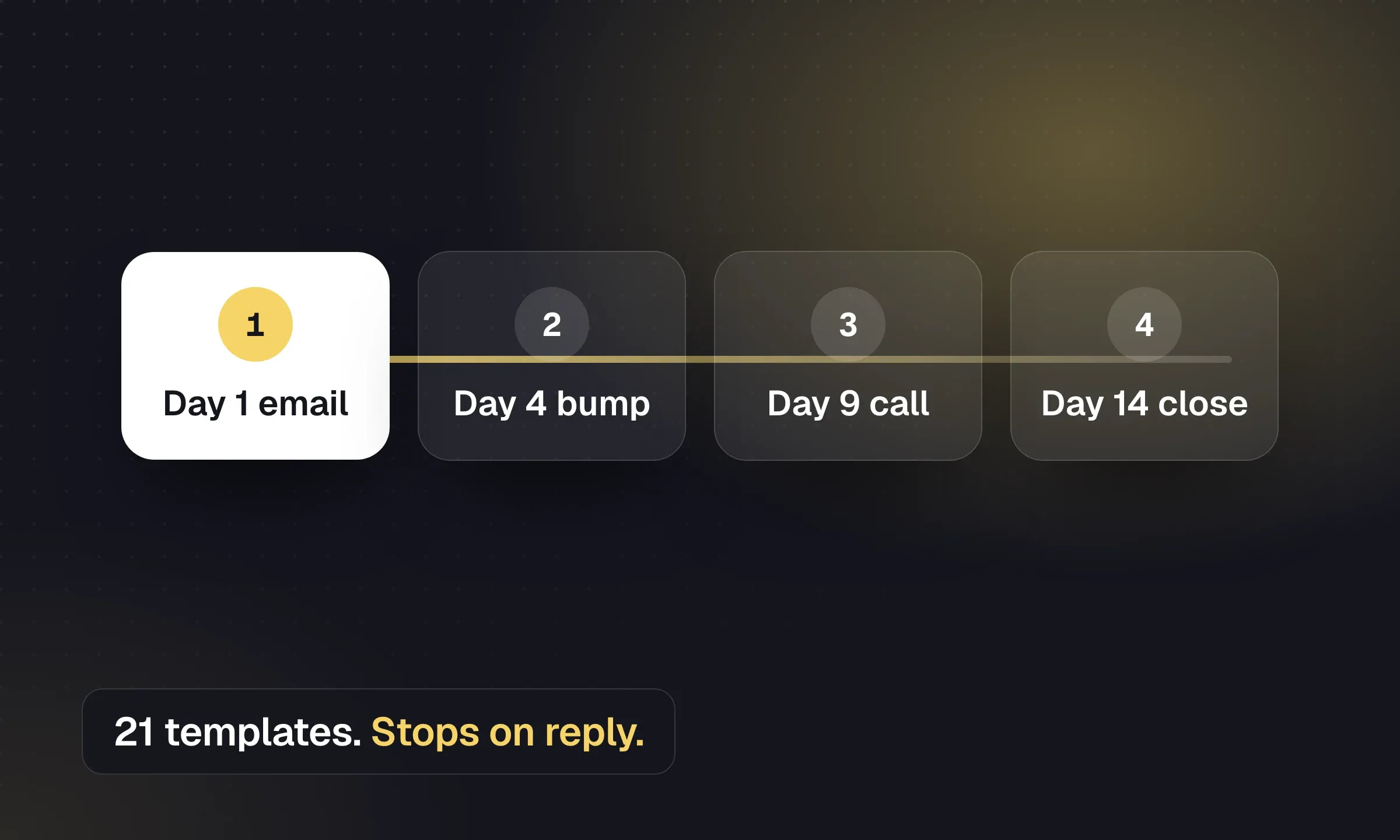
Kanban pipelines with bulk stage moves and archive reasons, availability tags and campaigns for talent pools, and email sequences from your own Gmail or Outlook that stop on reply.
On Plus, a cloud number per recruiter with two-way SMS, WhatsApp and click-to-call from the record. Placements store bill and pay rates, and activity reports show calls, CVs sent, interviews and applications by recruiter and client.
Monthly billing, free migration, 24x6 human support and a 14-day trial.
Keep payroll and timesheets with your back-office provider. If you need to broadcast to hundreds of workers at once, evaluate a dedicated mass-texting tool too, and confirm how each tool exchanges data with the CRM.
Bullhorn Automation
Website ↗- Best for
- Agencies already on Bullhorn
Bullhorn’s automation product (formerly Herefish) for automated candidate and contact communication on top of the Bullhorn ATS. Bullhorn also sells Amplify, a set of AI agents for matching, screening and outreach. Both require Bullhorn.
For a broader comparison of agency systems, see the staffing agency software roundup.
Texting and conversational screening
TextUs
Website ↗- Best for
- US staffing teams that want a dedicated texting platform
Two-way business texting for recruiters, with a WhatsApp channel and integrations with ATS platforms including Bullhorn. SMS is US-only.
Sense
Website ↗- Best for
- Mid-sized and large staffing firms
AI recruiting and engagement platform for staffing and talent acquisition teams: automated messaging, chatbots and talent pool re-engagement on top of your ATS.
AI voice screeners: Tenzo, HeyMilo, Classet
Website ↗- Best for
- High-volume desks trialling automated first-round screens
A newer category: AI agents that phone or interview applicants with a set script, then hand results to a recruiter. Tenzo, HeyMilo (which has a staffing-agency offering) and Classet (focused on hourly roles) are examples. Test with real candidates, tell applicants they’re talking to an AI, and keep a human review before anyone is rejected.
Built mainly for in-house volume hiring
These are designed for large employers hiring their own hourly workforce. Agencies meet them on the client side more often than they buy them.
Paradox (Workday)
Website ↗- Best for
- Large employers hiring hourly staff
Conversational AI assistant (“Olivia”) for applying, screening and scheduling by chat or text. Workday completed its acquisition of Paradox on 1 October 2025.
Fountain
Website ↗- Best for
- Employers with large frontline workforces
Frontline hiring platform with AI agents for applying, screening, scheduling and onboarding.
Harver
Website ↗- Best for
- Enterprise volume hiring with assessments
Assessment and volume-hiring platform; it absorbed Outmatch and includes pymetrics. Useful where situational or cognitive assessments are part of the client’s process.
Peak-season checklist
- Capacity math done for every confirmed order, using your own ratios
- Talent pool re-engaged four to six weeks before peak
- Finishing-soon list reviewed and called
- Application form cut to contact details plus knockout questions
- Screening script agreed and shared with the whole desk
- Induction or assessment slots set for the next three weeks
- Reminder messages written and approved (and WhatsApp templates submitted if you use them)
- Texting consent captured on every screening call
- Right-to-work check built into induction, with documents listed in the reminder
- Day-one check-in and week-one call scheduled for every starter
- Fill rate, show rate and week-one drop-out reviewed weekly per client