A large UK agency needs to test how software handles its brands, legal entities and permissions, then how placements reach pay and bill. A feature list cannot establish that fit: ask vendors to demonstrate your structure and workflows. Longlist publishes this comparison and supplies a front-office CRM + ATS; the same requirements apply when evaluating it.
Checks for a multi-brand agency
Use these checks before treating any front-office CRM as a fit for a multi-brand group:
Scroll the table to see all columns →
| Requirement | What to ask every vendor to demonstrate |
|---|---|
| Team structure | Job visibility and user roles that match your team’s workflow |
| Identity | Single sign-on with your identity provider and joiner/leaver process |
| Brand and entity separation | Confirm careers sites, templates, legal-entity reporting and shared-candidate rules in a demo |
| Data controls | Demonstrate field access, export restrictions and the audit history your policies require |
| Back office | Agree the supported data-transfer method, owner and reconciliation process for your provider |
Record each result as demonstrated, requiring configuration or unresolved. For Longlist, owner, admin and member roles and Enterprise single sign-on are available, and there is no per-job visibility restriction; brand separation, field access, export restrictions and legal-entity reporting still need demonstration against your requirements.
Requirement 1: brands, entities and teams
Large UK agencies are rarely one business. A typical shape: a group company with three trading brands (say, technology, engineering and finance), a perm and a contract division in each, offices in Manchester, Leeds and London, and sometimes a separate entity for an acquired business.
Your software needs to reflect that without forcing everything into one flat database or three separate ones. Ask each vendor:
- Brands. Can each brand have its own careers site, email signatures, CV templates and terms, while sharing one candidate database?
- Entities. Can placements, invoices and reporting be split by legal entity?
- Teams. Can jobs and clients be assigned to teams, with reporting by team, office and division?
- Shared candidates. When the engineering brand places a candidate the technology brand also knows, does the history show in one record?
Requirement 2: permissions and data segregation
Permissions are where large agencies feel the difference between software built for ten users and for two hundred. You’ll need different access for consultants, team leaders, directors, compliance, finance and resourcers, and sometimes ring-fencing around a key account or an exclusive client.
Test in the demo:
- Can a consultant see a candidate but not the client’s fee terms?
- Can a resourcer search the database but not export it?
- Can you restrict who sees a confidential retained assignment?
- Can you see who exported what, and when?
- When a consultant leaves, can you reassign their records in bulk and switch off access everywhere the same day? Single sign-on helps.
Exports deserve special attention. Test export restrictions and the audit trail as part of your leaver process.
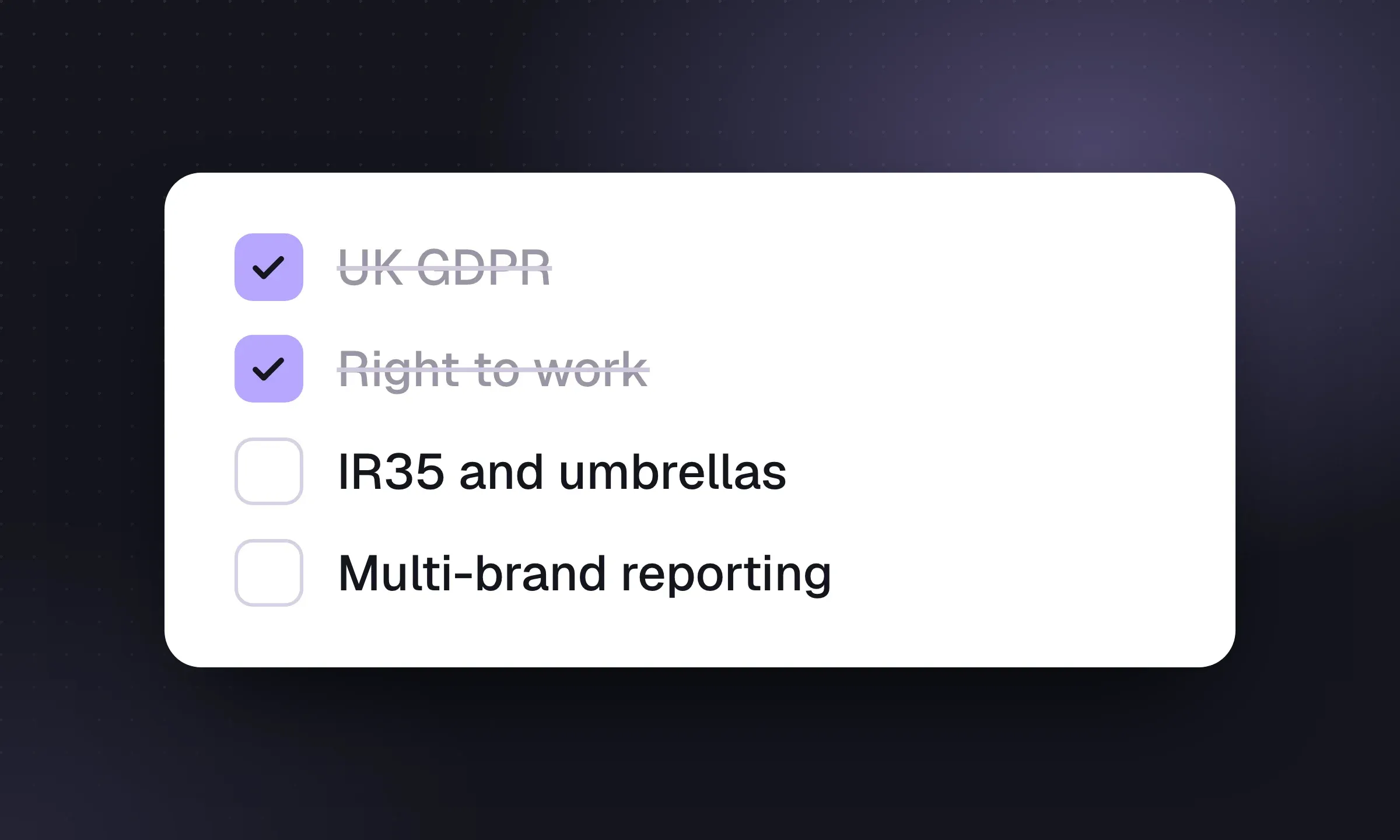
Requirement 3: UK GDPR and the 2025 Data Act
Agencies hold large volumes of personal data, often gathered without the person applying. Your software should support, not replace, your data protection process:
- Record the lawful basis and the source for each candidate (applied, referred, sourced from LinkedIn).
- Track consent where you rely on it, with request, response and expiry dates.
- Apply a retention rule: flag records nobody has touched in, say, two years for review or deletion.
- Handle subject access requests and erasure across the record, its files and its email history.
The Data (Use and Access) Act 2025 received Royal Assent on 19 June 2025. Most of its data protection changes commenced on 5 February 2026, controllers must have a process for handling data protection complaints, and on 30 September 2026 the ICO’s functions transferred to a new Information Commission. The regulator’s guidance on recruitment and selection applies to agencies directly and is under review following the Act. Check with your adviser what has changed for you; the software question is whether your CRM can show, for any person, where their data came from, what you’ve done with it and when it will be deleted.
Requirement 4: right to work, agency rules and onboarding
If you supply temporary workers as an employment business, right to work checks are yours to get right. The Home Office employer’s guide to right to work checks was updated on 1 October 2026. Checks can be done online with a share code, through an identity service provider using identity document validation technology (IDVT) for eligible British and Irish citizens, or manually with original documents (GOV.UK). Your system needs to store the evidence, the check date and any follow-up date for time-limited permission.
The agency rulebook still sits on two sets of regulations: the Conduct of Employment Agencies and Employment Businesses Regulations 2003 (terms with work-seekers and clients, information to confirm before introductions) and the Agency Workers Regulations 2010 (equal treatment after 12 weeks). Agency workers have been entitled to a Key Information Document since April 2020.
The government consulted on modernising the agency work regulatory framework from February to May 2026, including bringing umbrella companies into scope, and the outcome is still awaited. The Employment Rights Act 2025 received Royal Assent in December 2025, and the new Fair Work Agency was established on 7 April 2026 (timeline). Choose software whose vendor has a record of shipping regulatory changes on time, and ask for examples.
Requirement 5: contractors, IR35 and umbrella companies
Contract desks carry the most compliance weight, and two rules matter for your systems.
Off-payroll working (IR35). For medium and large private-sector clients and the public sector, the client decides whether the rules apply and must give a status determination statement with its reasons. Where a worker is deemed employed, the fee-payer (often the agency) deducts tax and National Insurance (HMRC guidance). For small private-sector clients, the worker’s own company decides.
Umbrella companies. From 6 April 2026, where an umbrella company employs the worker, the agency that holds the contract with the end client is responsible for making sure PAYE is operated correctly, and HMRC can recover underpaid PAYE from it. If there’s no agency, the end client is responsible. The rules apply to payments made on or after 6 April 2026, for new and existing supply chains (HMRC guidance).
What that means for software: each contract placement should record the client’s size category, the status determination and its date, the engagement route (PAYE, umbrella or limited company), the umbrella company used, and your due-diligence checks on it. And the placement shouldn’t be able to go live without them.
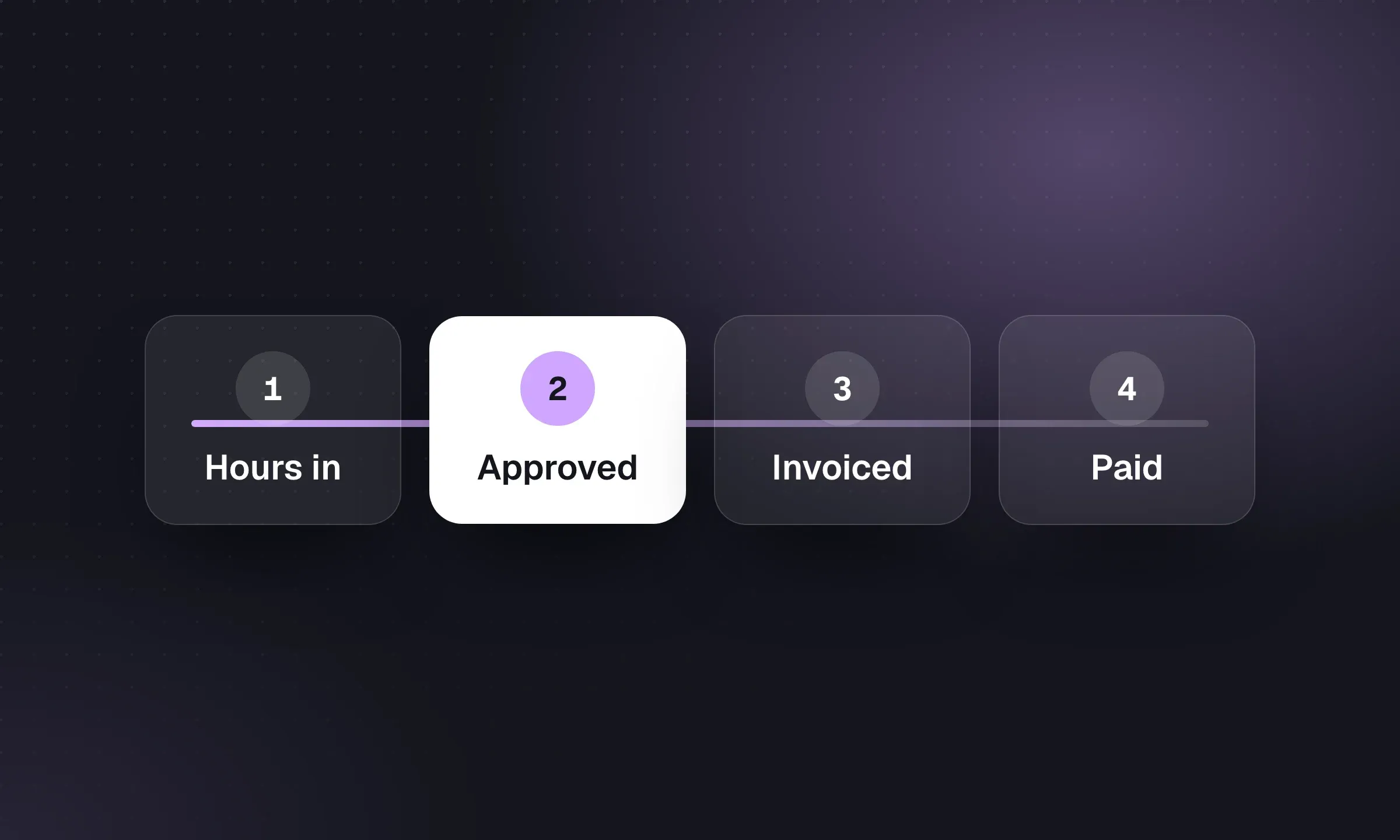
Requirement 6: back-office integration
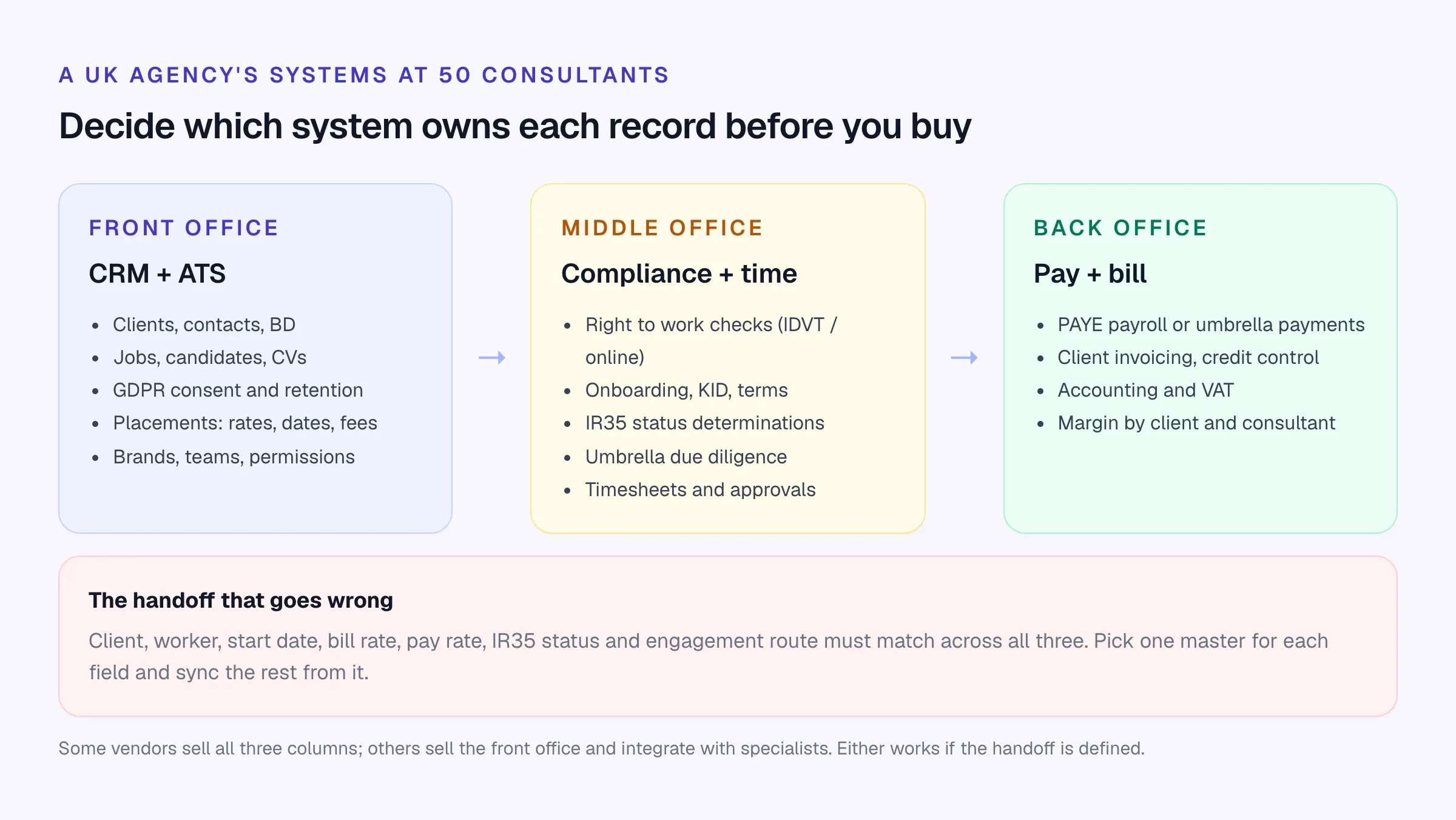
This is the biggest architectural choice. Two patterns:
One vendor, front to back
- One database from candidate to invoice
- Placement data flows to timesheets and payroll without a sync
- Typically quote-based, longer contracts and implementations
- Harder to swap one piece later
- Examples: Bullhorn with its Middle Office products, Vincere Pro (Pay & Bill), Voyager Infinity with Voyager Mid-Office
Front-office CRM + specialists
- Best tool for each job; payroll can stay with your current provider or umbrella partners
- Cheaper and faster to change the CRM
- Needs a defined, tested integration or export for placements
- Two or three contracts and support desks
- Examples: Longlist (our pick), Firefish (temp workflow on Enterprise, time capture as a module), Atlas, each with a pay and bill provider
For perm, contract and search agencies, and for contract desks whose workers are paid through umbrella companies or a pay-and-bill provider, the second model is the one we recommend. Consultants get a faster daily tool, and the CRM can change without touching anyone’s pay. Define the handoff in writing: which fields leave the CRM (client, worker, start and end dates, bill and pay rates, rate period, engagement route, IR35 status), when, and what happens when one changes mid-assignment. Our timesheet software comparison and contractor management roundup cover the back-office side.
Requirement 7: reporting directors can trust
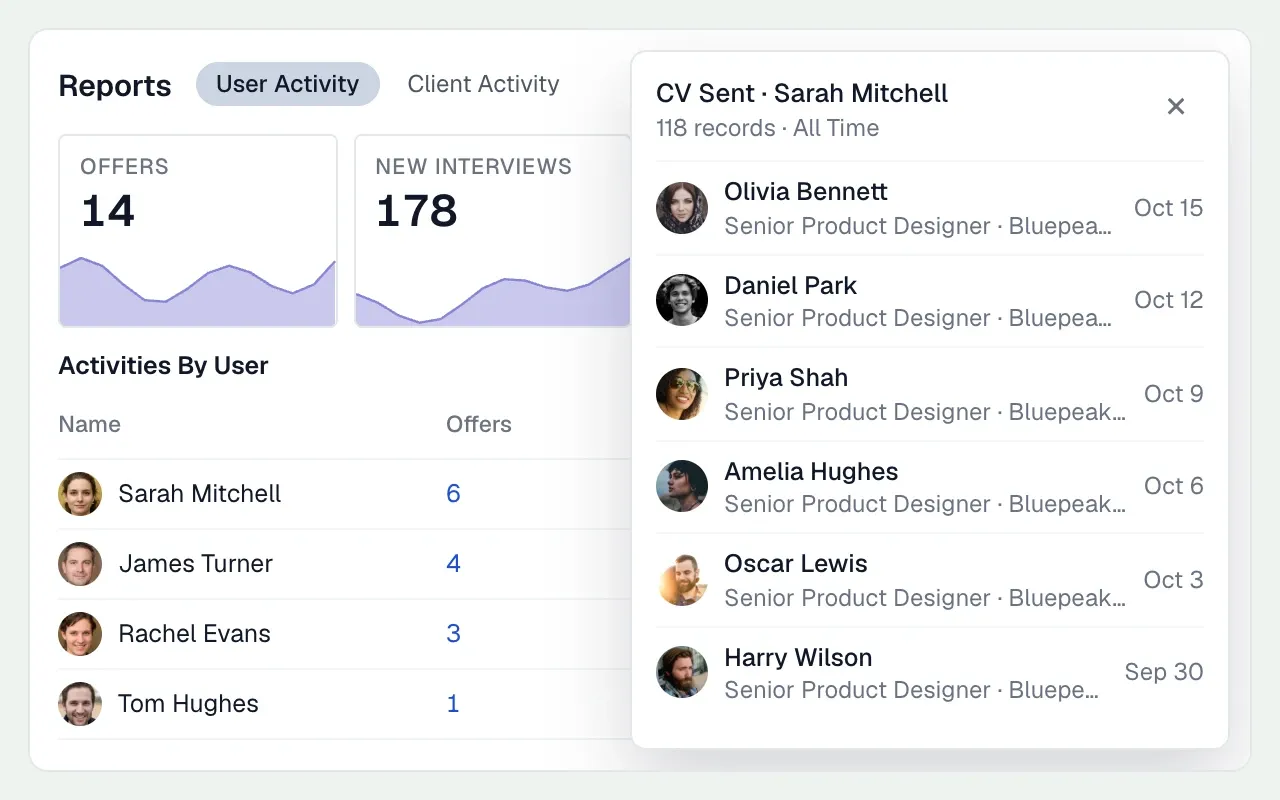
Directors of a 100-desk agency want the same few numbers every Monday: net fee income by consultant, team and brand; contractor margin and headcount; pipeline value; and activity (calls, CVs sent, interviews) that predicts next month’s billings.
Check that the CRM can produce activity and pipeline reporting by consultant, team and brand without exports, and that fee and margin figures reconcile with finance. If they come from different systems, agree which one is right. Our agency KPI scorecard has definitions worth agreeing before you rebuild your league tables in a new system.
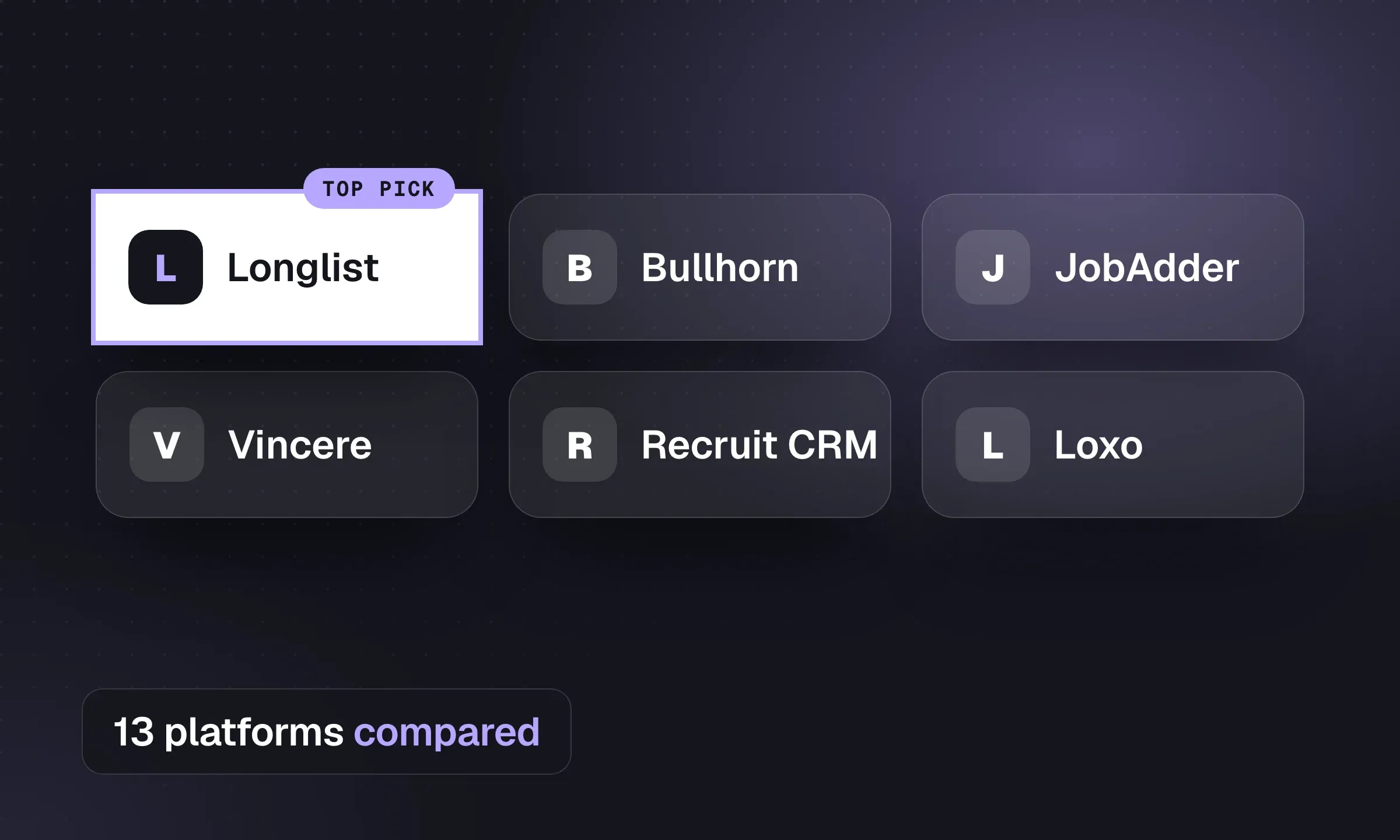
The vendors UK agencies shortlist
The platforms below are ones UK mid-size and large agencies commonly put on a shortlist, starting with our recommendation. Prices are as published on 16 October 2026; most enterprise tiers are quoted.
Scroll the table to see all columns →
| Vendor | Best for | Published price (per user/month) | Terms |
|---|---|---|---|
| Longlist (our pick) | Perm, contract and search agencies; CRM + ATS, CV packs, sequences and GDPR consent in one system | $47–$79 (USD) | Monthly or annual, free migration, 14-day trial |
| Bullhorn | Large agencies wanting front and back office from one vendor | Starter from £80, Core £120; Pro and Max quoted | Middle Office quoted separately |
| Vincere | Agencies wanting Right to Work and Pay & Bill from one vendor | Core £95 (2–7 users); Pro quoted | 30-day rolling on Startup and Core; full export is a paid request |
| Firefish | Agencies wanting marketing and website modules | Quoted | Add-on modules From £150 each |
| JobAdder | Agencies wanting a large partner marketplace | Quoted | By user band |
| Voyager Infinity | Temp-led agencies running pay and bill | Quoted | Quoted |
| itris X | Configurable CRM for perm, temp, contract and RPO | Quoted | Quoted |
| Tracker | CRM with invoicing and payroll options | Core $99 (USD) | 6-month minimum |
| Atlas | Search and perm firms wanting AI call capture | Basic £105 annual / £125 monthly | 12-month commitment on every plan |
Longlist
Learn more →- Best for
- UK perm, contract and search agencies that want the CRM, ATS and outreach in one system
- Pricing
- From $47/user/month (USD), monthly billing available
Clients, contacts, BD opportunities, jobs and candidates in one database, with an opportunities board for client deals.
AI CV parsing with no per-CV charge, email sequences from each consultant’s own Outlook or Gmail that stop on reply, branded CV packs, a careers page eligible for Google for Jobs, and GDPR consent tracking with expiry.
Salaries and fees in GBP, contract placements with bill and pay rates, owner, admin and member roles, and calling, SMS and WhatsApp on Plus.
Enterprise adds single sign-on and white-labelling. Free migration, 24x6 human support and a 14-day trial.
Pairs with your pay-and-bill provider for timesheets, payroll and right to work checks on the contract desk.
Bullhorn
Website ↗- Best for
- Large perm and temp agencies wanting a marketplace, AI and back office from one vendor
- Pricing
- UK: Starter from £80, Core £120 per user/month; Pro and Max quoted
A staffing and recruitment platform with a UK site priced in pounds and APSCo Trusted Partner status. Middle Office and Recruitment Cloud are quoted separately. Bullhorn acquired Textkernel (parsing, search and match) in 2024. Higher tiers add AI search and match, automation and AI resume formatting. See Bullhorn vs Longlist.
Vincere
Website ↗- Best for
- UK agencies wanting CRM, timesheets, Right to Work and Pay & Bill from one vendor
- Pricing
- Core £95 per user (2–7 users); Startup and Pro quoted
Part of The Access Group. Core includes timesheets, DBS and Right to Work onboarding and AI matching; Pro, for agencies with more than seven users, adds Pay & Bill and a client portal. Startup and Core are on 30-day rolling terms. A full SQL export with CVs is a paid Professional Services request. See Vincere vs Longlist.
Firefish
Website ↗- Best for
- UK agencies that want marketing, website and temp modules from one vendor
- Pricing
- Core, Scale and Enterprise quoted; add-ons From £150 each
Priced by agency size, workflows and modules. Scale adds the contract workflow and Enterprise the temp workflow; websites, multiposting, hiring manager portals and time capture are add-on modules. Strong on recruitment marketing attribution. See Firefish vs Longlist.
JobAdder
Website ↗- Best for
- Growing agencies that want temp management and a large partner marketplace
- Pricing
- Quoted: Lite (1–5 users), Essential (6–20), Pro (21+)
ATS and CRM with placement management, recruitment marketing, analytics, AI features (Adder Intelligence), portals and a mobile app, with 100+ partner integrations and 200 job boards. Supports perm, temp and contract. See JobAdder vs Longlist.
Voyager Infinity
Website ↗- Best for
- UK temp-led agencies in education, healthcare, construction and logistics
- Pricing
- Quote-based
Temp recruitment software with a built-in CRM, built for UK agencies and also handling contract and perm. Voyager Mid-Office adds pay and bill (timesheets, payroll, invoicing), alongside an onboarding portal, online timesheets and BI. Voyager is a brand of Ikiru People Ltd, a subsidiary of Dillistone Group Plc.
itris X
Website ↗- Best for
- UK agencies running perm, temp, contract and RPO who want a configurable CRM
- Pricing
- Quote-based
Cloud recruitment CRM and ATS from Itec Systems, hosted on Microsoft Azure, with workflows for perm, temp, contract and RPO, AI job matching, dashboards, email campaigns, multi-platform job posting, LinkedIn Recruiter integration and two-way SMS. The older itris 9 is still listed.
Tracker
Website ↗- Best for
- Agencies wanting CRM with invoicing and payroll options
- Pricing
- Core $99 per user/month (USD), 6-month minimum; Professional and Enterprise quoted
CRM and ATS with back-office options on higher tiers. Launch ($79) covers up to five recruiters. See Tracker vs Longlist.
Atlas
Website ↗- Best for
- Search and perm firms that want AI call and meeting capture
- Pricing
- Basic £105 annual / £125 monthly; Premium £135 annual / £160 monthly; 12-month commitment
An AI-focused CRM priced per user in GBP, with Agency & Enterprise pricing for ten desks and up. Every plan has a 12-month commitment. See Atlas vs Longlist.
For a wider list including US-focused platforms, see recruitment agency software compared, and for staffing-led firms, best staffing agency software.
Put Longlist through your own demo script
Send us your three demo scenarios and a sample of your data. We’ll run them in Longlist live, and our team migrates your records for free if you switch.
Running the demos
Demos at this size go wrong in a predictable way: the vendor shows its best workflow on its own data, and nobody tests yours. Script them.
- Send each vendor the same three scenarios in advance: a perm placement, a contract placement through an umbrella, and a confidential retained search
- Ask them to set up your real brand and team structure, with two of your permission roles
- Import 500 of your own candidates (with permission) and 50 CVs, including duplicates
- Record a contract placement with IR35 status, engagement route and umbrella, and show where each field goes downstream
- Run a subject access request and an erasure on one candidate, including files and emails
- Build your Monday consultant league table live
- Show the audit trail for an export, and block one role from exporting
- Show how a leaver’s records are reassigned and access removed
- Ask for the contract term, notice period, price at your seat count, and the cost and format of a full export with CV files
Migration
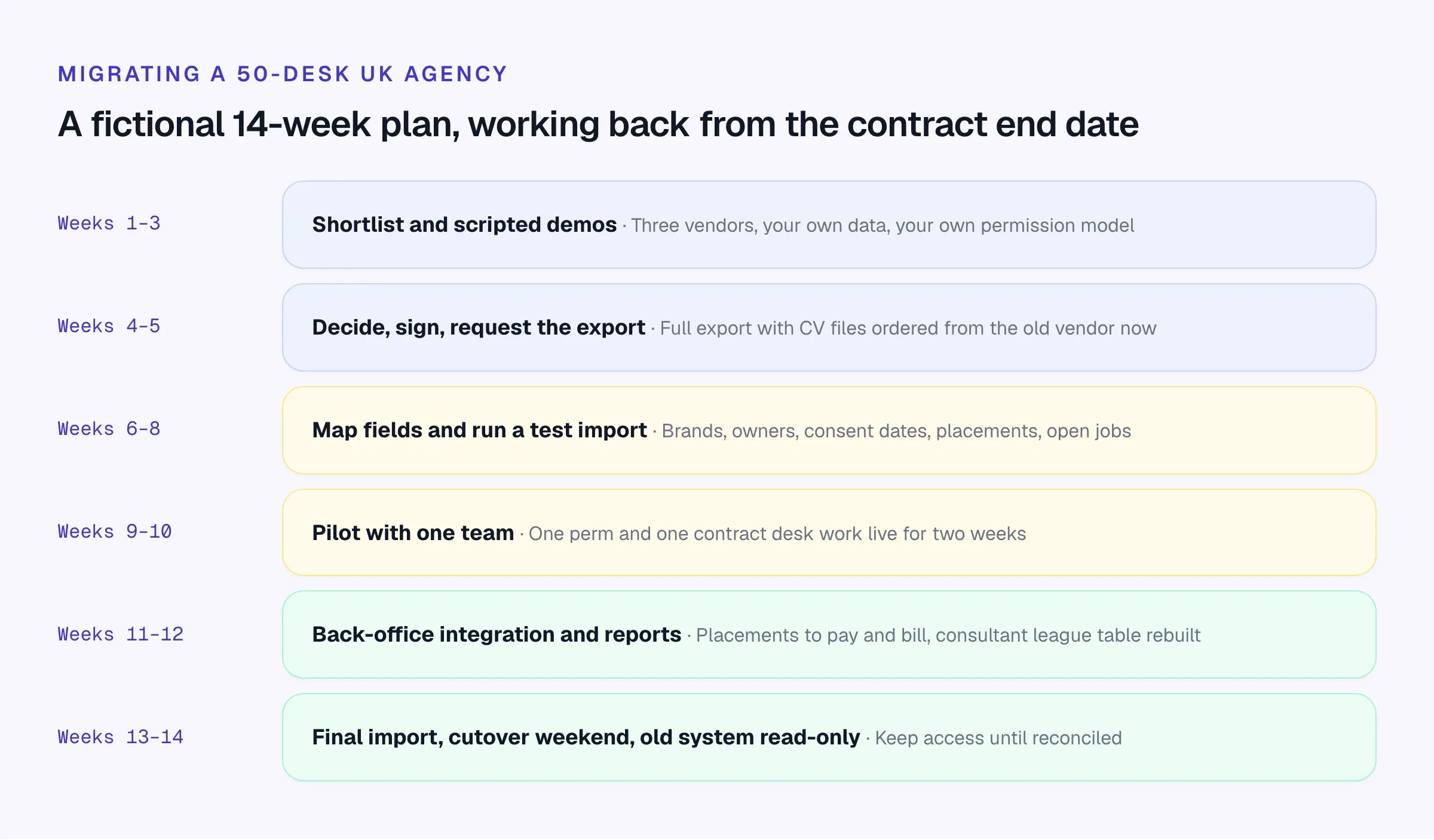
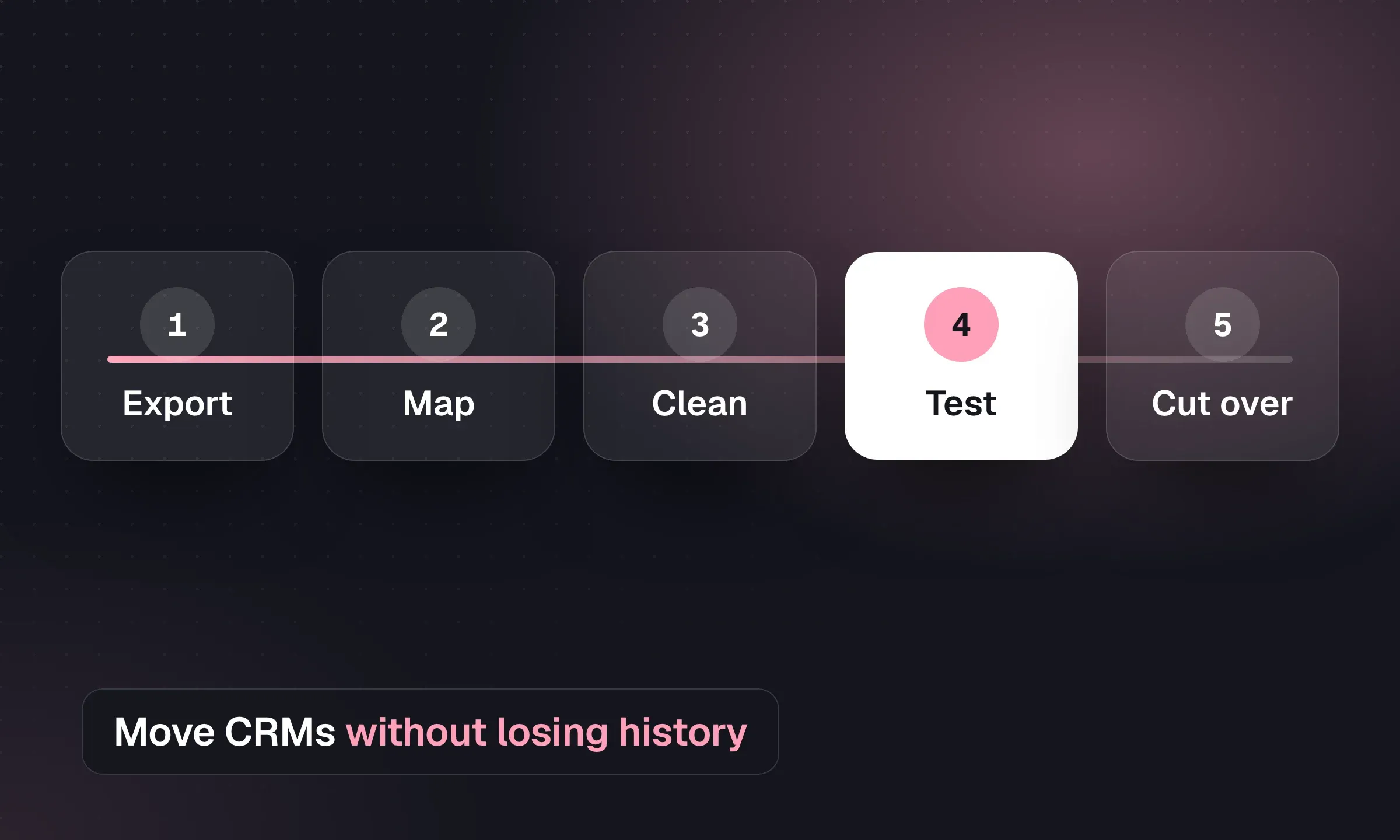
- Find your exit terms first. Check the end date, notice period and any minimum licence count in your current contract. Some UK vendors tie discounted rates to a minimum term.
- Order the full export early. Ask for every object (candidates, contacts, companies, jobs, placements, notes, activities) plus CV files and attachments. Some vendors charge for this; Vincere’s full backup is a paid Professional Services request processed in about ten business days after payment.
- Map the structure, not just the fields. Brands, teams, owners and consent dates matter as much as names and emails. Decide what not to migrate: records with no lawful basis to keep are a good place to start a clean-up.
- Test import, then check by sampling. Pull 50 random records from old and new systems and compare them field by field.
- Pilot with one perm and one contract team for two weeks, live. Fix what they find before everyone moves.
- Connect the back office and rebuild the reports directors rely on, then reconcile a month of placements across both systems.
- Cut over at a month end, keep the old system read-only until finance has reconciled, then close it.
Our recruitment CRM migration checklist has the full list, with a downloadable CSV.