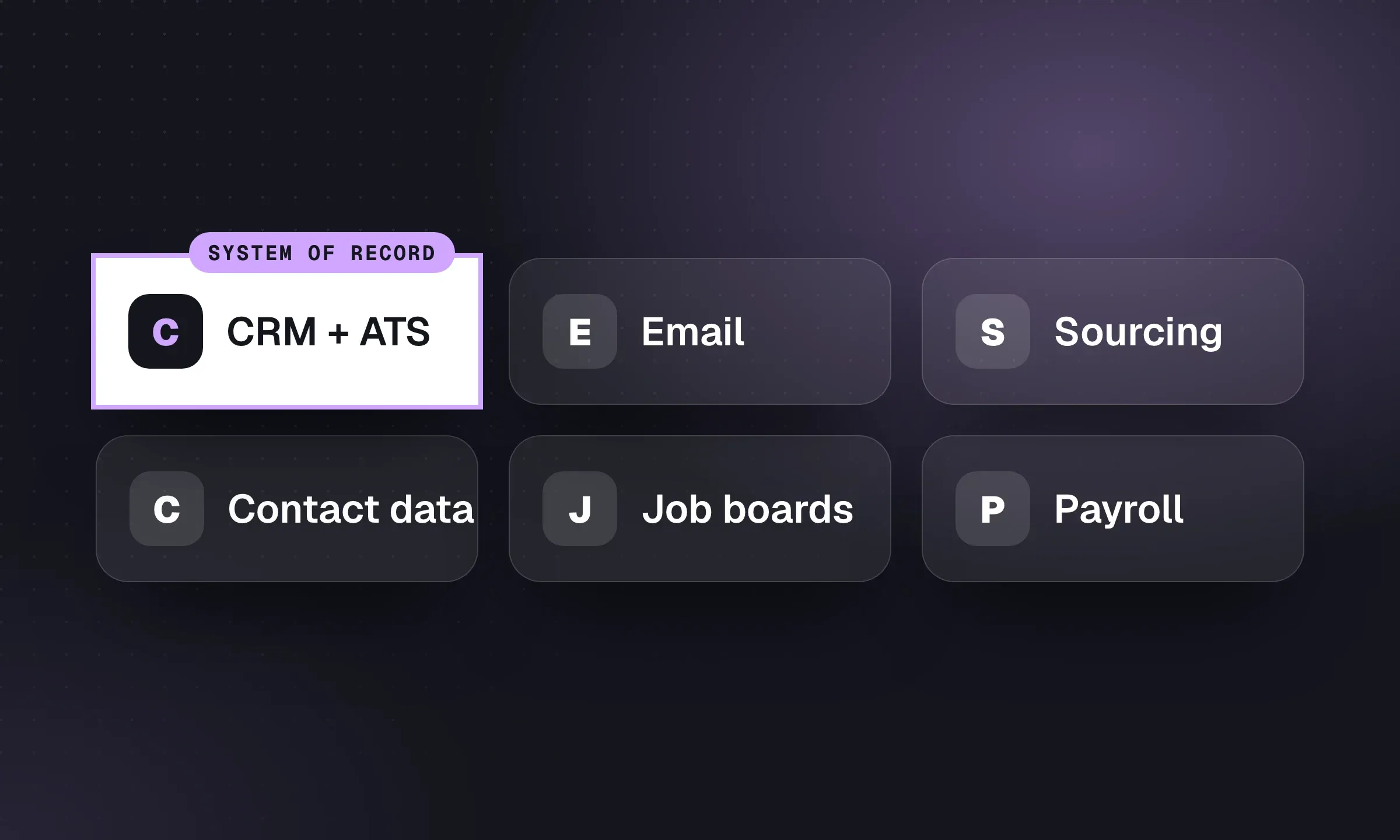
Build around one shared record for each candidate and client. Add sourcing, communication and back-office tools where the core system falls short, and decide how their activity gets back onto that record. Longlist publishes this guide and supplies the CRM in the sample stacks. They show possible setups for different agency sizes, not a tested ranking of tools.
Sample stacks
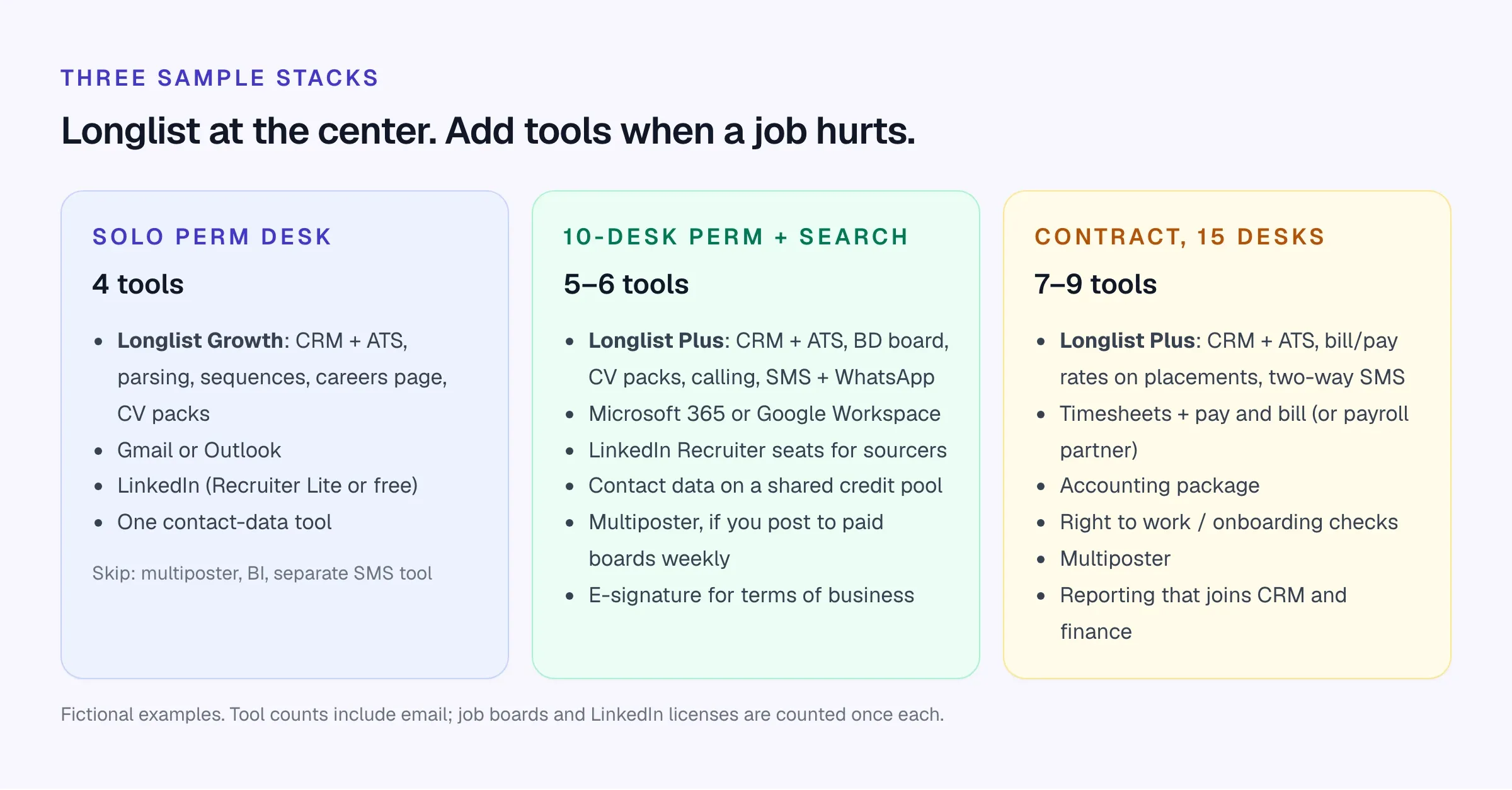
A solo perm desk (fictional: a one-person finance recruitment agency in Manchester). Longlist Growth for the CRM + ATS, with parsing, sequences, a careers page and CV packs included; Outlook; LinkedIn Recruiter Lite; one contact-data tool. That’s it. A multiposter, a BI tool and a separate texting app would each cost more than they save at this size. If you’re setting up from scratch, how to start a recruitment agency covers the rest of the setup.
A 10-desk perm and search team. Longlist Plus at the core, so the BD opportunities board, calling, SMS and WhatsApp come with it, plus a shared contact-data credit pool. Add full LinkedIn Recruiter seats for anyone who sources full-time, e-signature for terms, and a multiposter if the team posts to paid boards every week.
A 15-desk contract agency. Longlist Plus at the core, with bill and pay rates on placements and two-way SMS for availability checks (see contract recruitment software). Add timesheets, pay and bill or a payroll partner, an accounting package, right-to-work and onboarding checks, a multiposter, and reporting that can join placements to finance data.
The layers at a glance
Scroll the table to see all columns →
| Layer | The job it does | Separate tool needed? | In Longlist |
|---|---|---|---|
| System of record (CRM + ATS) | Clients, contacts, jobs, candidates, CVs, pipelines, placements | It is the stack | Yes, one database for both sides |
| Email and calendar | Day-to-day conversation, interview invites | Yes (Gmail or Outlook) | Two-way email sync; interview invites with RSVPs |
| Sourcing | Finding people who haven’t applied | Usually (LinkedIn at minimum) | Database search, plus the Chrome extension to save profiles |
| Contact data | Emails and mobile numbers | Usually | Lookup via Apollo and Prospeo in the Chrome extension |
| Outreach | Multi-step email follow-ups | Often built into the CRM | Sequences on every plan, stop on reply |
| Calling and SMS | Calls, texts, WhatsApp | Built in or connected | Calling, SMS and WhatsApp on Plus |
| Job distribution | Careers page, Google for Jobs, paid boards | Multiposter only at volume | Careers page, Google for Jobs, Careerjet, Indeed apply-by-email |
| CV formatting | Branded CVs for clients | Built into many CRMs | Branded CV packs on every plan |
| Scheduling | Interview times | Rarely | Interview stage on the pipeline |
| Back office | Timesheets, payroll, invoicing, e-signature | Yes, for contract and temp | Placements with bill and pay rates, handed to your provider |
| Reporting | Activity, pipeline, fees | Only when you outgrow the CRM’s | Activity, client and BD reports; custom dashboards on Plus |
| AI | Parsing, drafting, notes, search | Depends | CV parsing and drafting outreach, reviewed by a recruiter |
The stack, layer by layer
1. The system of record: CRM + ATS
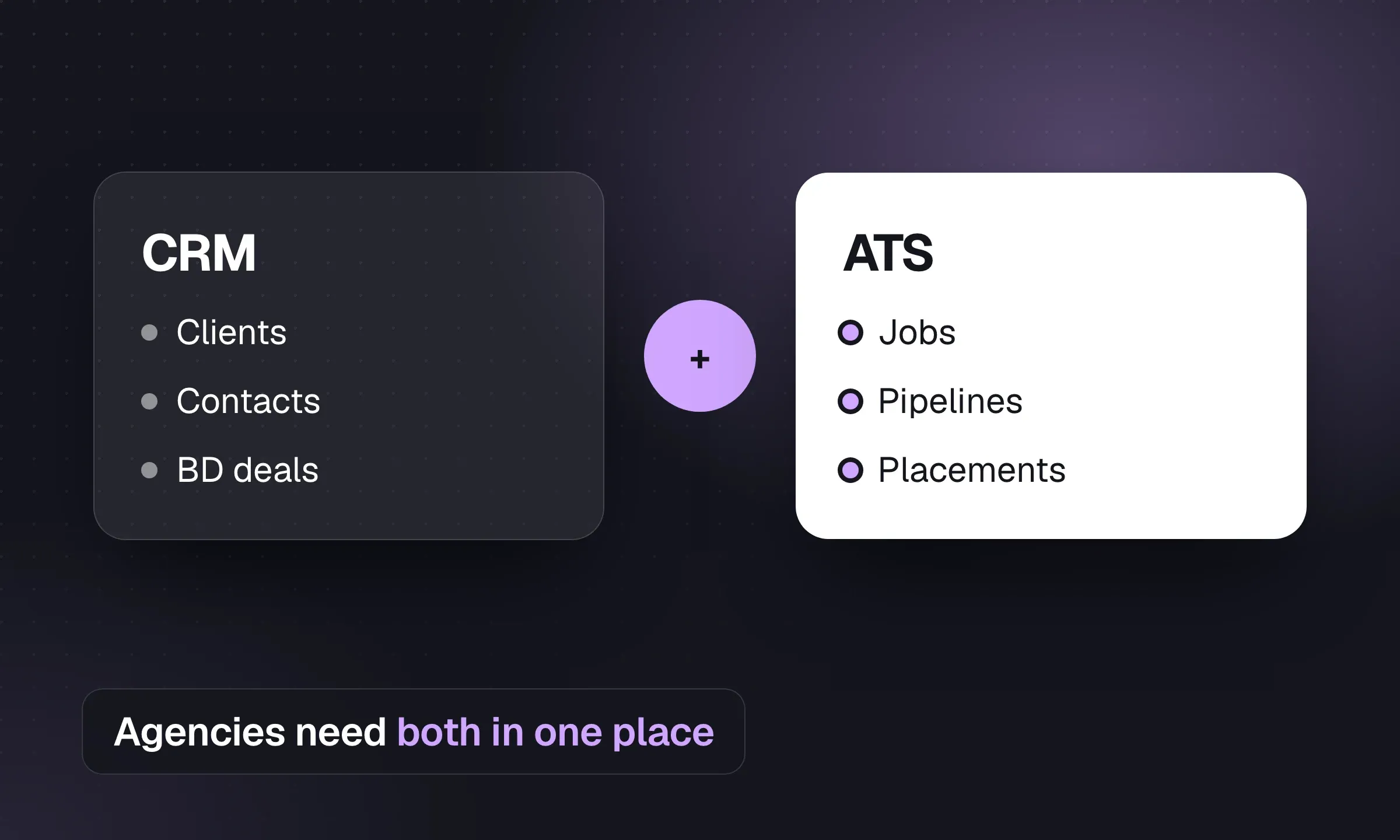
This is the one decision that shapes all the others. An agency sells to clients and delivers candidates, so its core system has to hold both sides: companies, hiring managers and BD deals on one side; candidates, CVs, jobs and pipelines on the other; placements joining them.
Buy one platform that does both. Running a sales CRM for clients and a separate ATS for candidates means syncing contacts and jobs between them forever. This is where we recommend Longlist: candidates, contacts, BD deals, jobs and placements share one database, and parsing, sequences and CV packs are on every plan rather than a higher tier. Our CRM vs ATS guide explains the split in more detail, and the recruitment agency software comparison covers 13 platforms with published prices.
What to check:
- Parsing. CV parsing should be included and unlimited, or at least have a cap you’ll never hit. Some ATS plans cap parses per day or charge credits. See resume parsers compared.
- Deduplication. When a candidate applies again, the CV should update their existing record, not create a second one.
- Outreach and BD on your plan. Several vendors put sequences, the sales pipeline or CV formatting on a higher tier.
- Export. Can you export everything, including CV files, without a paid project?
2. Email and calendar
Your consultants will live in Gmail or Outlook whatever CRM you buy. The CRM needs two-way sync: emails sent from the mailbox appear on the record, and emails sent from the CRM appear in the mailbox. If consultants have to BCC a logging address or click “log this email” on every message, most won’t, and the history goes missing.
Calendar sync matters less than people expect. What you need is interview invites that land in the candidate’s and client’s calendars, and an interview stage recorded on the pipeline.
3. Sourcing
Sourcing means finding people who haven’t applied. For most agencies that’s three places, in this order:
- Your own database. Candidates you’ve already spoken to, with notes and history. It’s free and they already know you. Our candidate sourcing guide argues for searching it first on every new brief.
- LinkedIn. Recruiter Lite for a solo desk, full Recruiter seats for dedicated sourcers. LinkedIn doesn’t publish Recruiter pricing for every seat type, so get a quote.
- CV databases on job boards, if your market posts CVs there. Which boards are worth it depends on country and sector; see the best job boards and UK job boards.
AI people-search tools such as Juicebox and hireEZ search across multiple public sources with natural-language queries. Both list staffing firms among their customers. They earn their keep on hard-to-fill technical searches. For a desk filling the same five job titles every month, your own database and good Boolean strings usually do more.
4. Contact data
Once you find a relevant profile, decide how to reach the person. Contact-data tools look up work and personal emails and phone numbers, usually through a browser extension, and charge per credit.
Common choices include Apollo, Lusha, ContactOut and Kaspr. As an example of how credit pricing works, Lusha’s Pro plan was $69.90 a month on monthly billing for 600 credits as of October 2026.
What to check:
- Hit rate in your market. Coverage differs by country and seniority. Test 50 of your own target profiles before you buy an annual plan.
- Where the number lands. A number left in a separate spreadsheet is easy for the next consultant to miss. The lookup should save to the candidate or contact record.
- Lawful basis. Under GDPR you need a lawful basis to process the data and must tell people where you got it. Your CRM’s consent tracking should cover it.
Longlist’s Chrome extension, included on every plan, looks up contact details using Apollo and Prospeo and saves profiles straight to the CRM. Our list of Chrome extensions for recruiters covers other options.
5. Outreach
Plenty of candidates reply to the second or third message, not the first. Outreach tools send a timed series of emails and stop when the person replies.
For agencies, outreach belongs inside the CRM, not in a sales-engagement tool bolted on the side. The candidate’s reply needs to land on their record, the sequence needs to stop the moment they answer, and the next consultant needs to see what was sent. A separate tool can do the sending; it rarely does the logging well.
Longlist’s email sequences work this way on every plan: they send from your own Gmail or Outlook, follow up in the same thread, stop on reply and flag bounces. Start with our email sequence templates for candidates and clients.
6. Calling and SMS
Contract and temp desks run on the phone and on text. Perm and search desks call less often, but each call matters more.
You have two options: calling built into the CRM, or a separate phone system such as Aircall, RingCentral or Dialpad connected to it. Built-in is simpler; a separate system makes sense if you already have one or need a full call-center setup. For texting, staffing-focused tools such as TextUs integrate with Bullhorn and other ATSs.
Either way, check that the call log (direction, status, duration) and the text thread end up on the candidate record. Longlist Plus includes click-to-call, two-way SMS and WhatsApp from the record, with a cloud number per recruiter.
7. Job distribution and careers page
Every agency needs a careers page that collects applications into the ATS, and every agency job should be eligible for Google for Jobs. That covers inbound for many perm desks. Longlist’s careers page does both on every plan, adds a Careerjet feed, and turns Indeed applications sent to a job’s apply-by-email address into parsed applicants.
A multiposter (Broadbean, idibu and LogicMelon are the established names) posts one ad to many paid boards and pulls the responses back. It’s worth paying for once you post to several paid boards every week. Below that, posting directly to two or three boards is fine. The recruitment marketing platforms guide covers multiposters, careers sites and nurture tools in more depth.
8. CV formatting
Clients judge you on the CV pack. Reformatting a CV by hand in Word is slow and introduces typos. A formatting tool takes the parsed CV, adds your branding and a cover page, and removes contact details if you want.
Many agency CRMs now include this (Bullhorn puts AI resume formatting on its Pro tier). Standalone tools exist too. Longlist includes branded CV packs on every plan. Whatever you use, start from a strong candidate submission template.
9. Scheduling
Agencies rarely need a dedicated interview-scheduling tool. The hiring manager’s availability comes through you, usually by email or phone. A Calendly-style link helps for candidate screening calls. Enterprise scheduling platforms are built for in-house teams running panel interviews and are overkill for most agency desks.
10. Back office
This is where perm and contract agencies split.
- Perm and search: an accounting package and an e-signature tool for terms of business. Invoices are few and large.
- Contract and temp: timesheets, pay and bill, payroll (or a payroll partner), compliance checks and invoicing. Hundreds of small transactions every week.
Some vendors sell front and back office together (Bullhorn’s middle-office products, Vincere Pro’s Pay & Bill, JobDiva’s DivaFinancials). Longlist covers the front office. For a separate timesheet or payroll provider, confirm whether you will use a supported integration, CSV import or manual entry. Our timesheet software comparison and contractor management roundup cover the back-office options.
The handoff that has to be right: client, candidate, start date, bill rate and pay rate must match between the placement record and the payroll system. Decide which system is the master for each field.
11. Reporting
Start with the reports in your CRM: CVs sent, interviews, offers and BD activity per consultant. A separate BI tool (Power BI, Looker Studio) only makes sense when you need to join CRM data with finance data, such as margin by client or consultant, and someone on the team owns it. Agree your definitions first; the agency KPI scorecard has a template.
12. AI
AI now sits inside most of the layers above rather than as a separate tool: parsing CVs, drafting first-touch emails, searching profiles, writing call notes. Two questions to ask of any AI feature:
- Does a human review it before it reaches a candidate or client? AI drafts are fine. AI sending unreviewed messages under your name is a reputational risk.
- Where does the data go? Check whether the vendor uses your candidates’ data to train models, and add it to your privacy notice.
AI meeting-note tools such as Metaview list recruiting agencies among their users. Longlist uses AI for CV parsing and drafting outreach emails, and doesn’t screen, rank or auto-send.
The cost of a disconnected stack
License fees are visible. Double entry isn’t. Here’s the arithmetic for a fictional 10-desk agency where consultants copy call notes, texts and contact details between tools by hand:
- 10 consultants × 15 minutes a day of re-keying = 150 minutes a day
- 150 minutes × 220 working days = 33,000 minutes, or 550 hours a year
- 550 hours is more than a quarter of one consultant’s working year (about 1,760 hours)
Your numbers will differ. Time it for a week before you buy anything, then ask each vendor which of those 15 minutes their integration removes. For the license side, our recruitment software cost guide has a worksheet.
All-in-one core
- One login, one record per person
- Activity is logged without integrations
- Cheaper per seat in total
- Fewer things break when a vendor updates an API
- Weaker at specialist jobs (payroll, paid-board multiposting)
Best-of-breed tools
- Best tool for each job
- Easier to swap one piece later
- Each tool adds a bill, a login and a renewal date
- Activity can end up outside the record
- Someone has to own the integrations
Integrations and data ownership
An integration is only useful if it moves the right data in the right direction. Before you connect anything, write down for each tool: what data flows, which direction, and which system is the master if they disagree.
- Emails sync both ways with Gmail or Outlook, with no BCC address or manual logging
- Calls and texts are logged to the candidate or contact record automatically
- Contact lookups save to the record, not a separate list
- Applicants from the careers page and job boards are parsed into the job, with duplicates matched
- Placement dates and rates have one master system, and the payroll or invoicing tool matches it
- You can export all records and CV files yourself, or the contract states the format, timescale and cost
- The contract says you own your data and how long the vendor keeps it after you leave
- Each vendor that processes candidate data has a data processing agreement (GDPR Article 28)
- Leavers lose access everywhere the same day (single sign-on helps)
- One named person owns each integration and checks it monthly
Check export access before signing. Your database of candidates and client contacts, with years of notes, is what a buyer pays for if you ever sell the agency. Don’t let it sit in a system where getting a full export with CV files requires a quote and a ten-day wait. If you’re moving systems, our recruitment CRM migration checklist covers what to request from your current vendor.
Longlist’s integrations cover Gmail and Outlook sync, calling and SMS on Plus, Google for Jobs, Careerjet and contact lookup, with Google or Microsoft sign-in. A limited API, available on request, creates candidates and opportunities from other systems. And when you move in, the Longlist team migrates your records and CV files for free.
Map your stack onto Longlist
Bring your current tool list to a demo. We’ll show which layers Longlist covers, how the rest connect, and how your data comes across for free.
Audit your current stack
- List every tool and its cost. Include the ones individual consultants pay for on a company card. Note the renewal date and notice period for each.
- Map the data. For each tool, write what it stores and whether that ends up on the candidate or client record.
- Time the double entry. Ask three consultants to note every copy-paste between tools for one week.
- Find the overlaps. Two tools doing outreach, or a CRM feature you pay for while also paying for a standalone tool, are the easy savings.
- Check exports. For your core system, run a test export with CV files now, before you need it.
- Decide one change at a time. Replace or remove one tool per quarter so the team isn’t relearning everything at once.
Disclosure: Longlist publishes this guide and recommends its own product as the system of record. Other vendors’ details come from their websites, checked in October 2026.