
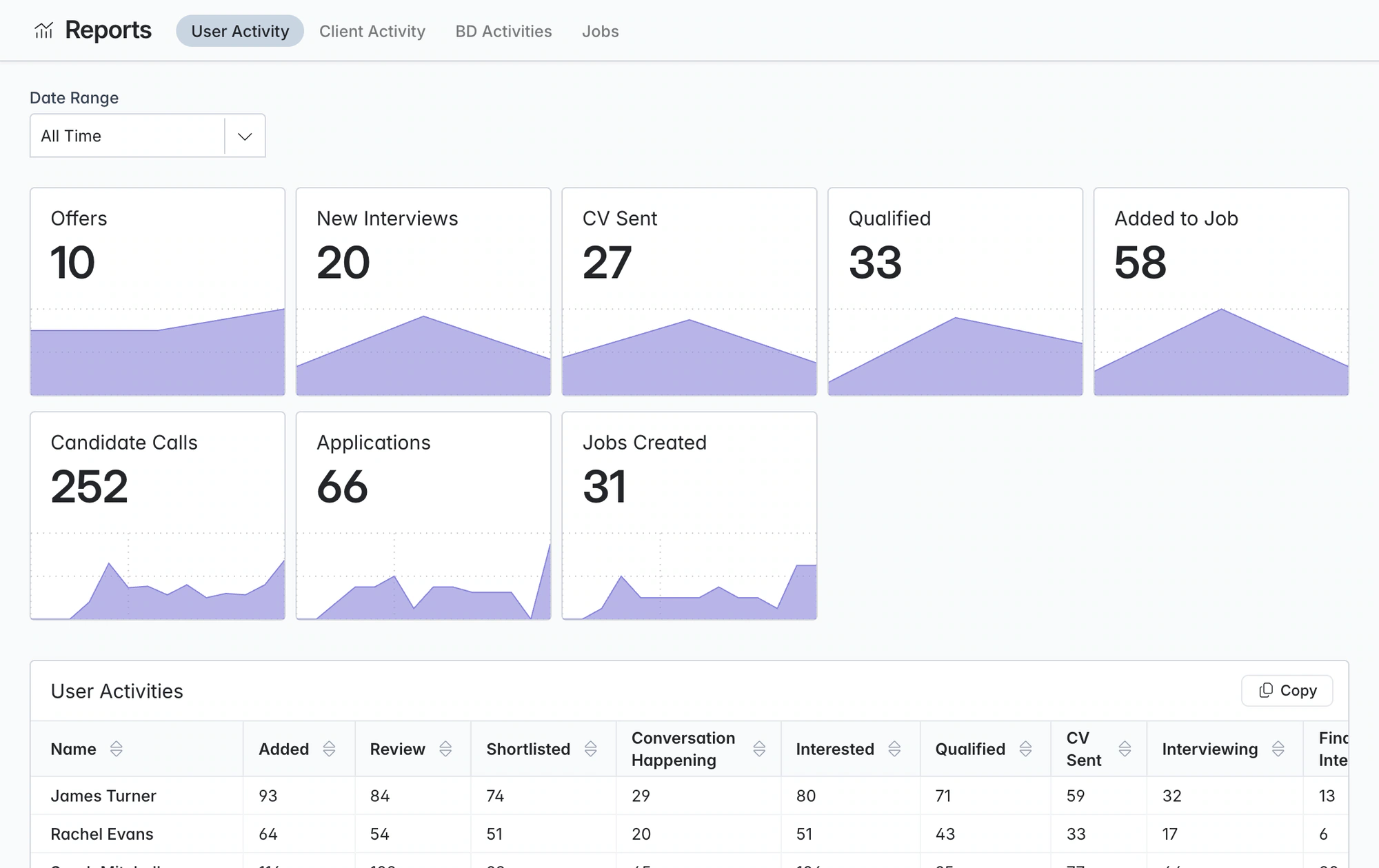
Recruitment reporting software. CVs sent, interviews and offers by consultant.
Four standard reports cover consultant, client, BD and job activity. Click a count to open the candidates, jobs and clients it includes.
Free data migration 14-day free trial
Good company. Great recruiting teams.





Reports for the weekly team meeting
Compare recruiters and clients on CVs sent, interviews, offers and calls, and spot jobs where candidates have sat in one stage too long.
Four reports and the question each one answers
| Report | Review | Question to take into the meeting |
|---|---|---|
User Activity | Recorded recruiter activity across the chosen period | Where is work moving, and who needs support? |
Client Activity | Activity on client accounts | Which accounts need a conversation? |
BD Activities | Contact and opportunity activity | Are we building the next set of briefs? |
Client Pipeline | Open job progress and stage context | Which candidate or client decision is holding up the assignment? |
LESS FRICTION. MORE MOMENTUM.
The four standard reports
Any date range, included on every plan.
01
User Activity
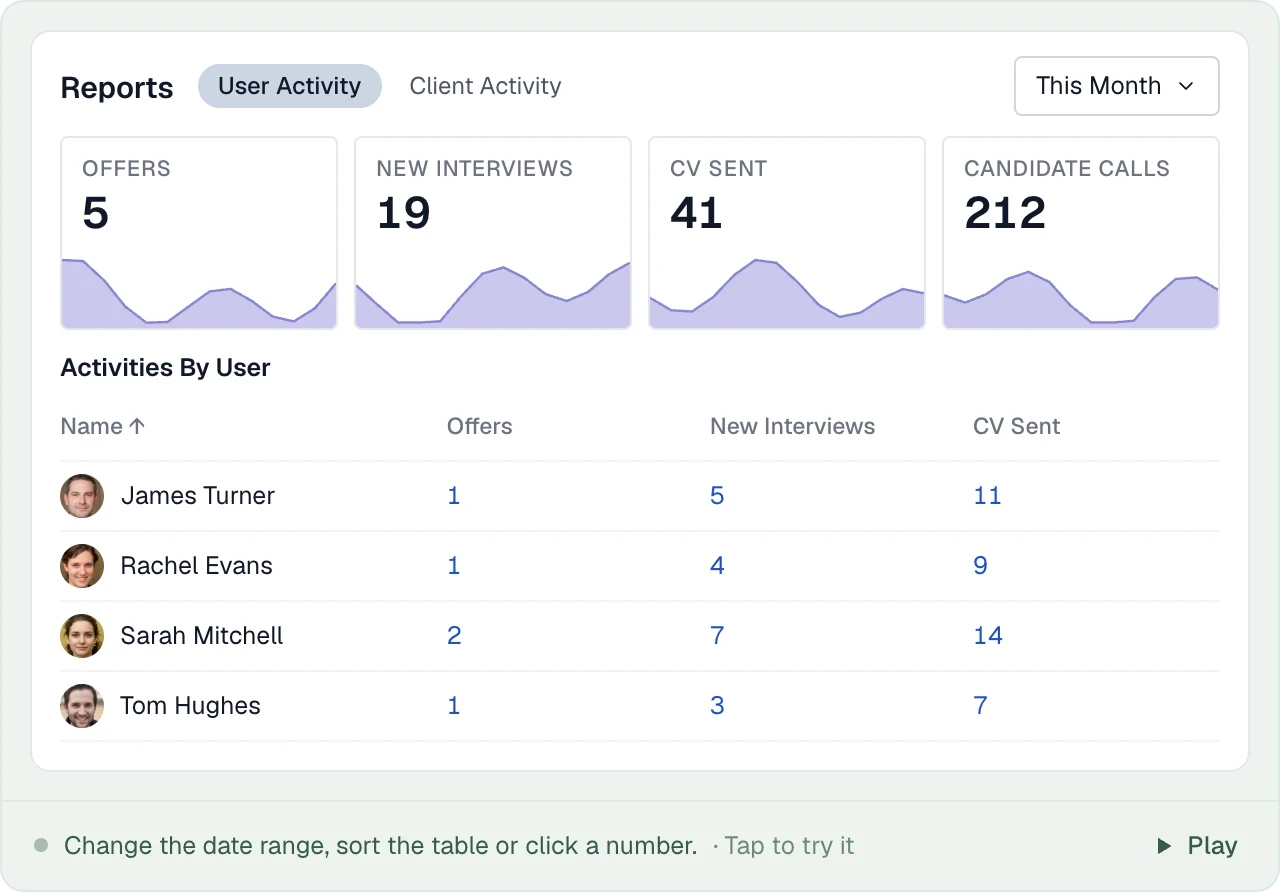
Compare CVs sent, interviews, offers, calls and pipeline activity by recruiter, with trends over your chosen period.
02
Client Activity
See a client’s open pipeline, time in each stage and archive reasons. Drill into activity by job or recruiter.
03
BD Activities
Track new contacts, campaign additions, calls and opportunities by recruiter.
04
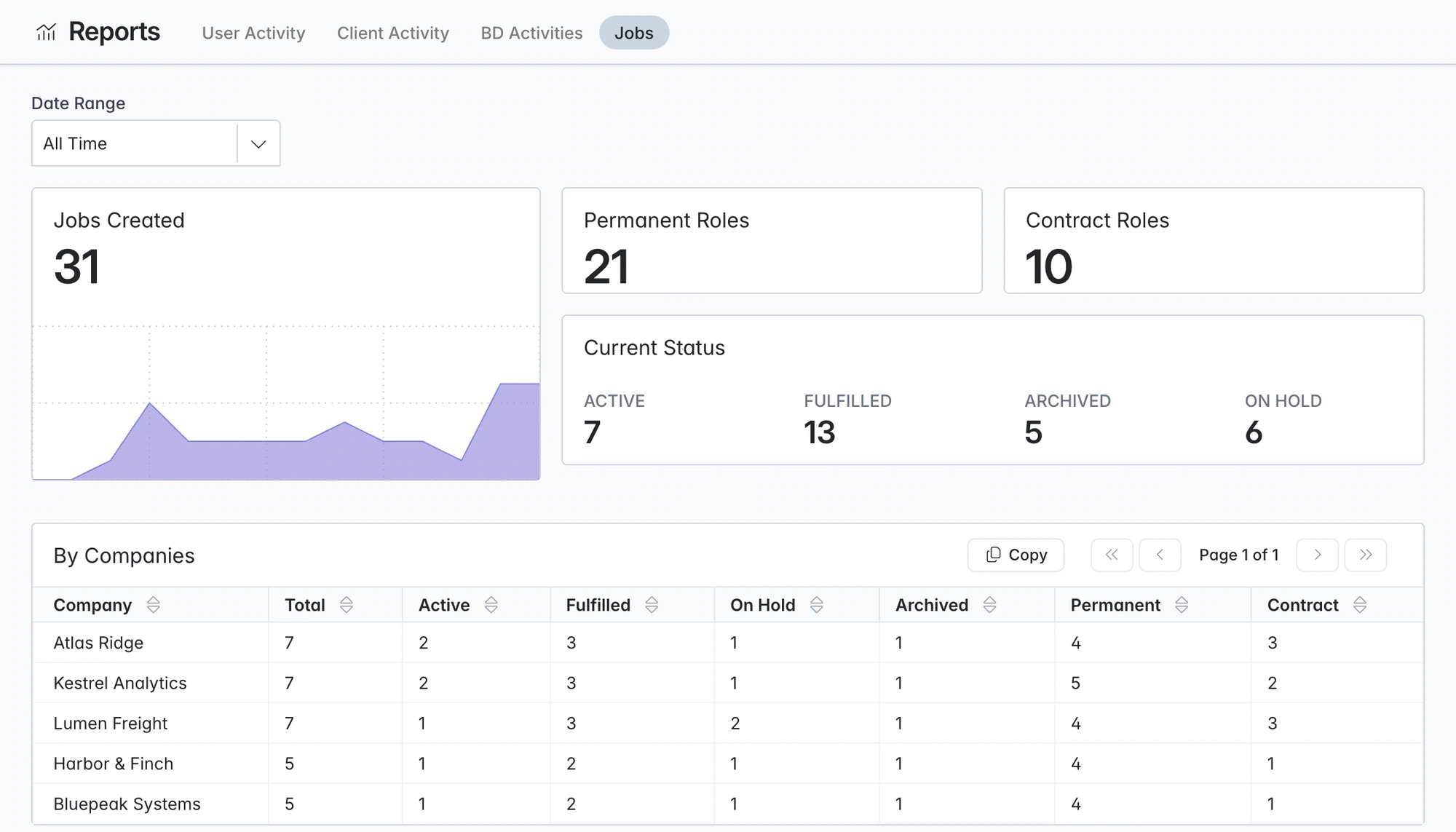
Jobs
See new jobs by type, status, client company and the recruiter who created them.
PUT IT INTO PRACTICE
Running a weekly review
Review the week using activity your team has already recorded.
- 01
Set the period
Choose last week, last month or a custom date range.
- 02
Compare consultants on the same table
Compare stage activity across your team to see where support or follow-up is needed.
- 03
Drill into the number
Open a count to see the candidates, jobs and clients behind it.
- 04
Check the clients that worry you
Review time in stage and archive reasons to find delayed feedback or stalled shortlists.
- 05
Check new business
Check new contacts, calls and opportunities to see how next month’s pipeline is shaping up.
THE DETAILS MAKE THE DIFFERENCE
Recruitment KPIs you can track
Every metric below comes from actions recorded in Longlist. Each one is broken down by user or client and drills down to the underlying records.
CVs sent
Candidates moved to CV Sent on any job, by consultant and by client.
Interviews
New interviews in the period, alongside the CVs that led to them.
Offers
Offers made, with candidate, job, offer date and start date in the drill-down.
Qualified and added to job
Top-of-funnel pipeline work, so you can see effort before it turns into CVs.
Applications
Applications received for your jobs, so you can see which roles attract inbound candidates.
Calls
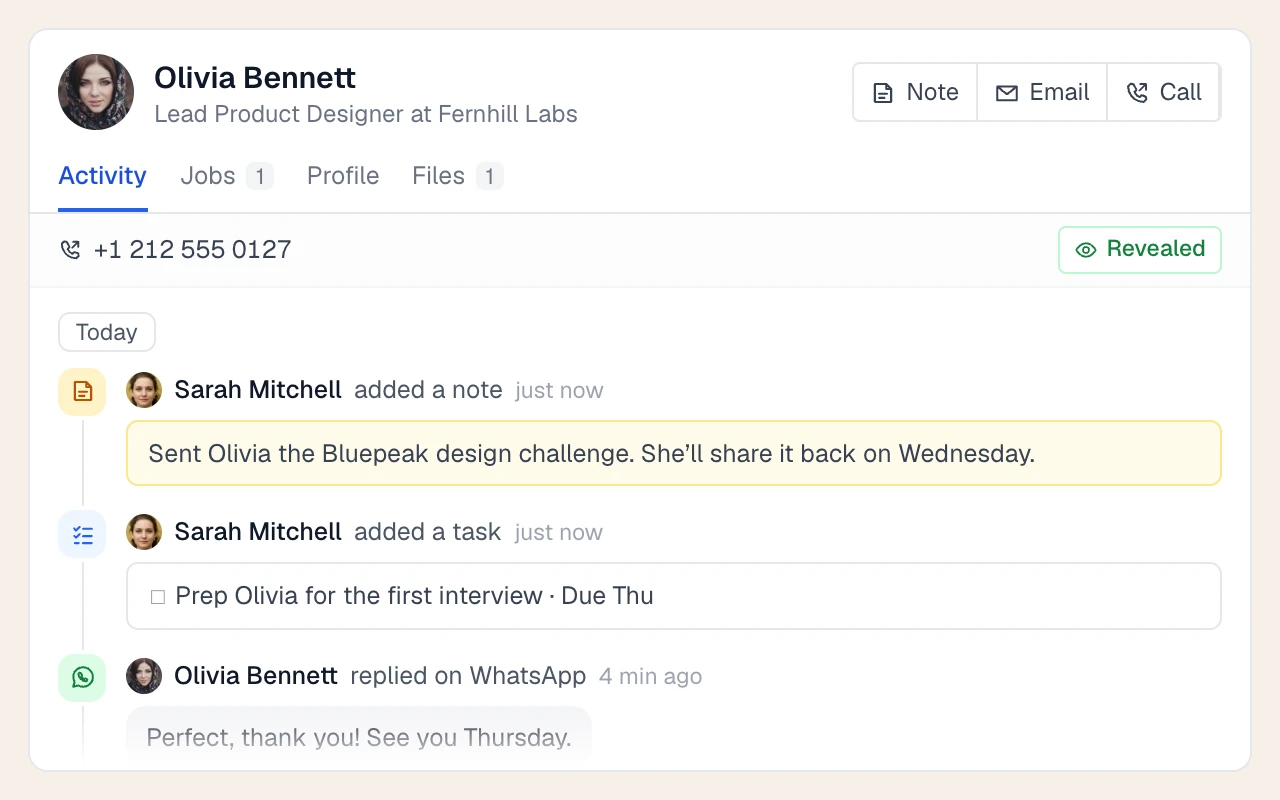
Candidate and contact calls, counted from the call notes logged against each record.
Candidates and contacts created
New records added to the database, by user, with company and date for contacts.
Contacts added to campaigns
BD and nurture campaign activity, showing campaign, contact and who added them.
Opportunities created
New deals by client, owner and date, with each opportunity's current status.
Open pipeline by client
Current candidates in each stage, per client, expandable to each job.
Time in stage
Average time candidates spend in each stage for a client's jobs.
Archive reasons by client
Why candidates drop out, and which stage they were in when they did.
Need a different view?
Plus adds custom dashboards. Use them with the activity and pipeline reports in your management review, next to the commercial records you already keep.
Start with shared definitions
Agree what your team counts as a CV sent, an interview and a qualified candidate, and compare the same time window. Then inspect the underlying records before drawing conclusions. Review commercial outcomes alongside the corresponding finance records. Use the practical KPI scorecard.
Can I track individual recruiter activity?
Yes. User Activity and BD Activities break down the work by recruiter. Open a count to inspect the underlying records.
Is reporting included in every plan?
The four standard reports are included on every plan. Custom dashboards are available on Plus. Compare plans.
How should we compare recruiting activity with business results?
Review activity and pipeline progress alongside the placement details and finance records your agency uses. Agree consistent definitions and time windows for each part of the review.
How do I inspect the records behind a report?
Open an activity count to inspect the underlying records. Candidate lists can also be exported from the database when your team needs a separate working list.
Will my historical activity show up if I migrate from another CRM?
Reports use activity recorded in Longlist. Ask our migration team which historical activity can be carried over from your current CRM.
From the blog
Measure what predicts fees
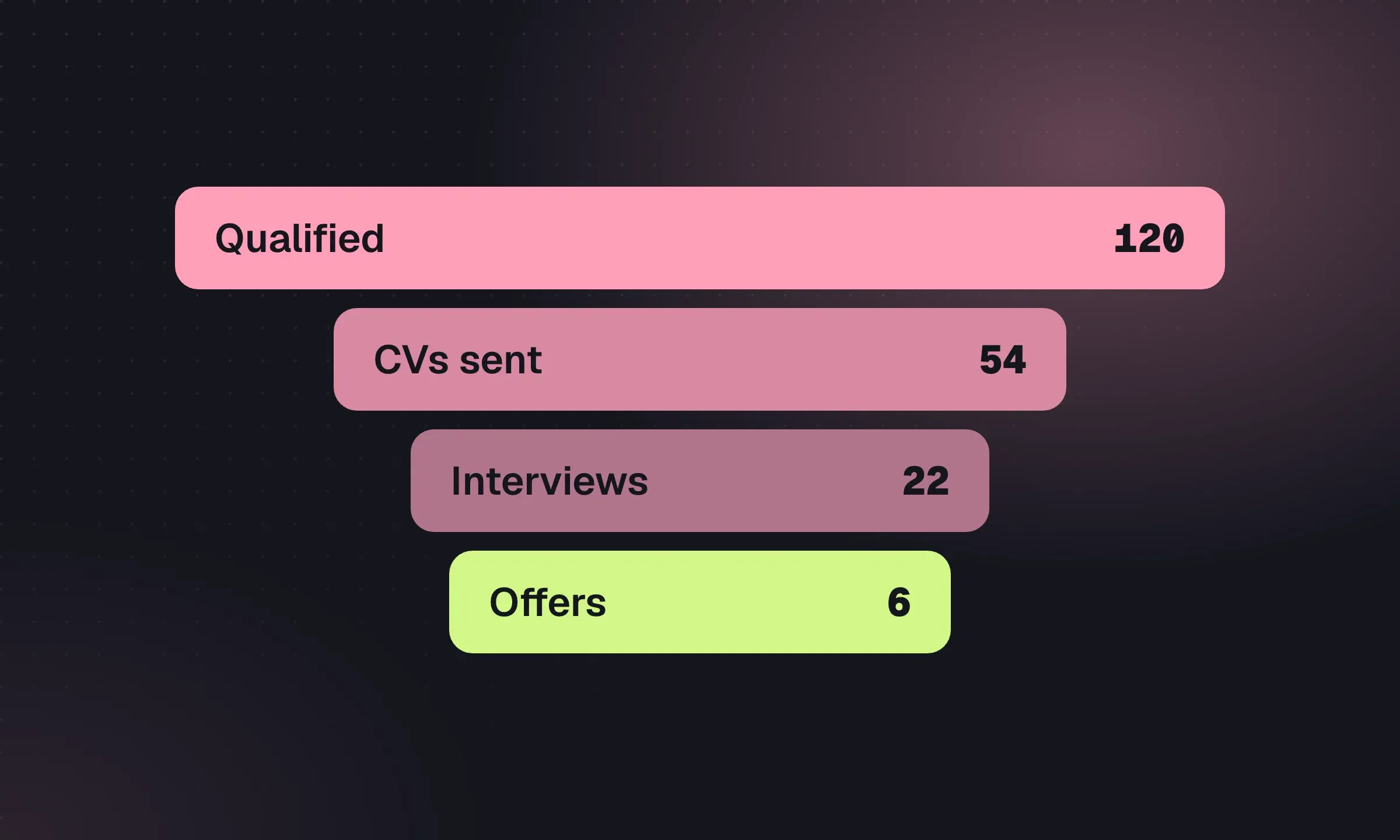
Recruitment Agency KPIs and Weekly Scorecard
Agree counting rules, interpret conversion ratios and run a weekly meeting that ends with named actions.
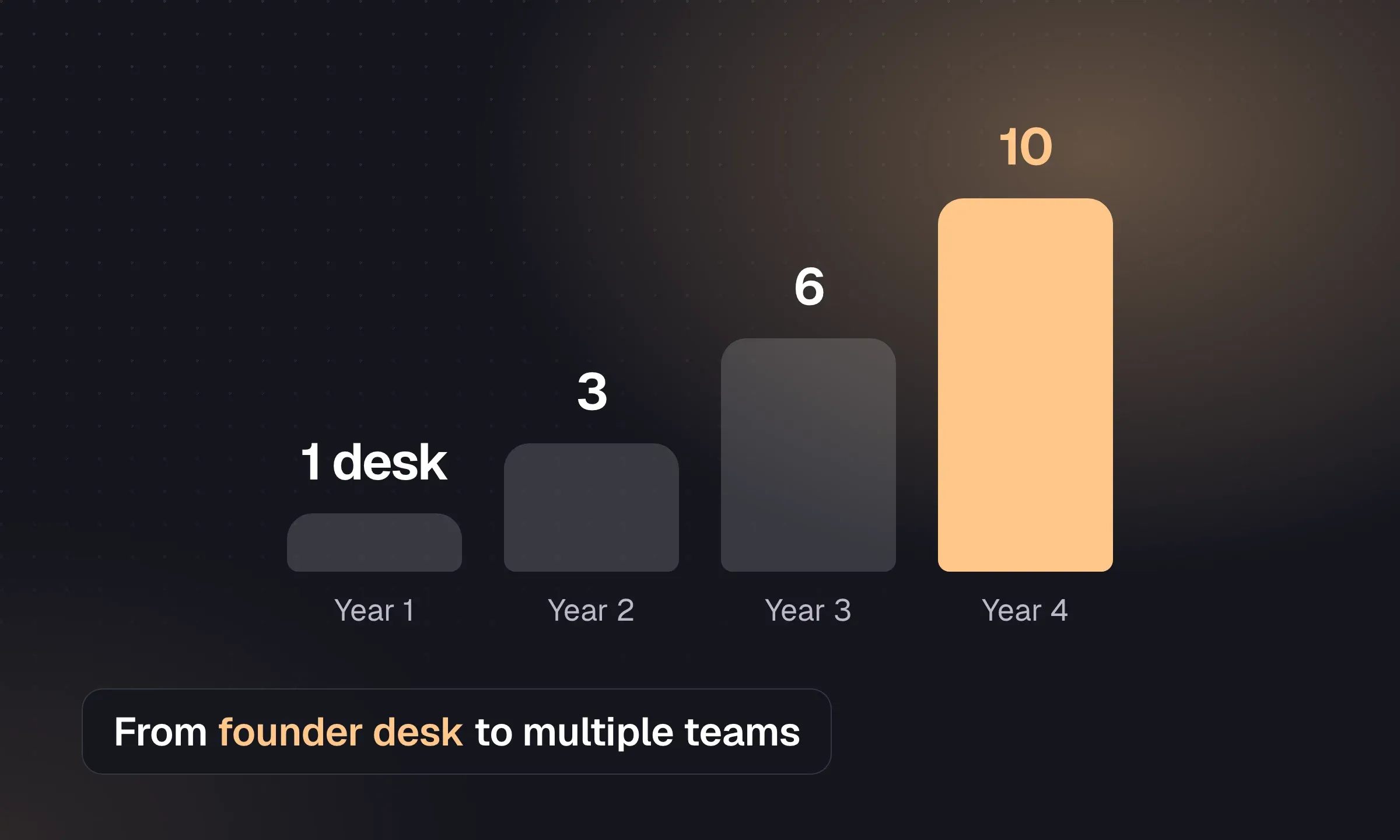
How to Scale a Recruitment Agency
Plan your first hire, split desks and build a team that can bill without the founder managing every placement.
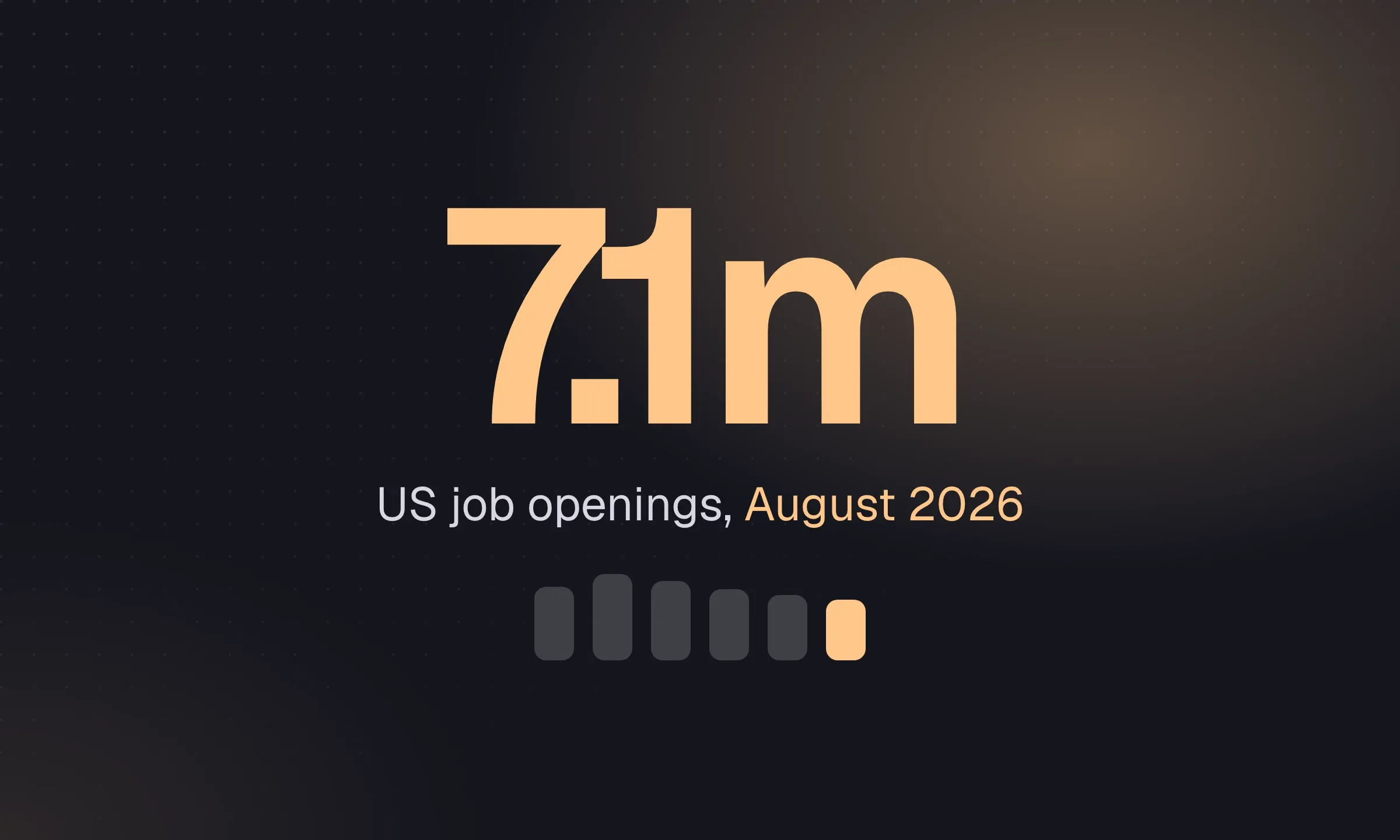
Recruiting Statistics for US and UK Agencies: 2026
Sourced hiring, staffing and application figures with dates and populations so you can use each number in context.
YOUR NEXT CHAPTER STARTS HERE
Less admin.
More “you got the job.”
Let’s walk through a better working day for your agency.