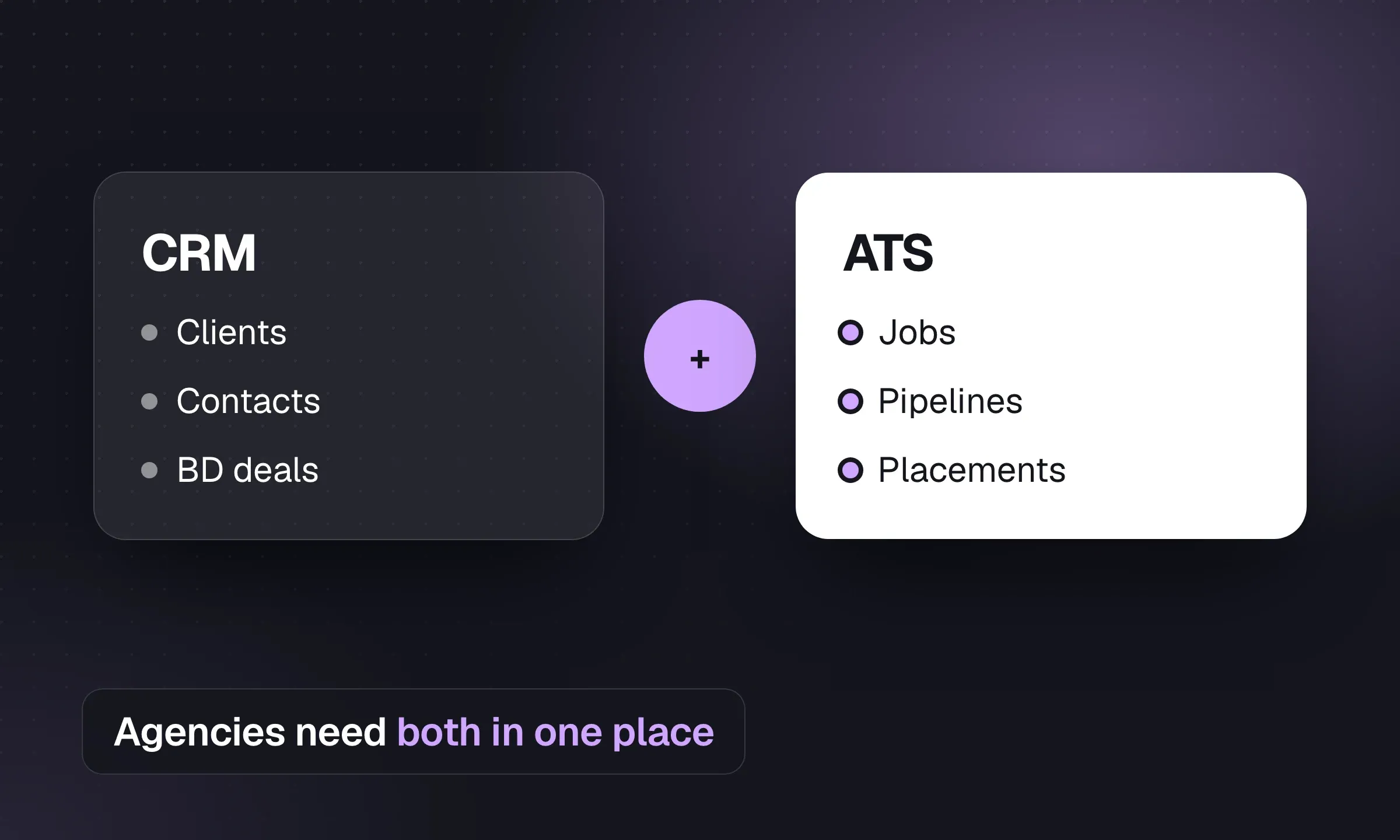
An applicant tracking system (ATS) manages candidates through a live job: submissions, interviews, offers and placement. A recruitment CRM manages client and candidate relationships before and after that job. Agencies need both functions to win a brief, fill it and stay in touch for the next one. Longlist publishes this guide and offers both in one system.
The difference in one picture
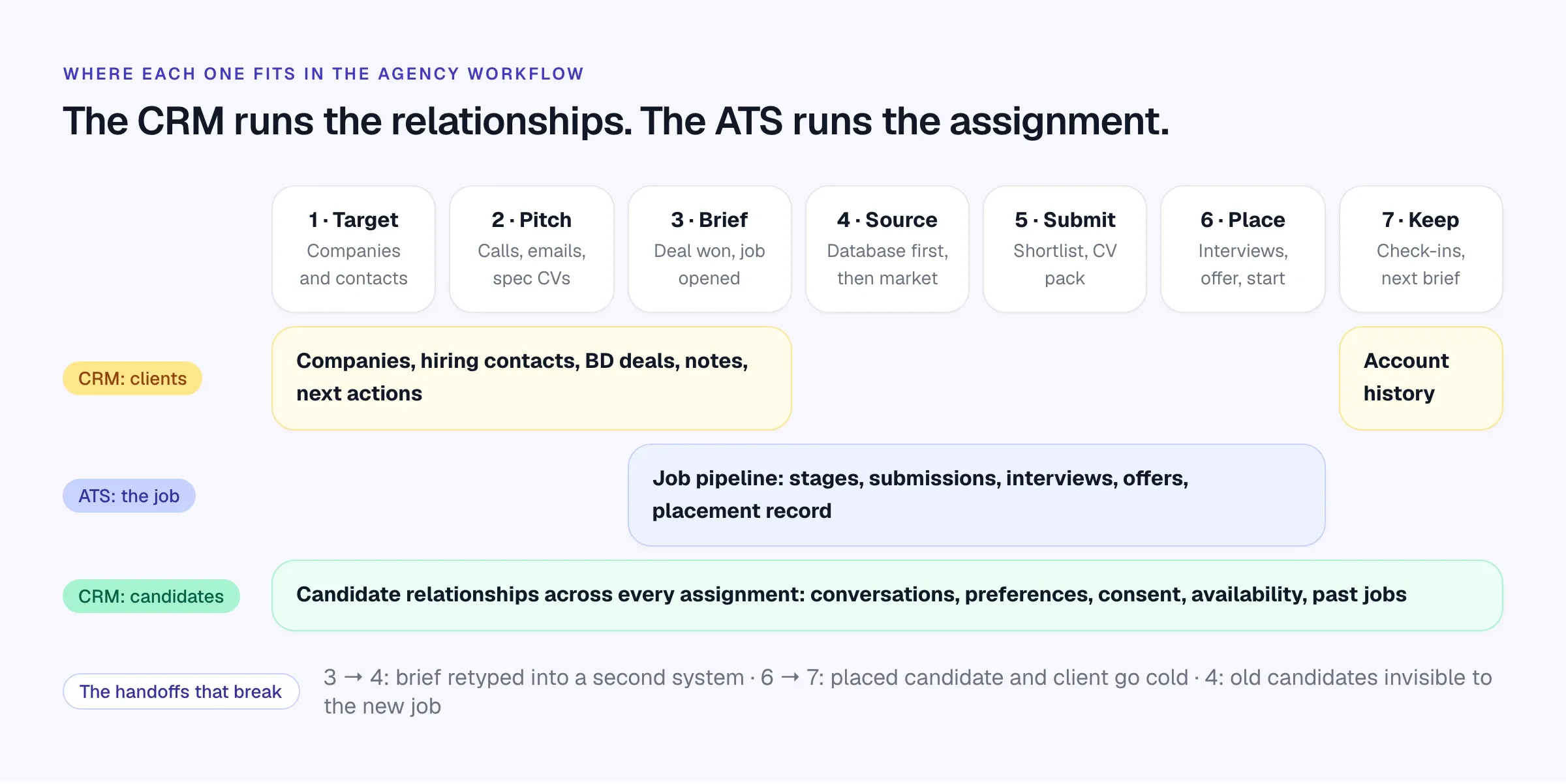
Read it left to right. The client side of the CRM does the work before there is a job: targeting companies, pitching hiring managers, turning a conversation into a deal. Once the brief is agreed, the ATS takes over the assignment. When the candidate starts, the job closes, but the account and the candidate relationships carry on.
The candidate CRM runs underneath the whole thing. The person you shortlisted for a finance manager role in March might be the right controller for a different client in November. If the record only exists inside a closed job, nobody will find them.
What each one does
ATS: the assignment
- One record per job, owned by a recruiter and linked to a client
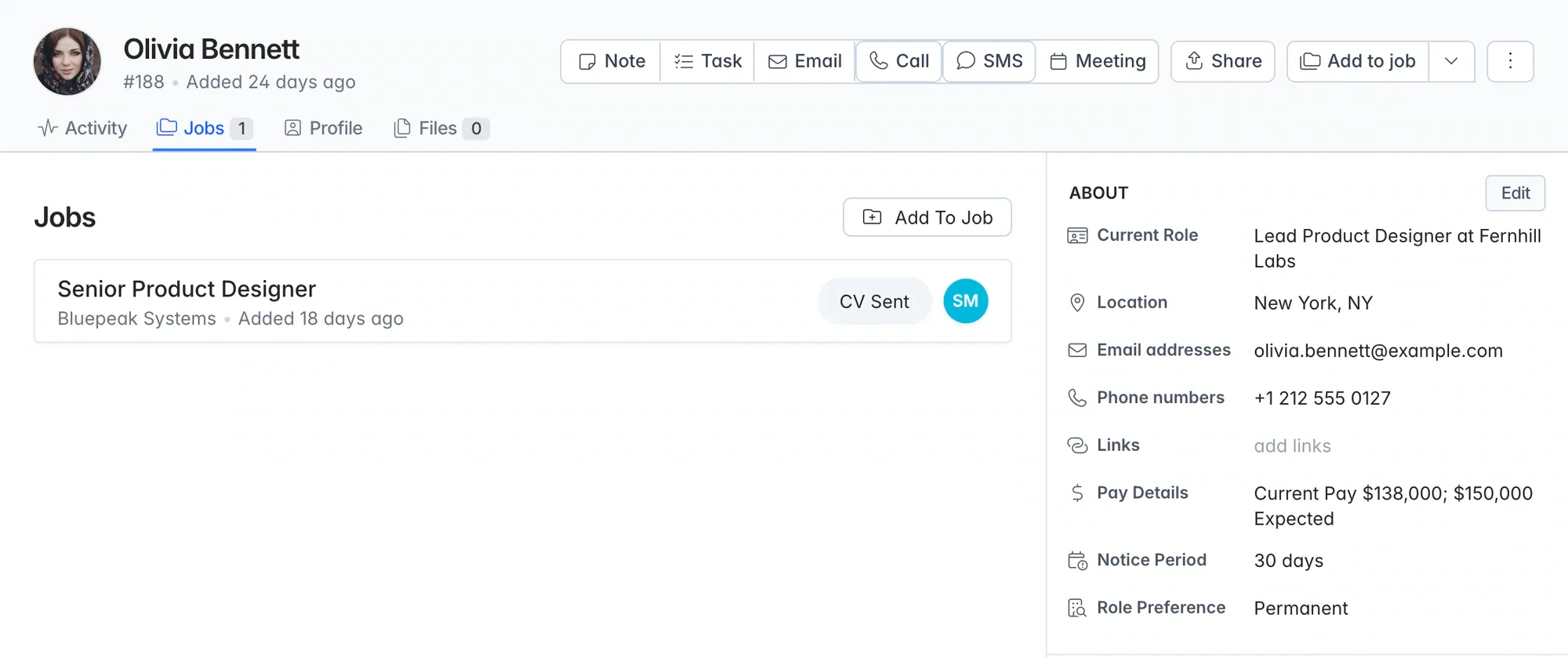
- A pipeline of stages, for example Review, Contacted, CV Sent, Interviewing, Offered, Joined
- Applicants arriving from your careers page and job boards
- CV submissions to the hiring contact, with the date and version sent
- Interview scheduling and feedback
- Offer and placement details: salary and fee, or bill and pay rates
- Time-in-stage and archive reasons, so you know why people dropped out
CRM: the relationships
- Client companies with status, owner and terms
- Hiring contacts with role, history and the next follow-up
- BD deals with value, stage and expected close date
- Campaign lists and email sequences for candidates and clients
- Every email, call, note and message on one timeline
- Candidate history across all jobs, plus preferences, availability and consent
- Reports on BD activity and client relationships, not just jobs
A useful test: if the work exists before the job does or after it closes, it belongs to the CRM. If it only makes sense inside one vacancy, it belongs to the ATS.
Scroll the table to see all columns →
| Your task | ATS view | Recruitment CRM view |
|---|---|---|
| Take a client brief | Job, owner and requirements | Client company, hiring contact and relationship history |
| Find a shortlist | Candidates on this particular assignment | People your agency has already spoken to, screened or placed |
| Contact a candidate | Progress on the current job | Conversations, preferences and follow-ups across assignments |
| Submit to the client | CV sent, interviews and offer progress | The hiring contact’s feedback and wider account context |
| Win the next brief | A new job when requirements are agreed | A prospect, opportunity and ongoing client relationship |
When separate tools still make sense
A combined CRM and ATS is the better default for most agencies. There are a few setups where a second tool sits alongside it.
- Temp staffing with payroll. If you pay temps weekly, the system that holds the job order should talk directly to timesheets and pay. A front-office CRM plus a separate back office can work, but compare it honestly with a front-to-back platform. Our staffing agency software guide covers both routes.
- A heavy sales operation. Some larger agencies run BD from a dedicated sales team with its own CRM and sales tooling. That can work if there is a clean integration and a clear rule for when a deal becomes a job.
- A sourcing tool you love. Specialist sourcing or contact-data tools sit fine alongside a CRM, as long as profiles land in the CRM rather than living in someone’s personal account.
The rule is simple: every candidate and every client contact should have one record, in one place, that the whole agency can see.
Buying checklist
Run this with your own live brief. A demo built on the vendor’s sample data proves very little.
- Open a client company and show its contacts, open jobs, past placements and potential deals on one screen.
- Turn a hiring contact into a BD opportunity, then convert the won opportunity into a job without retyping.
- Upload a CV for someone already in the database. Does it merge, warn or duplicate?
- Shortlist one candidate on two different clients’ jobs. Is it still one record?
- Send a CV to a client and show where the email and the stage change are logged.
- Close a job and show how runners-up stay findable for the next brief.
- Set a follow-up on a client contact after a placement. Who gets reminded, and how?
- Show a report of BD activity and a report of job activity for the same consultant.
- Show how consent is requested and tracked for candidates (GDPR for UK and EU candidates).
- Export everything, including CV files and activity history. What format, and is it charged?
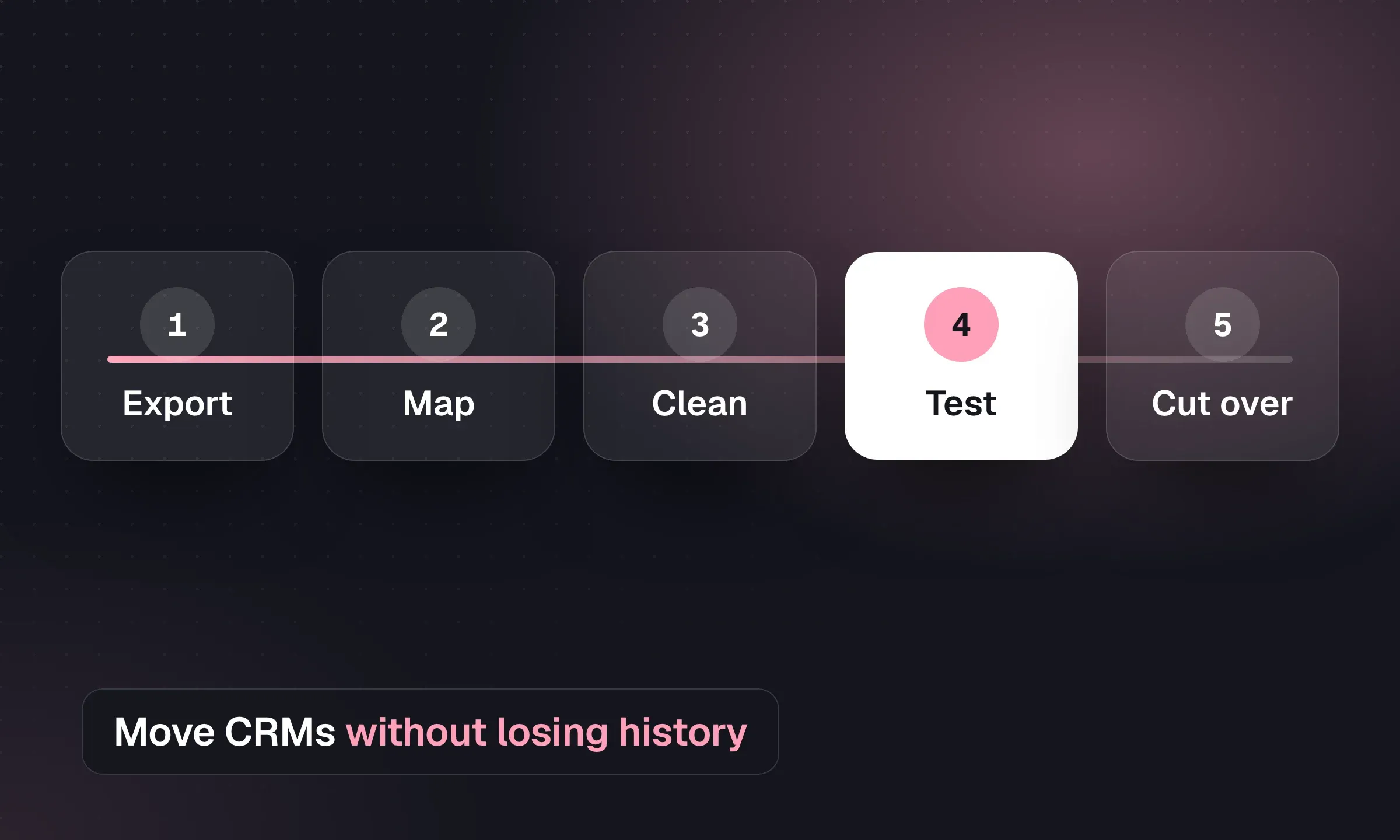
If you are replacing two tools with one, plan the move before you sign. Our CRM migration checklist covers mapping, test imports and the week you switch.
Test the handoffs yourself
Walk one live brief through Longlist, from first call to placement and back to the next brief, during a 14-day trial with no card.
What to check in a corporate ATS
Corporate ATS tools were built for in-house talent teams hiring for a single employer. The “client” is the company itself, the hiring manager is a colleague, and there is no fee. Some now include CRM and reusable candidate features. Evaluate the specific product against agency requirements:
- Client records. Check that prospects and their hiring contacts can exist before they have given you a job.
- Deal pipeline. Confirm where a potential brief lives before it becomes a vacancy.
- Cross-job history. Test whether the same candidate keeps one record across several clients and assignments.
- Commercial records. Check placement fees and bill/pay rates so the weekly KPI scorecard can connect activity to money.
The reverse problem hits agencies that use a general sales CRM. HubSpot or Salesforce will handle companies, contacts and deals well. But a CV is not a contact, and a job pipeline is not a sales pipeline. Agencies on sales CRMs usually run candidates in a separate tool and copy data between the two.
Illustrative agency scenarios
These scenarios use fictional agencies to illustrate common workflow problems.
Scenario 1: the spec CV that turned into a brief. A two-person accounting agency in Leeds keeps a list of 40 target companies in the CRM. A consultant sends a spec CV for a strong part-qualified accountant to a finance director she met at an event. He replies three weeks later with a real vacancy. Because the contact, the spec email and the candidate are all linked, she converts the opportunity into a job and puts the same candidate at the top of the shortlist in two minutes. In a separate-tools setup, she would be searching her inbox.
Scenario 2: the runner-up. A tech contract desk in Austin shortlists four .NET developers for a client. One gets the role. The other three were all qualified. If the system hides them inside the closed job, the next recruiter may miss them. Keep their qualification notes and availability on the candidate record, add them to a relevant talent pool, and check them when the next brief arrives. Our candidate sourcing guide explains why searching your own database first is the cheapest shortlist you’ll ever build.
Scenario 3: the client who went quiet. A healthcare staffing firm places a charge nurse with a hospital group. The job closes. Nobody owns the follow-up, and six months later a competitor fills the next three roles. A CRM with a next action on the contact, and an account review in the weekly meeting, would have prompted a call at 30 and 90 days.
Scenario 4: the duplicate candidate. A search boutique in London uploads a CV that arrives through its careers page. The same person was interviewed two years ago for a different mandate, with notes on salary expectations and why they declined. If the system matches on email and LinkedIn URL, the new application lands on the old record. If not, the consultant calls a “new” candidate and asks questions the agency already knows the answers to.
What it looks like in practice
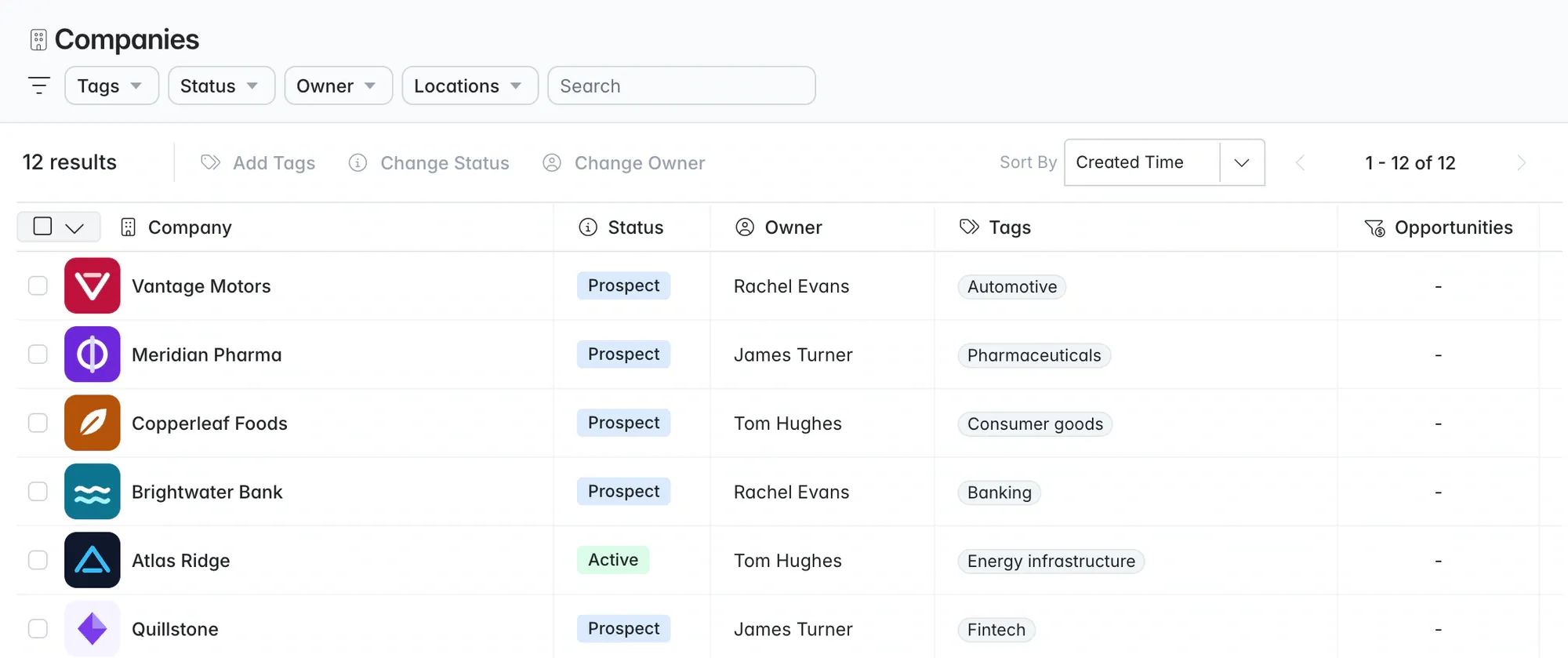
In Longlist, client companies and contacts live in the recruitment CRM with their own activity timelines and owners.
Once a brief is agreed, the job runs in the applicant tracking system with fixed agency stages from Review to Joined, so reports mean the same thing on every desk.
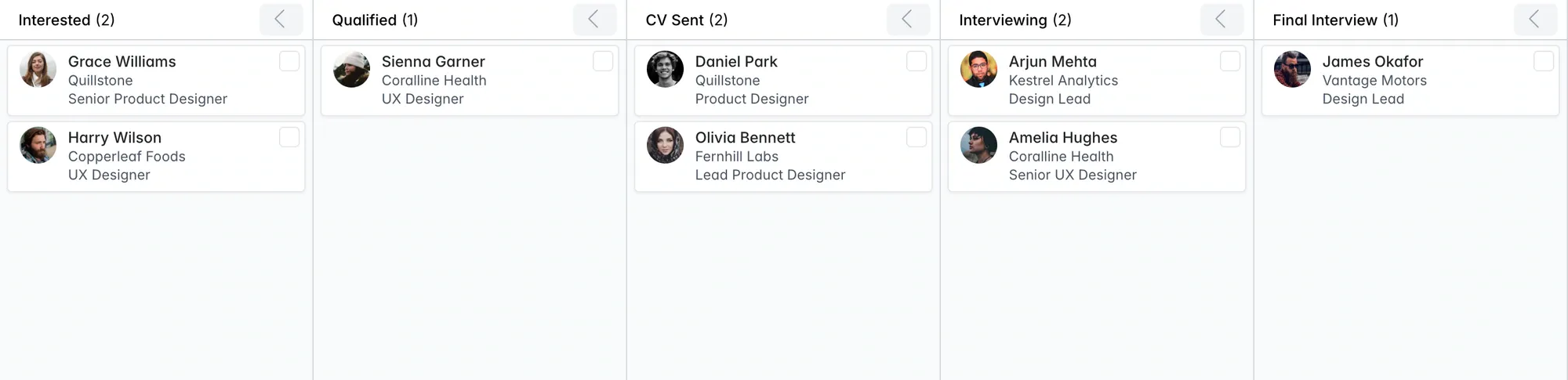
And because candidates are a single record, you can see every job a person has been connected to, at what stage.