A useful recruitment sequence gives someone a reason to reply, then follows up with new information. Each message should make sense on its own, and the sequence should stop when the person answers or asks you to stop. Adapt the templates to details you can verify. The timing examples are starting points to test with your own audience.
Candidate sequences
Sequence 1: new role, passive candidate
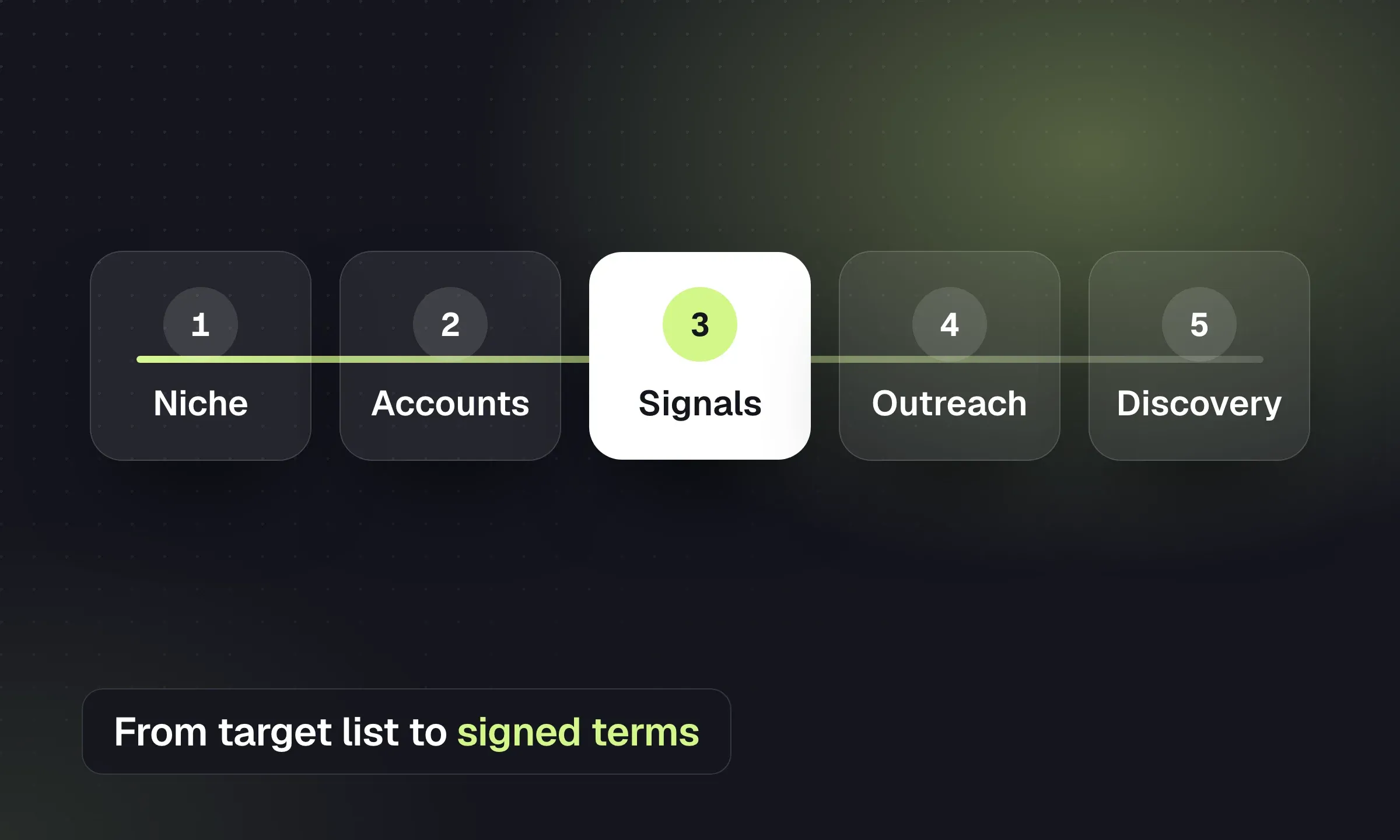
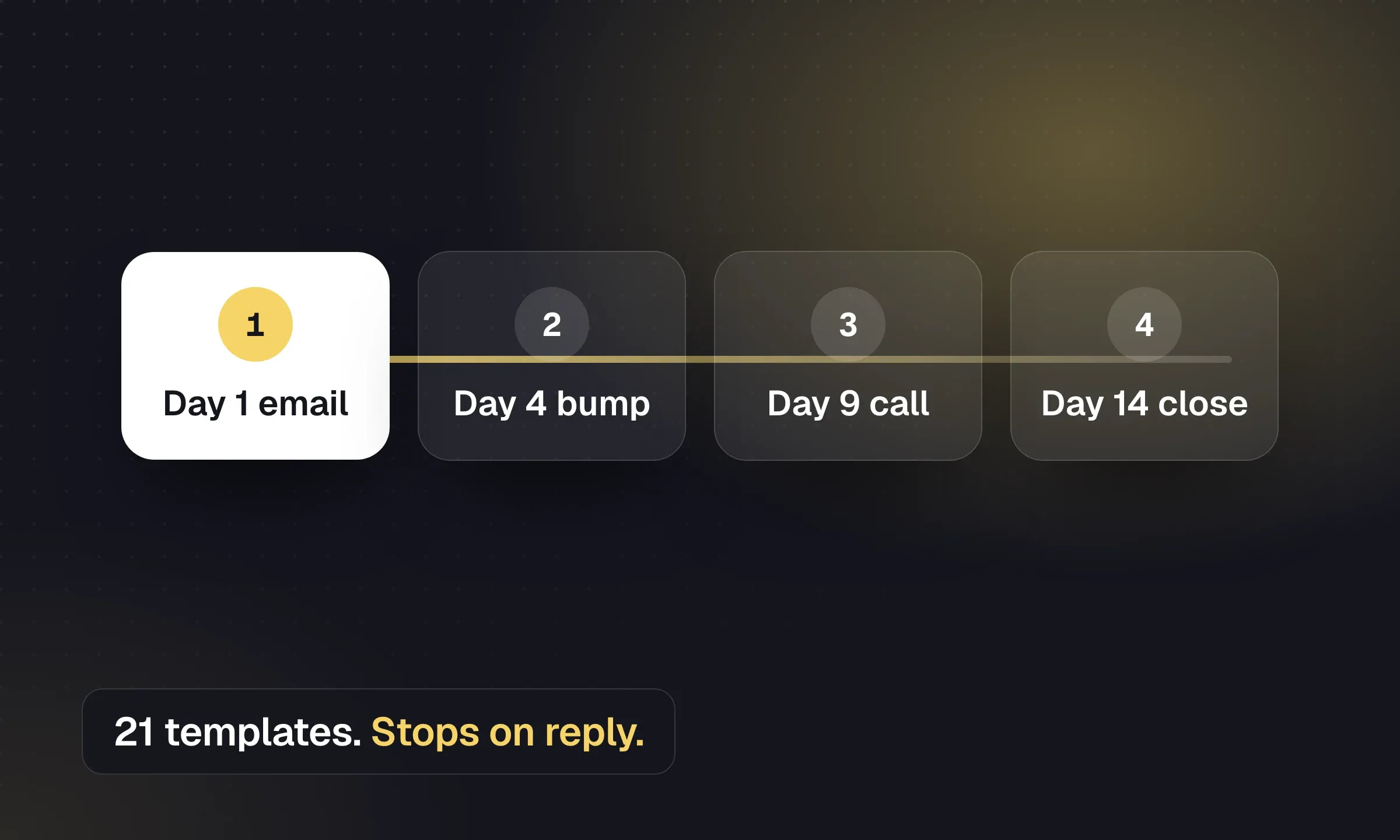
Three emails over about a week, with a call task after the second.
Candidate email 1: first approach
Subject: [Role] at a [type of company], [one specific hook]
Hi [First name],
Your work on [specific project, skill or achievement] at [current company] is why I’m getting in touch. I’m working with a [client description you can disclose, e.g. 200-person medical device manufacturer in Austin] on a [role] that’s focused on [the most interesting responsibility].
It’s [location / working pattern], paying [confirmed range or “in the region of X”], and the team is [one honest detail].
Worth a 10-minute call this week? If you’d rather read the brief first, I’ll send it over.
[Your name] [Agency] · [phone]
Candidate email 2: add one detail (2 working days later)
Hi [First name],
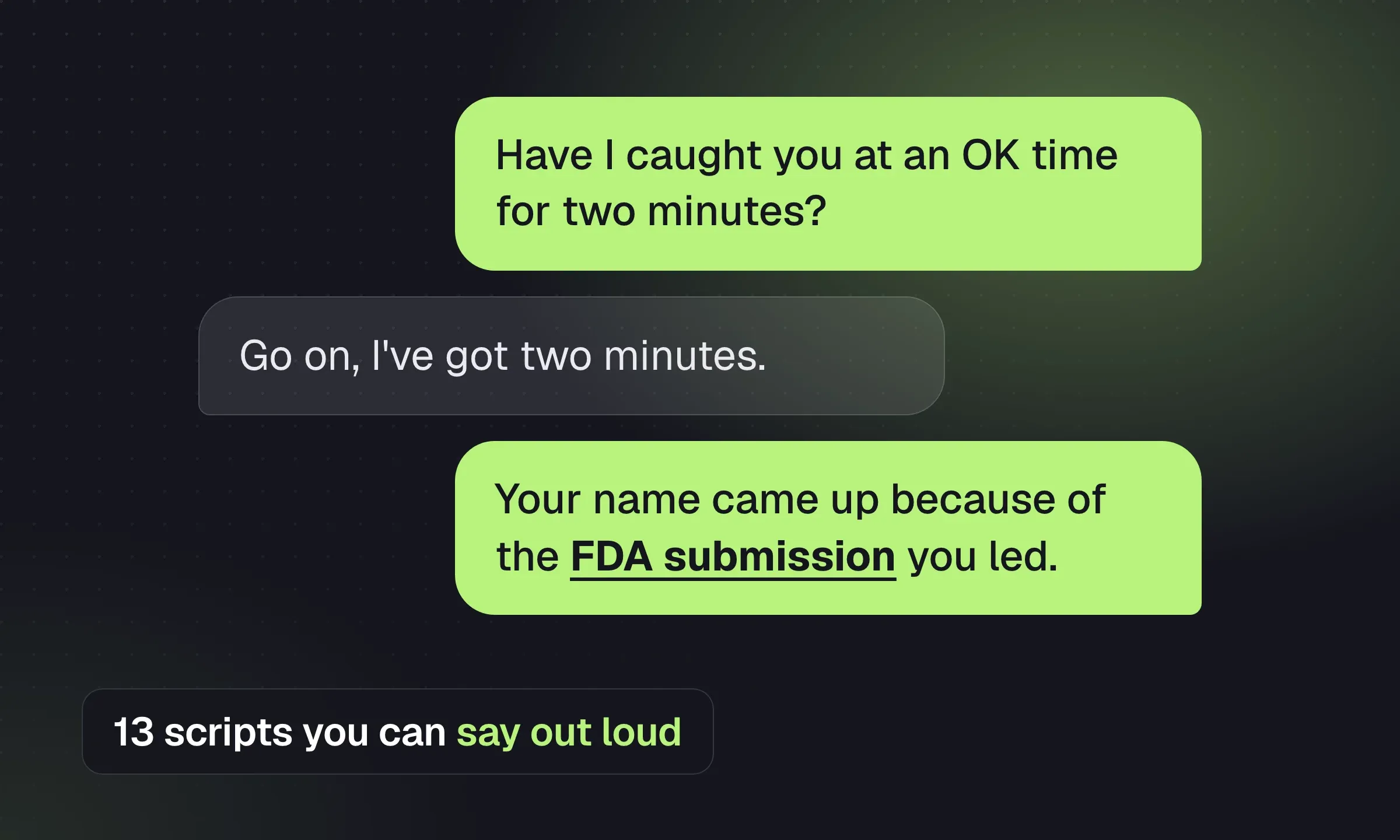
One thing I didn’t mention: [new, specific detail, e.g. the role leads their first FDA submission, or the hiring manager came from your sector]. Given your background in [relevant experience], I thought that might matter.
Would you like the full brief, or is the timing wrong for a move right now?
[Your name]
Candidate email 3: close the loop (4 working days later)
Hi [First name],
I’ll leave this one with you. If [type of role] becomes interesting later, I’d be glad to keep you in mind for roles that match [what you know they care about].
And if you’d rather I didn’t get in touch again, just reply “no thanks” and I’ll update my records.
[Your name]
Sequence 2: re-engaging a candidate you already know
Read the record first. The whole point is that you remember them.
Reactivation email 1
Subject: Has anything changed since [month]?
Hi [First name],
When we spoke in [month], you were interested in [confirmed preference] but the timing wasn’t right because [context they shared, if appropriate to mention].
I’m now working on a [role] that lines up with that: [one or two specifics]. Has anything changed, or should I keep you in mind for later in the year?
[Your name]
Reactivation email 2 (5 working days later)
Hi [First name],
Quick one: is [preference, e.g. a hybrid role within 30 minutes of Leeds] still what you’d look for? I’d like to keep my notes accurate so I only call you about roles that fit.
[Your name]
Database rediscovery covers how to find these people in your CRM before you write to them, and Boolean search helps when you need to widen the net.
Sequence 3: silver medalist nurture
For strong candidates who reached final stage and missed out. They’re among the warmest people in your database.
Silver medalist: after the decision
Subject: Thank you, and what’s next
Hi [First name],
I know the [Client] decision was disappointing. For what it’s worth, the feedback was [honest, specific positive feedback you’re allowed to share], and it came down to [reason, if shareable].
I’d like to keep working with you. Can we spend 15 minutes next week updating what you’re looking for, so I can bring you the next one first?
[Your name]
Silver medalist: 6–8 weeks later
Hi [First name],
Checking in as promised. I’ve got [one relevant role, or “nothing quite right yet, but two clients are planning similar hires this quarter”]. Is your search still active, or have things settled where you are?
[Your name]
Sequence 4: referral ask from a candidate who said no
Candidate referral ask
Hi [First name],
Thanks for being straight with me about the timing. Completely understood.
One last thing: is there anyone you’ve worked with who’d be a strong fit for a [role] like this? I’ll only mention your name if you’re happy for me to.
[Your name]
Client business development sequences
Client sequences need a real reason to contact this company now. The lead generation guide covers where those signals come from, and the client-finding guide covers what happens after they reply.
Sequence 5: signal-led BD
Client BD email 1: the signal
Subject: [Role] at [Company]
Hi [First name],
I noticed [Company] has been advertising for a [role] since [date] [or: has just opened a site in X / closed a funding round / appointed a new FD].
We place [your niche, e.g. finance managers and controllers] with [type of company] across [region]. [One sentence of relevant market insight you can support.]
Is the search still open? If useful, I can share what similar roles are paying locally and how long they’re taking to fill.
[Your name] [Agency] · [direct line]
Client BD email 2: something useful (about a week later)
Hi [First name],
Of the [role] candidates we’ve spoken to in [region] this quarter, [observation from your own data, e.g. most are asking for hybrid working, and around half have had a counter-offer].
If that matches what you’re seeing, a 15-minute call might save you a few weeks. Would [day] work?
[Your name]
Client BD email 3: close the loop
Hi [First name],
I’ll stop here so I’m not clogging your inbox. If [role type] hiring comes up later in the year, I’m the person to call for [niche] in [region].
Would it be useful if I checked back next quarter, or would you rather I didn’t?
[Your name]
The phone calls that sit between these emails are in recruitment cold call scripts, including voicemails that point to the email you just sent.
Sequence 6: anonymized candidate (MPC)
Use only when the candidate has agreed to be represented to this company, and get terms in place before the full CV goes over.
MPC email
Subject: [Job title], [sector] experience, available in [notice]
Hi [First name],
I’m representing a [job title] with [X years] in [sector], most recently [one specific achievement]. They’re looking for [what they want next] and asked me to approach a short list of [type of company] in [region], including [Company].
They’re on [notice period] and looking at around [salary].
Would a short call be useful to see whether they’d add something to your team? I can send an anonymized profile first.
[Your name]
Sequence 7: reactivating a dormant client
For a company you’ve placed with before but haven’t spoken to in six months or more.
Dormant client email 1
Subject: [Candidate first name] at [Company], and a quick question
Hi [First name],
It’s been a while since we worked together on the [role] search. I hope [placed candidate’s first name] is still doing well with you.
I’m in touch because [specific reason: you’ve seen them advertising X / the market for Y has shifted / you’ve got a strong candidate who fits their team]. Is your hiring plan for [next quarter] settled yet?
[Your name]
Dormant client email 2 (a week later)
Hi [First name],
In case it’s useful, here’s a short note on what [role family] hiring looks like in [region] right now: [two or three bullet points from your own data].
Happy to talk it through if any of it is relevant to your plans.
[Your name]
Sequence 8: a past client contact in a new job
A past client contact already knows your work, so begin with their new role and what they need.
Past client, new company
Subject: Congratulations on [new company]
Hi [First name],
Congratulations on the move to [new company]. I saw the news and wanted to say well done.
When you’ve had a few weeks to settle in, I’d be glad to hear what you’ve walked into, and if the team needs building, you already know how we work.
[Your name]
Post-placement and referral sequences
Check how the placement is going before asking either person for a referral.
Client: start day
Subject: [Candidate first name]’s first day
Hi [First name],
Just checking [Candidate] arrived safely and the first morning went smoothly. If anything comes up in the first few weeks, however small, call me first.
I’ll check in with you both at the end of week one.
[Your name]
Candidate: end of week one
Hi [First name],
How was week one? Anything that’s different from what you expected, good or bad? It’s much easier to sort small things now than later.
[Your name]
Client: month three, with a referral ask
Subject: Three months in
Hi [First name],
[Candidate] has been with you three months now. How’s it going from your side?
While I have you: is anyone else in the business planning to hire in [function] this year, or is there a peer elsewhere who’s struggling with a similar search? An introduction would mean a lot, and I’d look after them the same way.
[Your name]
Candidate: six months, with a referral ask
Hi [First name],
Six months already. I hope it’s turned out to be the move you wanted.
Two quick things: if you’re building out your team, I’d be glad to help. And if anyone you know is thinking about a move in [field], I’d appreciate the introduction.
[Your name]
These are also good moments to log the next action on the company record so the follow-up doesn’t depend on someone’s memory.
Before you write: what makes a sequence work
- One reason per person. Why this candidate, why this hiring manager, why now. A job title alone isn’t a reason.
- Short emails. Four to six sentences. Plain text. No attachments in the first email.
- Each follow-up adds something: a new detail about the role, a data point, a question, a different angle.
- A clear, easy no. “Is the timing wrong?” gets replies from people who would otherwise ignore you, and a “no” is useful data.
- Same thread. Follow-ups sent as replies in the original thread keep the context together for the reader.
- A call or LinkedIn touch between emails for anyone worth more than an automated nudge.
Timing: an example cadence
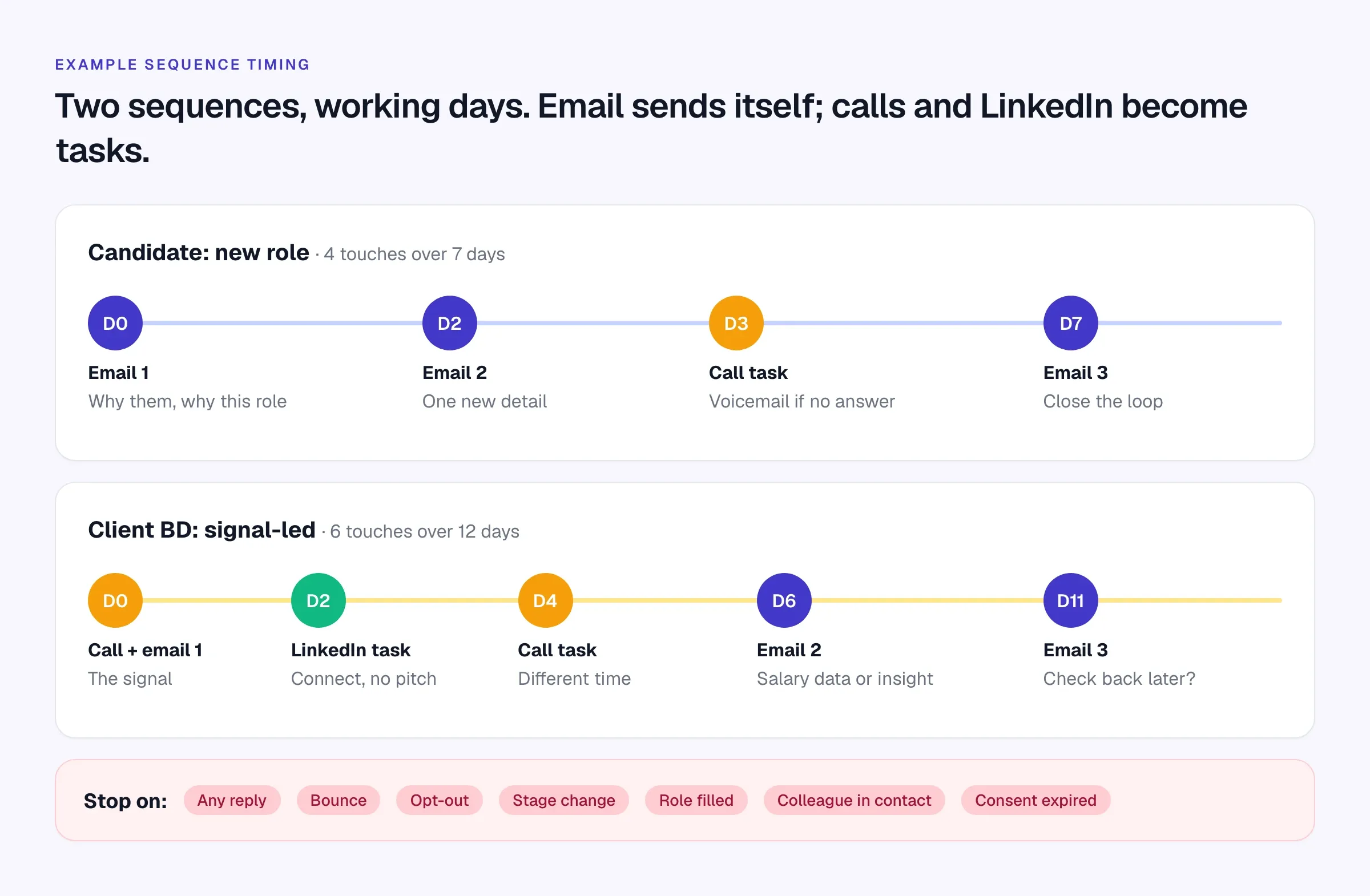
There’s no proven best cadence for recruitment emails. These are reasonable starting points; adjust for urgency and your market, then compare replies over a month.
Scroll the table to see all columns →
| Sequence | Emails | Spread | Other touches |
|---|---|---|---|
| Candidate, new role | 3 | About 7 working days | One call, optional LinkedIn |
| Candidate reactivation | 2 | About 5 working days | Call if they don’t reply |
| Silver medalist | 2+ | Decision day, then 6–8 weeks | Call at each touch |
| Client BD, signal-led | 3 | About 2 weeks | Two calls, one LinkedIn |
| Dormant client | 2 | About 1 week | Call between them |
| Post-placement | 4 | Day 1 to month 6 | Calls at week one and month one |
Send on weekdays in the recipient’s working hours and time zone. A follow-up that arrives at 2am on Saturday tells the reader it was automated.
Stop rules: when automation must step aside
In Longlist, replies stop the remaining email steps. Treat the other conditions below as operating rules to verify in your own setup: a recruiter may need to pause or remove someone when a placement, opt-out or change of circumstances is recorded elsewhere. Test out-of-office handling rather than assuming it behaves like a human reply.
A sequence that keeps sending after someone has replied, opted out or accepted a job elsewhere damages your reputation fast. Agree the stop rules before anyone enrolls a list.
- Any reply, including “not now” and out-of-office messages with a return date: stop and handle it personally.
- A bounce: stop, mark the address invalid and find a current one.
- An opt-out or “please don’t contact me”: stop and record it where the whole team can see it.
- A stage change: the candidate is interviewing, placed or rejected for this role.
- The role is filled, on hold or cancelled.
- A colleague is already in conversation with the same person or company.
- Consent or your lawful basis for contact has expired.
In Longlist, a reply stops the sequence and moves the candidate to Replied, bounced addresses are flagged as invalid, and an Action step can move someone to a new stage as the sequence runs. The other rules are judgment calls: build them into how your team works and check them before enrolling people.
Deliverability basics: SPF, DKIM, DMARC and the 2024–2026 sender rules
Since February 2024, Gmail and Yahoo have required senders to authenticate their email and keep spam complaints low, with stricter rules for bulk senders. Microsoft added similar requirements for high-volume senders to Outlook.com consumer addresses in May 2025, and Gmail began ramping up enforcement in November 2025, including temporary and permanent rejections for non-compliant mail.
- 5,000 messages a day to personal Gmail accounts makes a domain a bulk sender, permanently, under Google’s sender FAQ
- 0.3% spam complaint rate is the ceiling in both Gmail’s and Yahoo’s requirements; Google advises staying below 0.1%
- 2 days to honor unsubscribe requests for Yahoo bulk senders, per Yahoo Sender Hub
- 10 business days to honor opt-outs under the US CAN-SPAM Act, which has no B2B exemption
What applies to whom, as of October 2026:
Scroll the table to see all columns →
| Requirement | All senders to Gmail | Bulk senders (Gmail, Yahoo) | High-volume to Outlook.com |
|---|---|---|---|
| SPF or DKIM | Yes | Both SPF and DKIM | Both SPF and DKIM |
| DMARC (at least p=none), aligned with From: | Recommended | Yes | Yes |
| Valid forward and reverse DNS, TLS | Yes | Yes | Best practice |
| Spam rate below 0.3% | Yes | Yes | Best practice |
| One-click unsubscribe for marketing email | No | Yes | Recommended |
Sources: Gmail sender guidelines, Yahoo sender best practices, Microsoft’s Outlook.com announcement. Providers update these pages, so check them before a large send.
What a recruitment agency should actually do
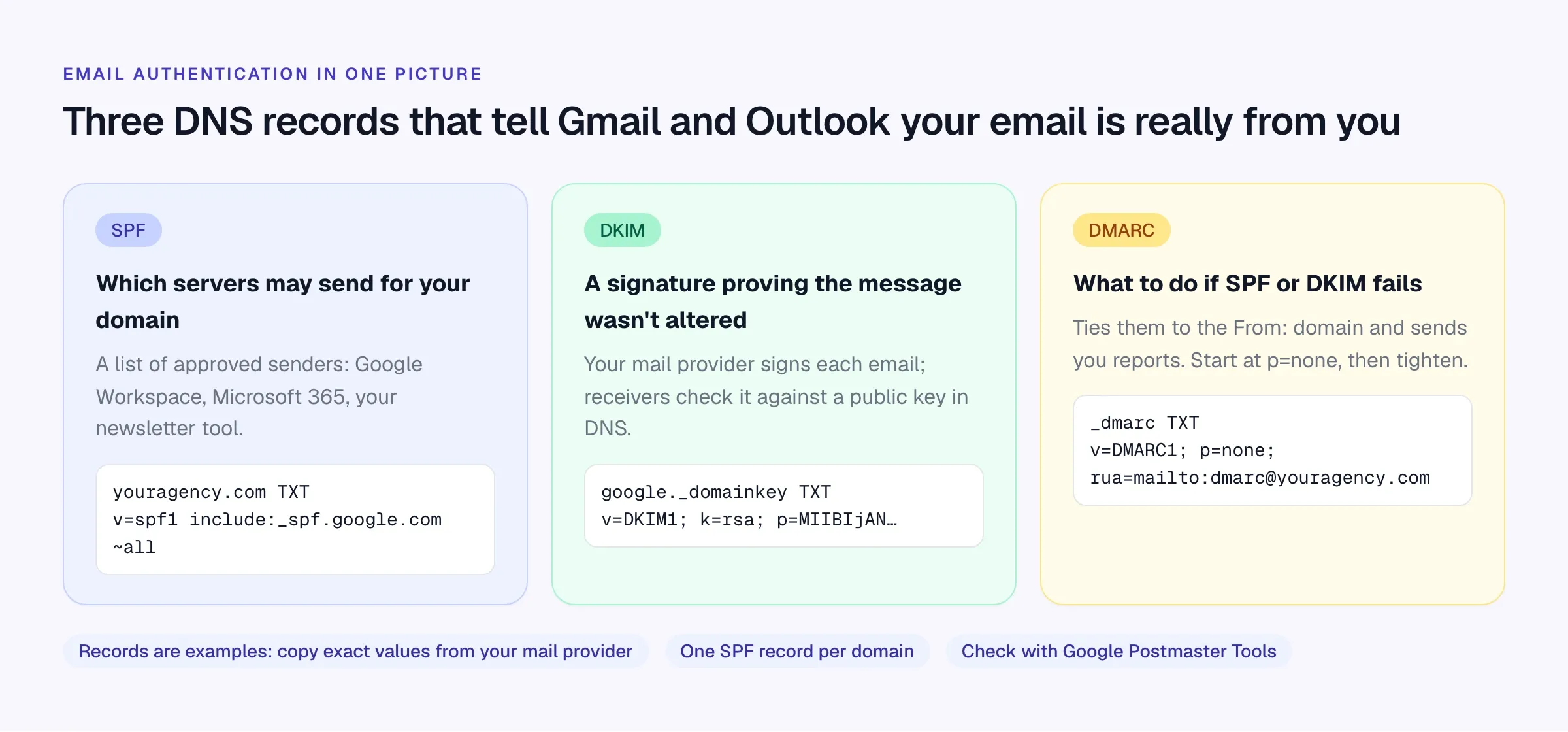
- Authenticate your domain. Publish SPF, turn on DKIM signing in Google Workspace or Microsoft 365, and add a DMARC record at p=none with a reporting address. Most agencies can do this in an hour with their mail provider’s instructions.
- Watch your reputation. Register your domain in Google Postmaster Tools and check spam rate and authentication weekly when you start sending sequences.
- Keep personal and bulk email apart. One-to-one sequences go from consultants’ own mailboxes. Newsletters to your whole database go through a proper email platform, ideally on a subdomain (for example news.youragency.com), with one-click unsubscribe.
- Respect mailbox limits. Google Workspace caps a paid user at 2,000 messages a day, and lower for mail merge. Stay far below that for outreach; a consultant sending a few dozen personal sequence emails a day is normal.
- Clean the list before you send. Remove bounces, opt-outs and anyone without a lawful basis. Never buy lists.
- Write like a person. Plain text, few links, no attachments in first emails, a real signature with a postal address for commercial email.
Turn the templates into a working sequence
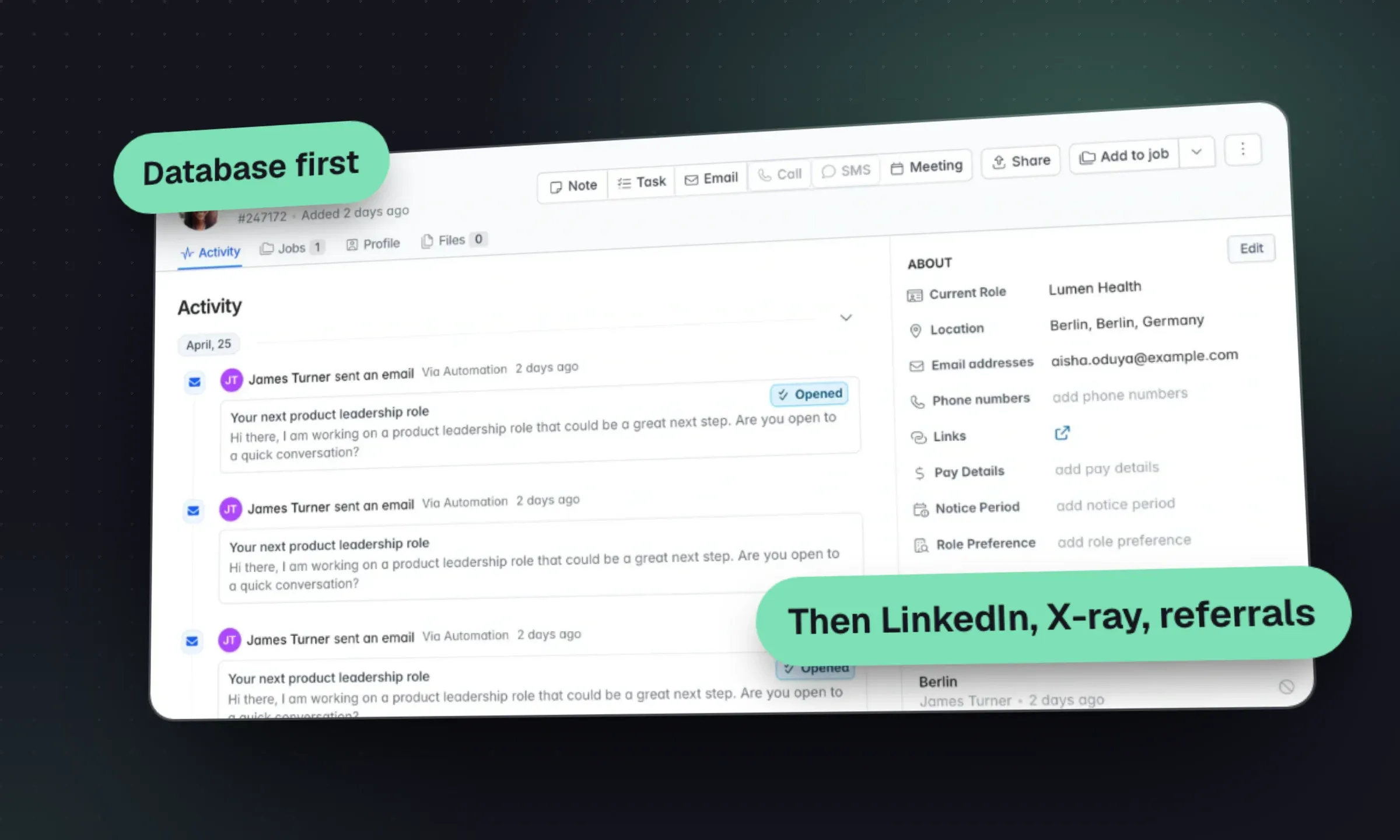
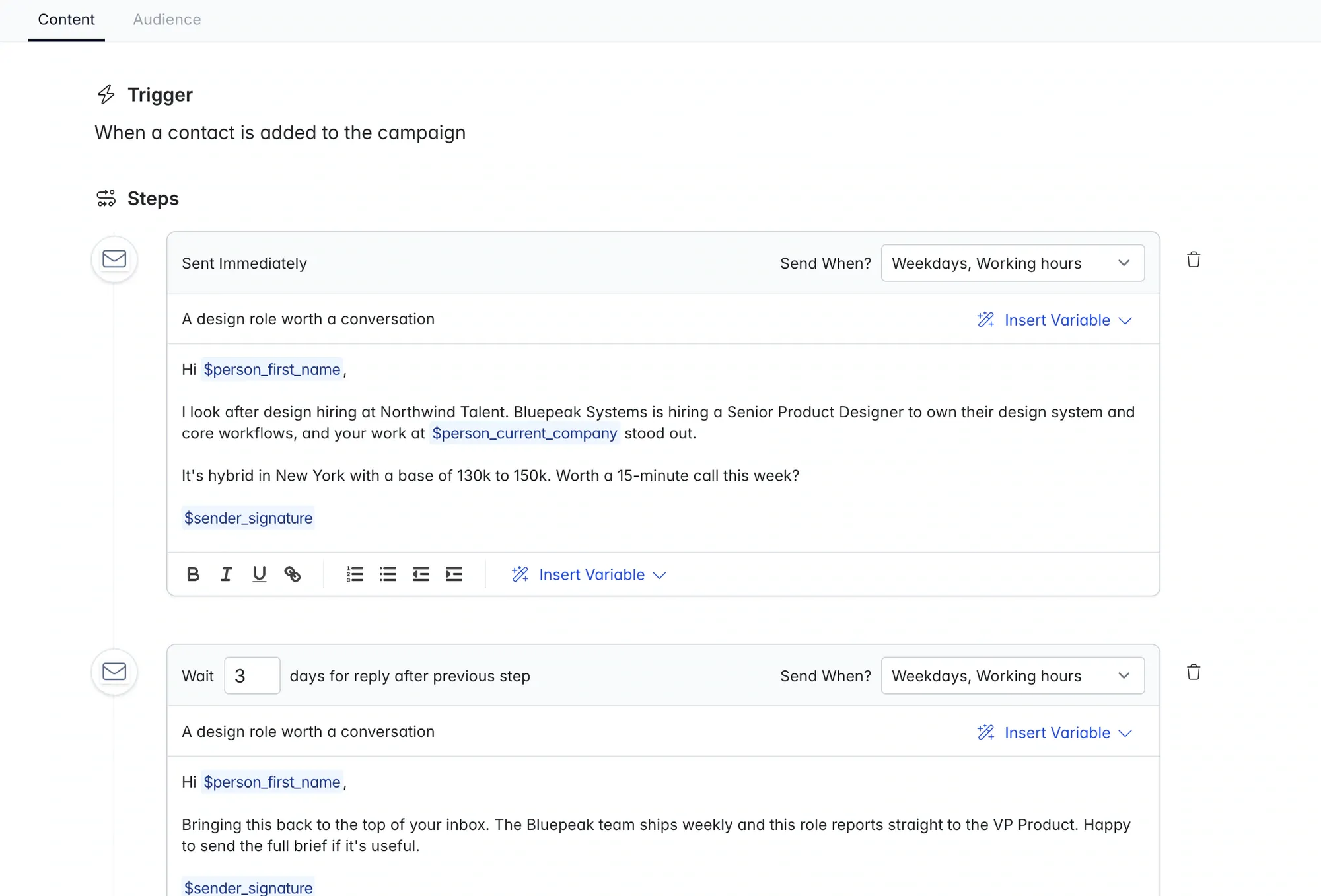
Longlist email sequences send from each consultant’s connected Gmail or Outlook mailbox. Follow-ups stay in the same thread, replies sync to the candidate or contact record and stop the remaining steps, and bounces are flagged. You can set a delay per step, hold sends to weekdays and send in the recipient’s working hours, worked out from their location.
Merge variables cover the recipient’s first name, full name and current company, plus your own name and signature, written as double-brace fields such as {{sender.signature}}. {{custom.hiring_manager}} reads any custom field on the person’s card, which is where the specific reason goes: a recent promotion, a shared contact, the hiring manager’s name. A fallback after a bar ({{first_name | there}}) covers a missing value; without one the email is held rather than sent as “Hi ,”. An AI personalization beta can draft an opener for you to review.
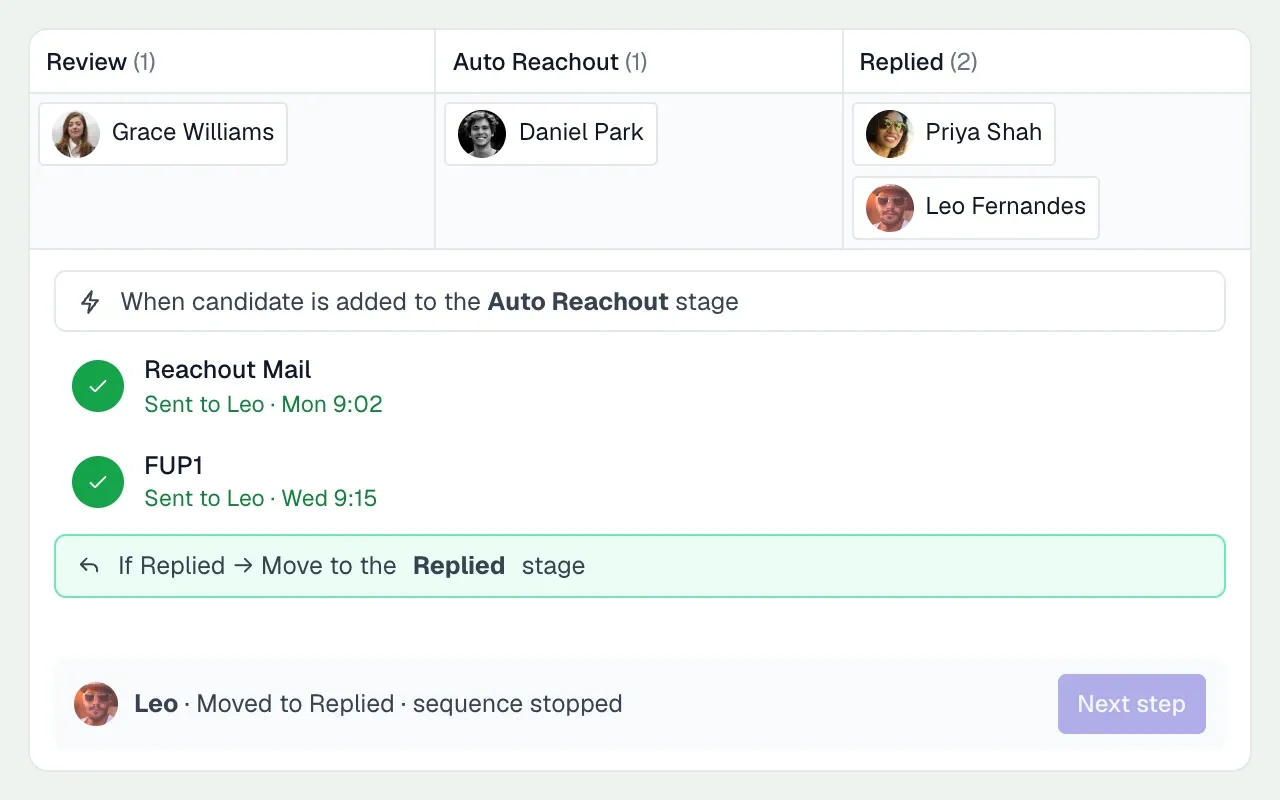
Every job starts with your agency’s reach-out and follow-ups and keeps its own copy once you edit them, so everyone working the job sends the same pitch. Campaigns for candidates, nurture and business development get their own sequences, triggered when someone is added. Call, LinkedIn, SMS and WhatsApp steps become tasks with a due date; on Plus, calling, SMS and WhatsApp can be done from the record. The recruiting automation page covers stage-triggered emails and consent expiry in more detail.
Run these sequences in Longlist
Personal first emails and timed follow-ups from your own Gmail or Outlook, stopped automatically when someone replies. Included on every plan.
Test before you enroll a list
- Send the whole sequence to yourself and read every email on a phone.
- Check every merge field fills in, including for people with missing data.
- Confirm the mailbox is connected and sending from the right address.
- Check delays, weekday sending and time zone settings.
- Review the audience: no opt-outs, no current clients’ employees you shouldn’t approach, no duplicates.
- Make sure call and LinkedIn tasks are assigned to someone who will do them.
- Agree how you’ll measure it: replies, conversations and next steps.
For measuring outreach alongside CVs sent and interviews, see the agency KPI scorecard.