A hiring manager should be able to read the first page and decide whether to meet the candidate. Give them evidence of fit, the practical details, a gap to explore and your recommendation. Keep the career history in the attached CV. The download and worked examples use the same structure; all people and organizations in the examples are fictional.
Candidate submission template (TXT)The plain-text version of the cover-page fields and pre-send check, ready to paste into Word, Google Docs or your CRM.DownloadAnatomy of a cover page
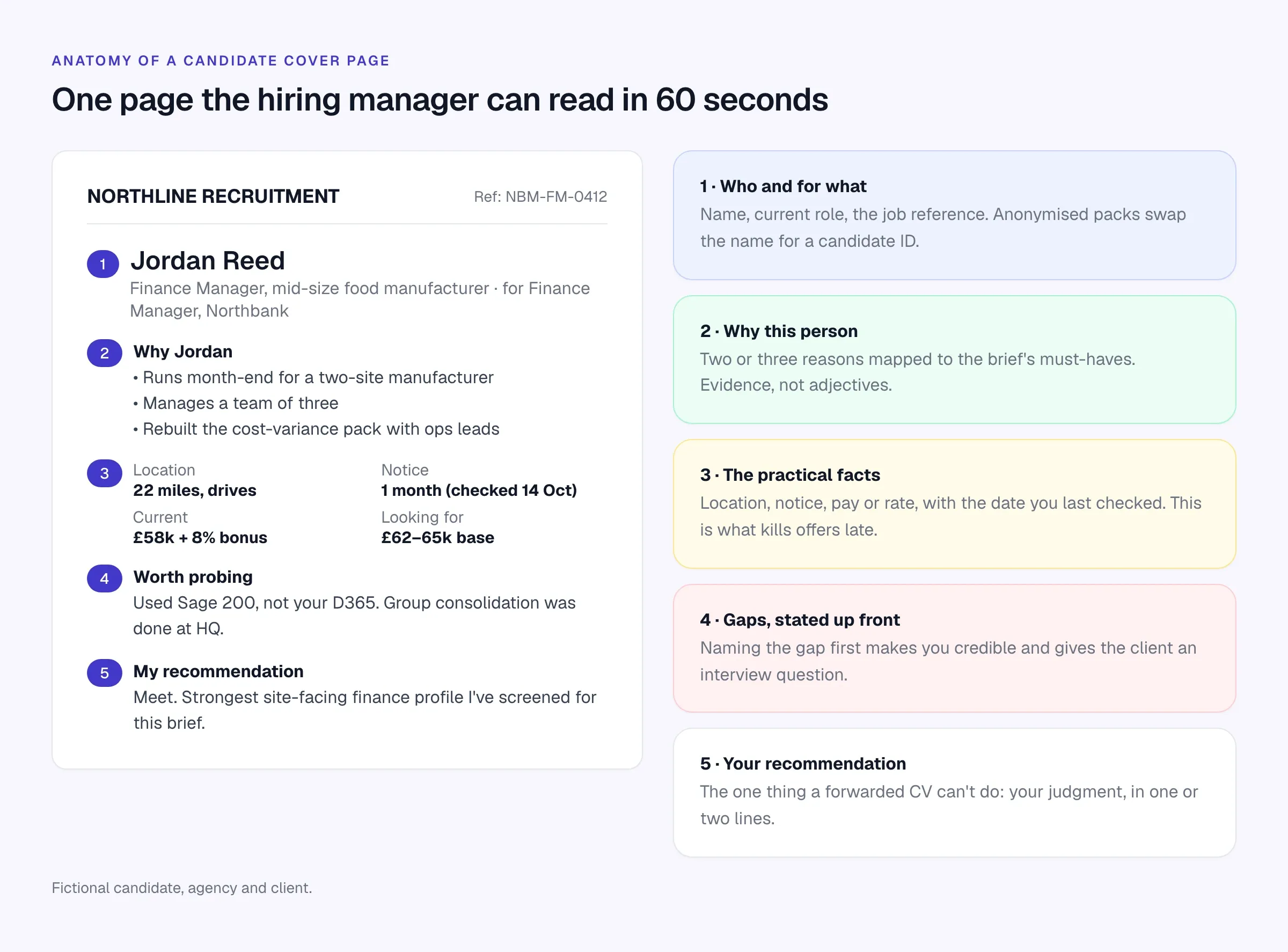
Scroll the table to see all columns →
| Section | What to write | Common mistake |
|---|---|---|
| Who and for what | Name (or candidate ID), current title, type of employer, the job reference | Leaving off the job reference when the client has several roles open with you |
| Why this person | Two or three bullets, each tied to a must-have in the brief, with evidence | Adjectives (“dynamic”, “proven”) instead of facts |
| Practical facts | Location and commute, notice period, current and expected pay (or rate), right to work if relevant, with the date you checked | Numbers from the original screen six weeks ago |
| Gaps worth probing | The requirement they meet least well, stated plainly | Hiding it and losing the client’s trust at interview |
| Recommendation | One or two lines: meet or not, and the question you’d ask them | No opinion at all |
Keep it to one page. Keep the fit points tied to requirements the client will use to decide whom to interview.
Worked examples
The three examples below show how the same structure flexes for different desks. Copy the structure; change everything else.
Permanent: finance manager
Candidate: Jordan Reed, finance manager at a two-site food manufacturer
Role: Finance manager, Northbank Manufacturing (ref NBM-FM-0412)
Why Jordan:
- Owns month-end for two sites today, which is the core of your role
- Manages a team of three (your brief: team of two, growing)
- Rebuilt the cost-variance pack with site operations leads, so used to working with non-finance managers
Location: 22 miles away, drives, happy with four days on site
Notice: One month (confirmed 14 October)
Pay: £58,000 plus 8% bonus now; looking for £62,000–£65,000 base
Worth probing: Uses Sage 200, not Dynamics 365. Group consolidation is done at head office, so less exposure than your brief asks for.
Recommendation: Meet. The strongest site-facing finance profile I’ve screened for this role. I’d ask how they’d approach the first quarter-end on a new ERP.
Contract: .NET developer, six months
Contract clients care about different things: can they start, what’s the rate, are they inside or outside IR35 (in the UK), and have they done this exact job before.
Candidate: Sam Okafor, contract .NET developer
Role: Six-month contract, payments platform migration (ref ACM-NET-27)
Why Sam:
- Two previous contracts migrating .NET Framework services to .NET 8 in financial services
- Azure Service Bus and SQL Server, both named in the brief
- Clean finishes: both previous contracts extended at least once (references available)
Availability: Current contract ends 31 October; can start 3 November
Rate: £550 per day; candidate has seen the client’s inside-IR35 status determination and is happy to work through an umbrella
Location: Remote, can be in Reading one day a week
Worth probing: No Kubernetes exposure; the platform team runs AKS.
Recommendation: Book a 30-minute technical call this week. Sam has two other interviews pending.
Executive: CFO search
For retained and executive work, the cover page becomes a short candidate report. The client is comparing a slate of three to six people, so your summary has to make the comparison easy.
Candidate: Priya Natarajan, Group FD at a PE-backed logistics business (£180m revenue)
Mandate: CFO, Harbourline Group (retained)
Why Priya:
- Led a refinancing and a bolt-on acquisition in the last 18 months, the two things your board flagged
- Has worked with two PE sponsors; understands the reporting cadence
- Built the finance team from 6 to 14 through a carve-out
Motivation: Current business has completed its value-creation plan; she wants a bigger equity stake and a second exit
Package: Base £210,000; expecting a material increase in equity rather than base
Notice: Six months; believes three is negotiable
Worth probing: No listed-company experience if an IPO stays on the table.
Recommendation: One of the two strongest on the slate for the next-12-months agenda. Suggest a first meeting with the chair rather than the full panel.
For the process around the slate (longlist, calibration, shortlist report), see the executive search workflow for boutique firms.
Client submission emails
Keep the email short. The cover page does the selling; the email gets the attachment opened and asks for a decision.
Standard submission (permanent)
Subject: [Candidate name] for [Role] ([Ref])

Hi [First name],

Attached is [Candidate] for the [Role] role. In short:

- [Reason 1, tied to the brief]
- [Reason 2, tied to the brief]
- Notice [x weeks]; looking for [salary range]

The one thing I'd probe: [gap].

Do you have 30 minutes on [day] or [day] for a first conversation?
[Candidate] is interviewing elsewhere, so a quick steer would help.

[Your name]
Contract submission (time-sensitive)
Subject: Available [start date]: [Candidate], [Role] at [£/$ rate]

Hi [First name],

[Candidate] is available from [date] at [rate] [per day/hour], [IR35 or
engagement note if relevant].

Why them: [one-line match to the brief]. They've done [very similar
project] at [type of company].

CV and summary attached. Can I book a 20-minute call with you
tomorrow? They have [number] other conversations in progress.

[Your name]
Follow-up after 48 hours
Subject: Re: [Candidate name] for [Role] ([Ref])

Hi [First name],

Checking in on [Candidate]. They're keen, and I want to give them an
honest update either way.

If it's a no, a line on why helps me tune the next shortlist.
If it's a maybe, what would you need to see to decide?

[Your name]
For multi-step follow-ups that stop when the client replies, see the recruitment email sequence templates. If the client goes quiet entirely, pick up the phone; the cold call scripts include a few openers that work for chasing feedback too.
Named vs anonymized CVs
Send the right version for the stage of the relationship.
Named CV
- Use when: you have agreed terms with the client and the candidate has approved this specific client and role.
- Strengths: the client can check LinkedIn, references and conflicts straight away. Faster decisions.
- Risk: the client (or another agency) contacts the candidate directly. Your terms of business and a clear record of when you introduced them are your protection.
Anonymized (blind) profile
- Use when: you’re marketing a candidate speculatively, terms aren’t signed yet, or the candidate is senior and confidential.
- Strengths: protects the candidate and your introduction.
- Risk: it’s easy to do badly. A blind CV that says “Head of Data at a London fintech unicorn, 2019 to present” is not anonymous.
To anonymize properly, remove or generalize: name, email, phone, home address, LinkedIn and GitHub URLs, photos, the current employer’s name (use “Tier-1 investment bank” or “UK grocery retailer, 20,000+ staff”), very specific project names, and file metadata. Then read it once as if you were the candidate’s current boss. If you could identify them, so can the client.
Right to represent: get it in writing, every time
Right to represent is the candidate’s agreement that your agency can submit them to this client for this role. It’s the step that prevents the worst calls in agency recruitment: the client saying “we already have this CV from another agency”, or a candidate finding out they were sent somewhere they’d never have considered.
A practical standard:
- Brief the candidate fully. Client name, role, pay range, location and the process. If the client is confidential at this stage, say so and give enough context for an informed yes.
- Ask the conflict question. “Have you applied to, or been put forward to, this company in the last 12 months, by anyone?” Record the answer.
- Get the yes in writing. An email or text reply to a short confirmation message works. Save it against the candidate and the job.
- Submit promptly. Same day if possible. Ownership disputes usually come down to who introduced the candidate first.
- Tell the candidate it’s gone. Confirm the submission and when they should expect to hear back.
Right-to-represent confirmation (to the candidate)
Hi [First name],

Thanks for the call today. To confirm before I send anything:

- Client: [Company]
- Role: [Job title], [location / working pattern]
- Package discussed: [salary range or day rate]

You've told me you haven't applied to or been submitted to [Company]
by anyone else in the last 12 months.

Can you reply "yes" to confirm you're happy for [Agency] to represent
you for this role? I'll send your details to [hiring manager's first name]
today and let you know as soon as I hear back.

[Your name]
In the UK, regulation 19 of the Conduct of Employment Agencies and Employment Businesses Regulations 2003 requires both agencies and employment businesses to obtain confirmation that the work-seeker is willing to work in the position before introducing them. Employment businesses (temp and contract supply) must also confirm the person’s identity and that they have the experience, qualifications and any authorisations the hirer requires; agencies have that duty for roles involving vulnerable people. The REC’s guidance on the regulations puts it plainly: confirm the candidate is willing to work in the role before you send their CV. The Fair Work Agency now enforces these rules in Great Britain.
In the US there’s no equivalent statute. Right to represent is industry practice rather than law, so how it works with each client comes down to your contract: check what your terms (or the client’s MSP program) say about duplicate submissions and how long an introduction stands.
Data protection: send only what the client needs
Submitting a candidate means sharing their personal data with a third party. Under UK and EU GDPR the candidate should know who gets their data and why; in California, the CCPA has applied to job applicants’ personal information since 1 January 2023. A few habits keep you on the right side:
- Strip what the client doesn’t need. Home address, date of birth, nationality, photos and marital status rarely belong in a submission. Many CVs include them anyway; remove them in your formatted version.
- Never forward the original email chain. Notes like “says she’s going through a divorce, wants to move closer to her mum” belong nowhere near a client inbox.
- Use the formatted or watermarked version, not the raw file with the candidate’s personal email in the header, unless the client has agreed terms and needs it.
- Record what you sent, to whom and when. If the candidate later asks what you shared, you’ll be able to answer.
Your agency’s data policy should state how long you keep submission records; Longlist’s own approach is set out in its GDPR page.
Building the pack without retyping
The slowest part of a submission is usually reformatting: copying details from notes into a Word template, stripping contact details out of the CV, exporting to PDF. If your agency sends more than a handful of CVs a week, that time adds up fast.
In Longlist, the cover page is built from fields already on the candidate record: current role, location, expected salary, notice period and your recommendation. You choose which fields to show, then pick the CV version (formatted, original, watermarked original, or the cover page alone).
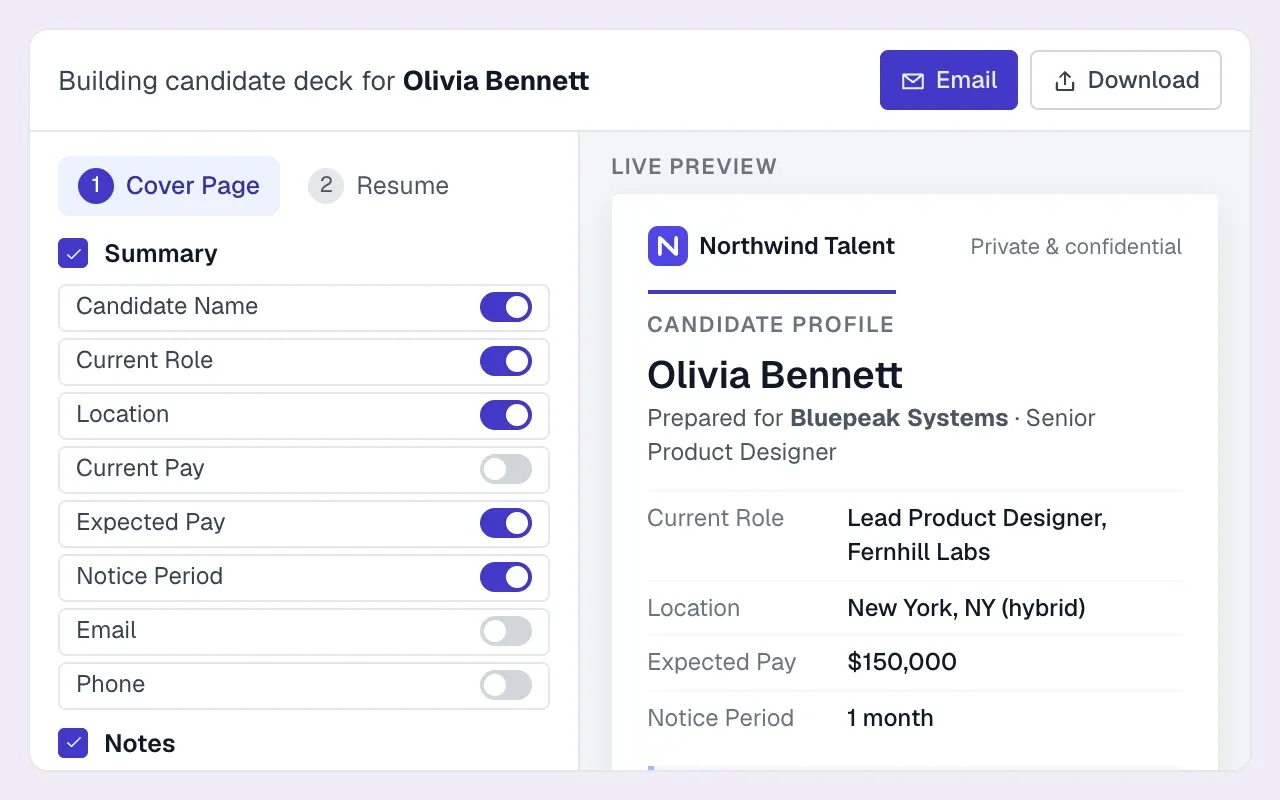
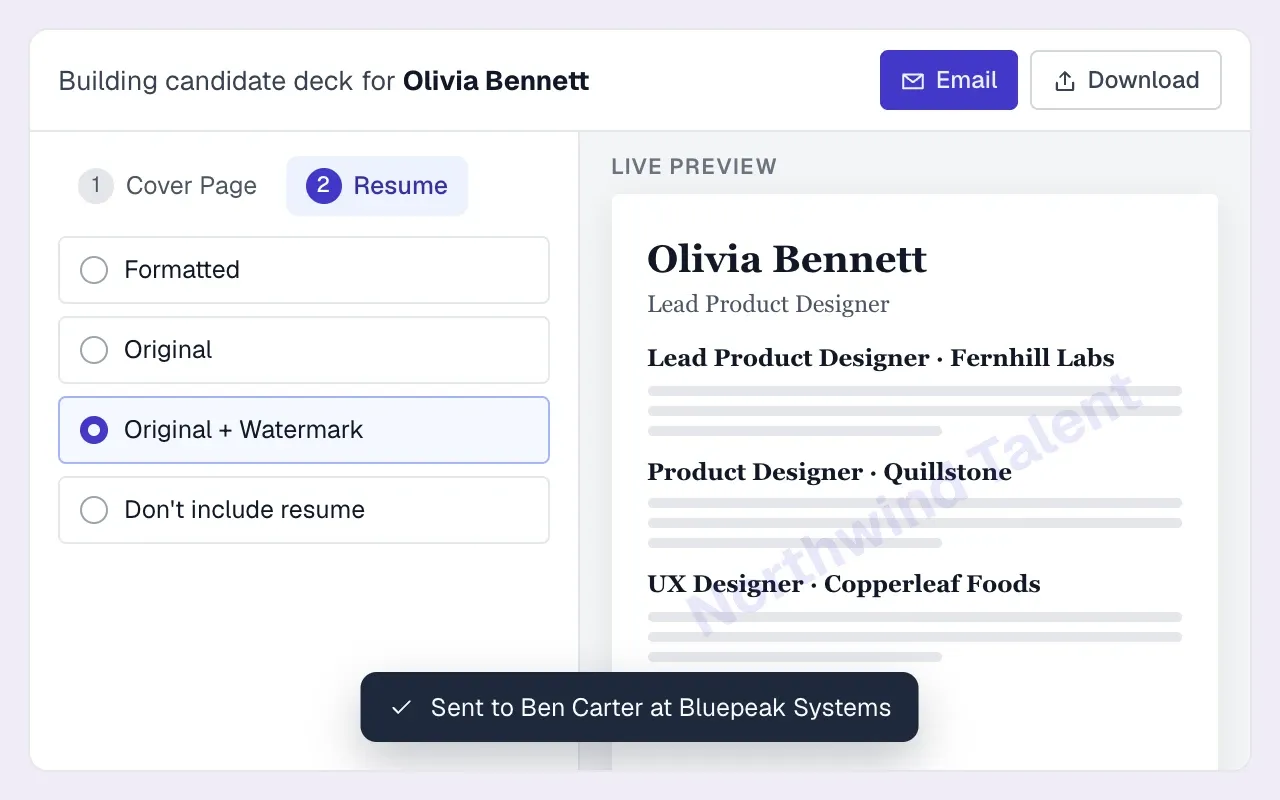
The pack is emailed from your connected mailbox and logged against the candidate, so the submission shows up in the job pipeline and in CVs-sent reporting. Consistent logging also supplies the weekly KPI scorecard depends on submissions being recorded consistently.
CV packs in Longlist
Build a branded cover page and CV pack from the candidate record, then email it to the client from your own inbox. Included on every plan.
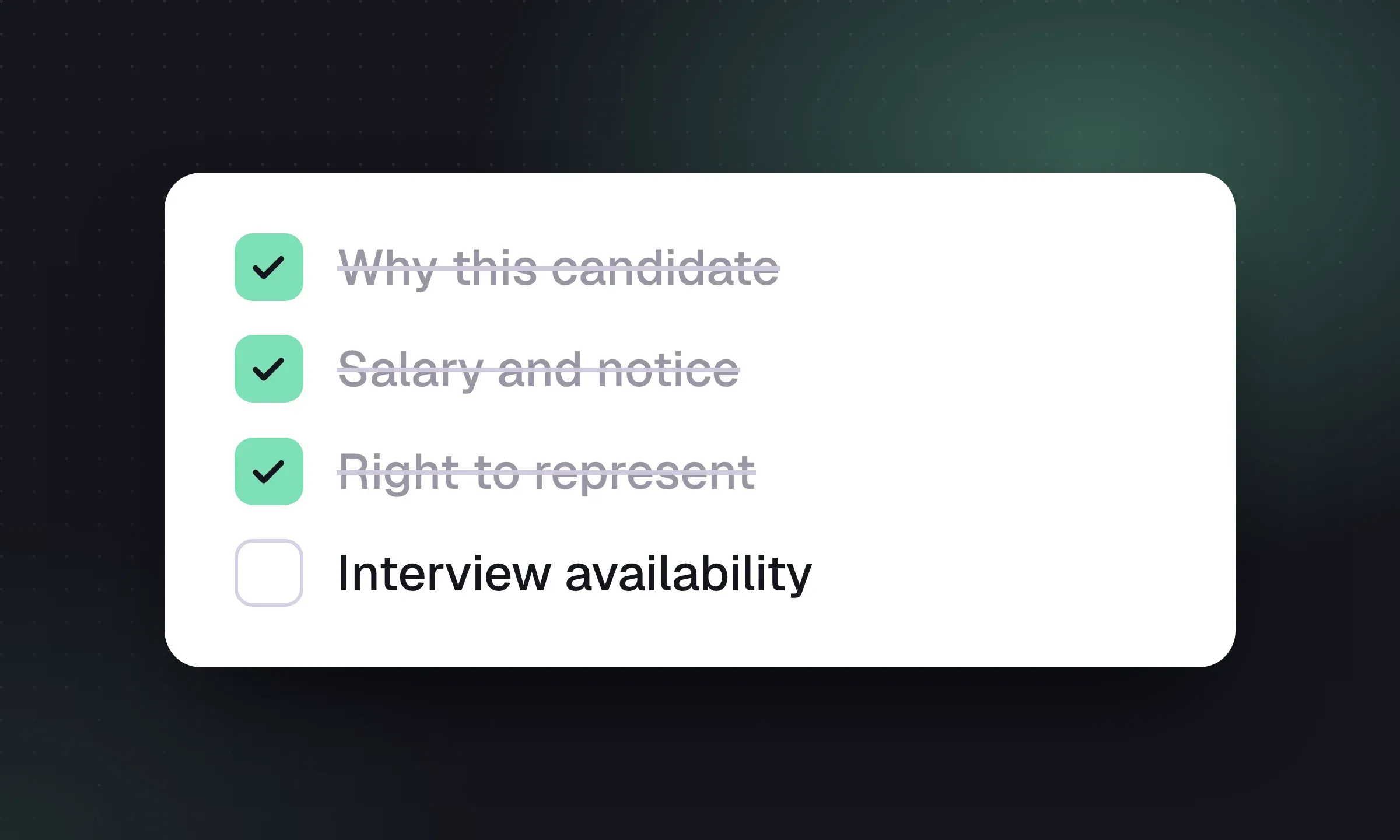
Pre-send checklist
Run this before every submission. It takes two minutes and catches the mistakes clients remember.
- Candidate has agreed in writing to be represented for this client and role
- Conflict check done: not submitted to this client by anyone in the last 12 months
- Recipient is correct (right client, right contact, right job reference)
- “Why” bullets each map to a must-have in the brief
- Notice, pay or rate and location re-confirmed in the last few days, with the date noted
- Gap worth probing is stated honestly
- Personal details the client doesn’t need are removed (home address, date of birth, photo, personal email if blind)
- CV version is right: formatted, watermarked or anonymized as agreed
- File name is clean, e.g. “Jordan Reed – Finance Manager – Northline.pdf”, not “CV_final_v3 (2).docx”
- Opened the final PDF and checked layout, page breaks and attachments
- Submission logged against the job with a follow-up task set
- Candidate told that their details have been sent
When submissions stop converting
If clients are reading your packs and still not booking interviews, look at the brief before the format. Count your submissions per interview for each client over a month. A ratio that’s much worse for one client usually means the brief was never really agreed, not that your cover pages are wrong. The fix is a calibration call: send two contrasting profiles, ask which is closer and why, and adjust the search. The candidate sourcing guide covers how to turn that feedback into a tighter shortlist.
Strong submissions also depend on clean candidate data underneath. If your current system scatters notes, CVs and salary details across email and spreadsheets, the recruitment CRM vs ATS guide explains what an agency needs from each, and the recruiting database page shows how Longlist keeps CVs, history and preferences on one record.